How to increase your income with SEO?
SEO is a powerful acquisition lever that helps you attract new customers at almost no cost. Sustainable, scalable, and a credibility booster, optimized content positions you as an expert in your field. As a Webflow SEO agency, we’re sharing our best practices here to help you get the most out of organic search on Webflow and accelerate your growth.

article summary
- A profitable SEO strategy should target specific business goals rather than simply increasing traffic.
- Content should meet the needs of a clearly defined audience and target queries tied to genuine intent.
- Quality, differentiation, and the ability to cover a topic better than already-ranking pages are decisive.
- Internal linking and CTAs should naturally guide readers toward a relevant offer or next step.
- SEO profitability should be measured through conversions, leads, and revenue, not traffic alone.
Want to take it further? Ask:
1. Think business, not traffic
Start by clearly defining the goal or goals of your content strategy. You need to be clear on why you're creating content and make sure every action supports that goal.
Generating traffic just to generate traffic won't get you anywhere. Think business, think conversion.
2. Focus on your audience
Before you write, think about who you're speaking to. You need to understand who your content is for. That makes writing and ranking much easier. The reader should feel like you wrote it for them.
Tip: read the other top-ranking articles first so you can stand out.
3. Define your keywords clearly
Once you have a blog post idea, the first step is to target the right keywords. Choose them based on several criteria:
- Commercial intent
- Search volume
- Low difficulty
- Domain authority
- Few backlinks
There are different tools you can use to find these metrics. Personally, I like using Neil Patel's tool, Ubersuggest, to run my analysis and cross-check it with the keyword planner in Google Ads (free).
I've also written an article with the 9 steps to optimize your Webflow site for SEO. Worth a read!
Practical example
I'm a company specializing in Caces training, and I want to write content to attract new clients.
Here's how to do it:
I look into search volumes related to Caces
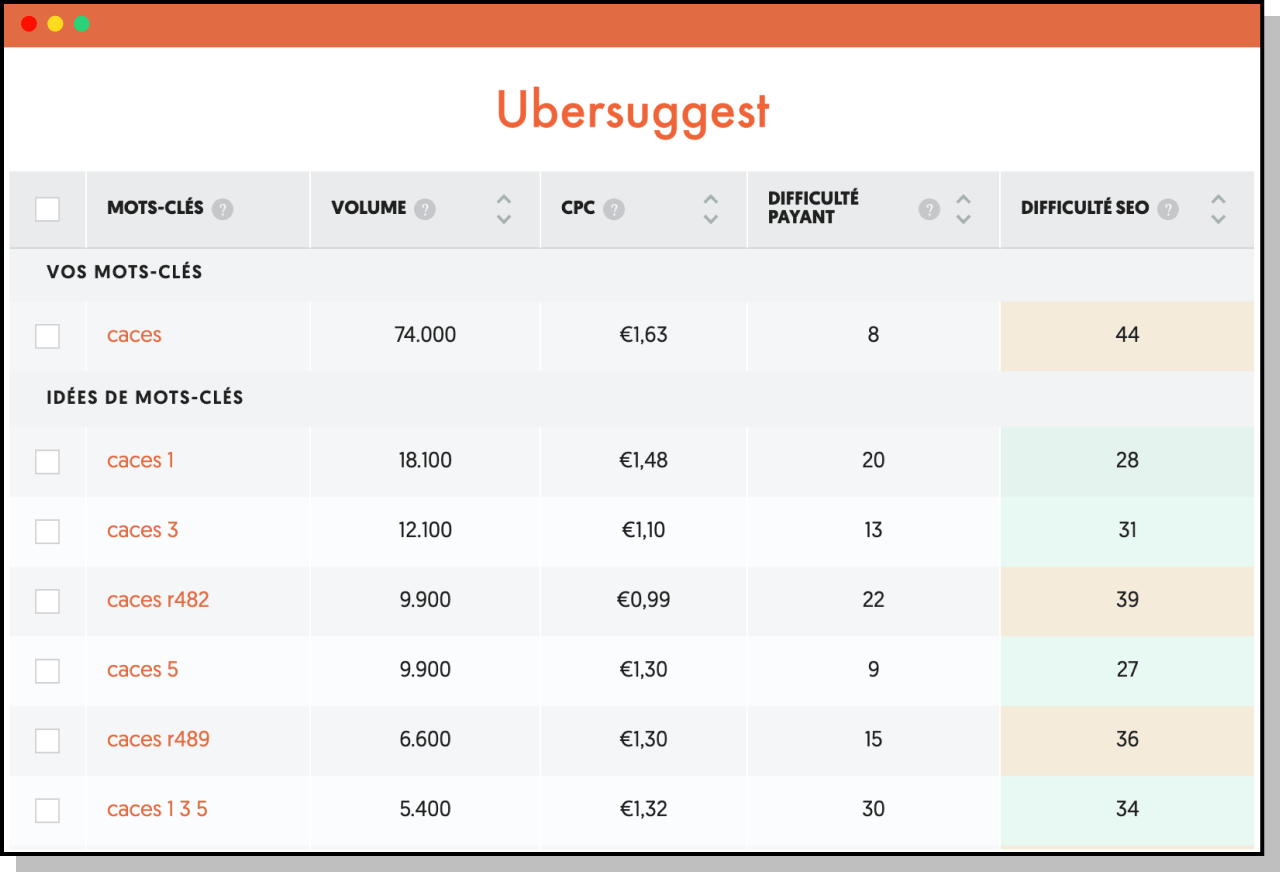
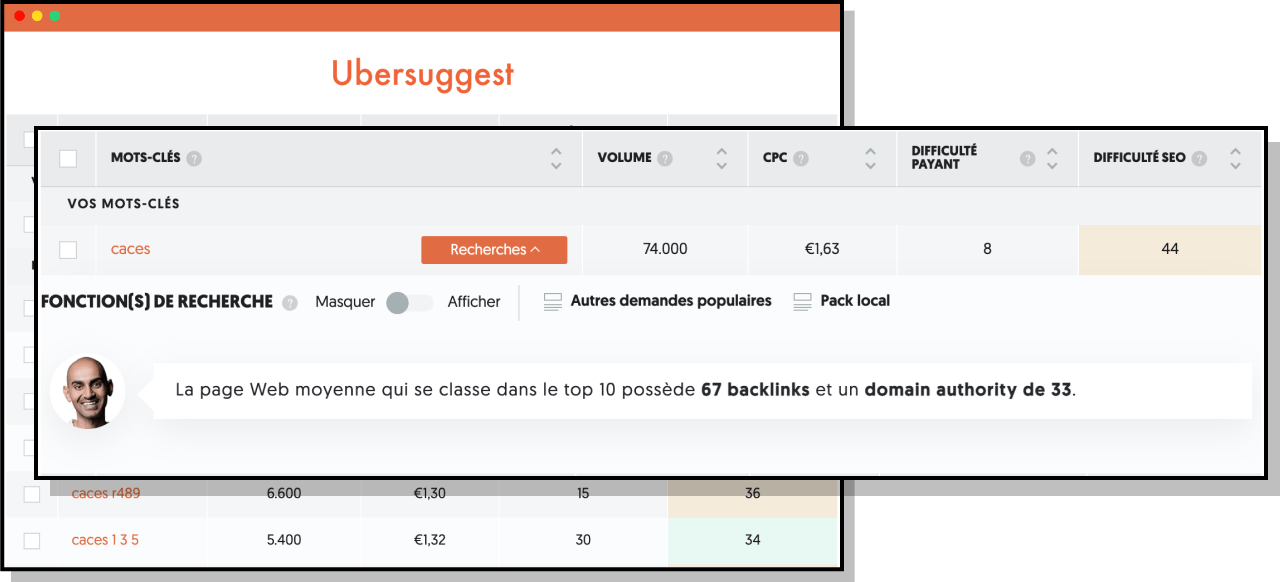
More than 74,000 monthly searches for the keyword "caces." Sounds interesting, right? Wrong. With an SEO difficulty of 44, 67 backlinks, and a domain authority of 33, it will be very hard to rank in the top 10, and even harder to aim for the top 3 (60% of clicks).
So naturally, I'll focus on the keywords "caces 1," "caces 3," and "caces 5." With SEO difficulty no higher than 35, significant search volumes, a manageable backlink profile, and low domain authority, they check every box!
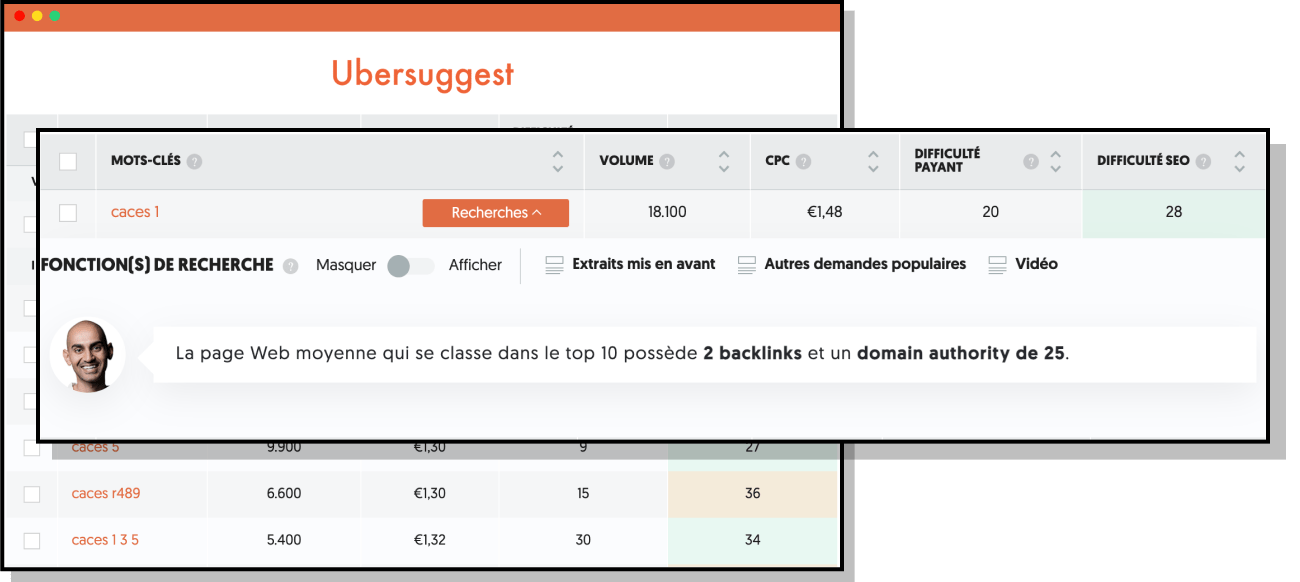
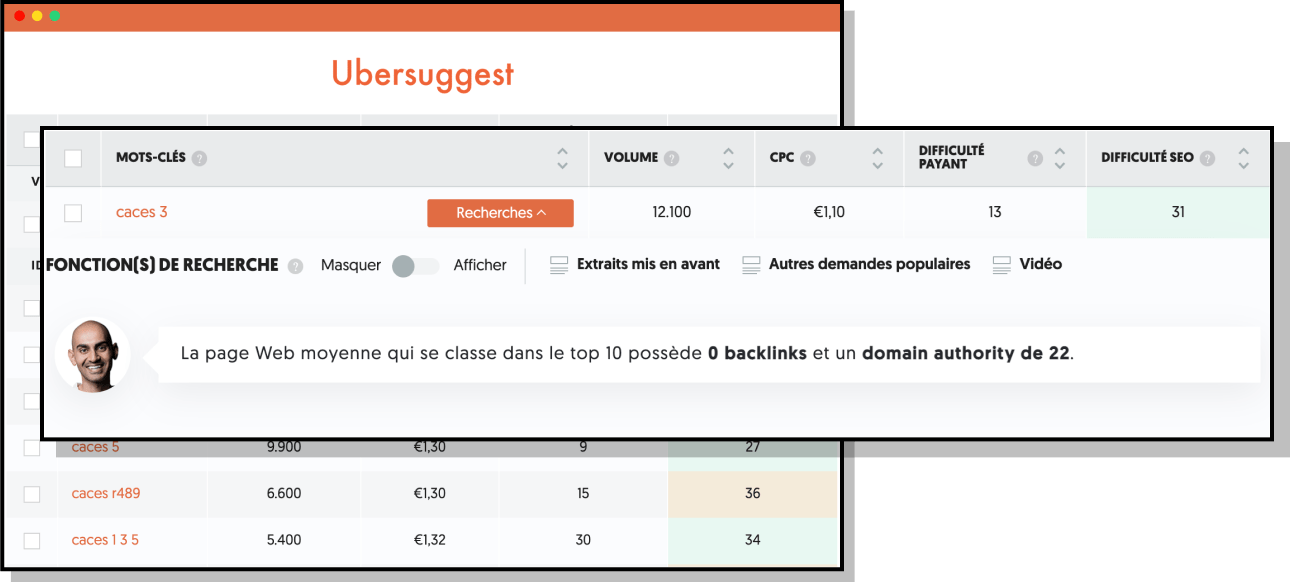
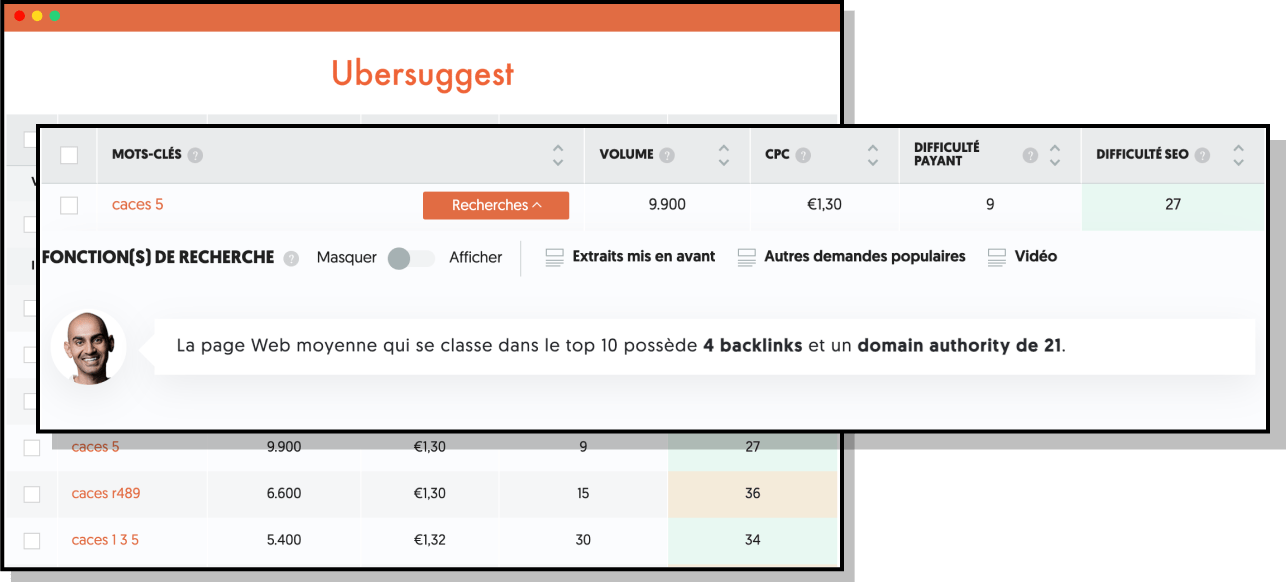
More than 40,000 potential sessions are now within reach. The next step is to write content that ranks well so we can position ourselves as high as possible on Google and capture as much of that traffic as we can. Here's how to do it below.
{usecases}
4. The intent behind the keywords
What problem is the user trying to solve? What are they looking for?
Write for your users, not for algorithms. Often overlooked, the main goal of a blog post is to bring value to the reader. You need to answer their question and write content that adds real value. Forget copy-paste and over-optimization.
5. Structure it properly
To understand what your article is about, Google needs well-structured content with headings and subheadings.
{cta}
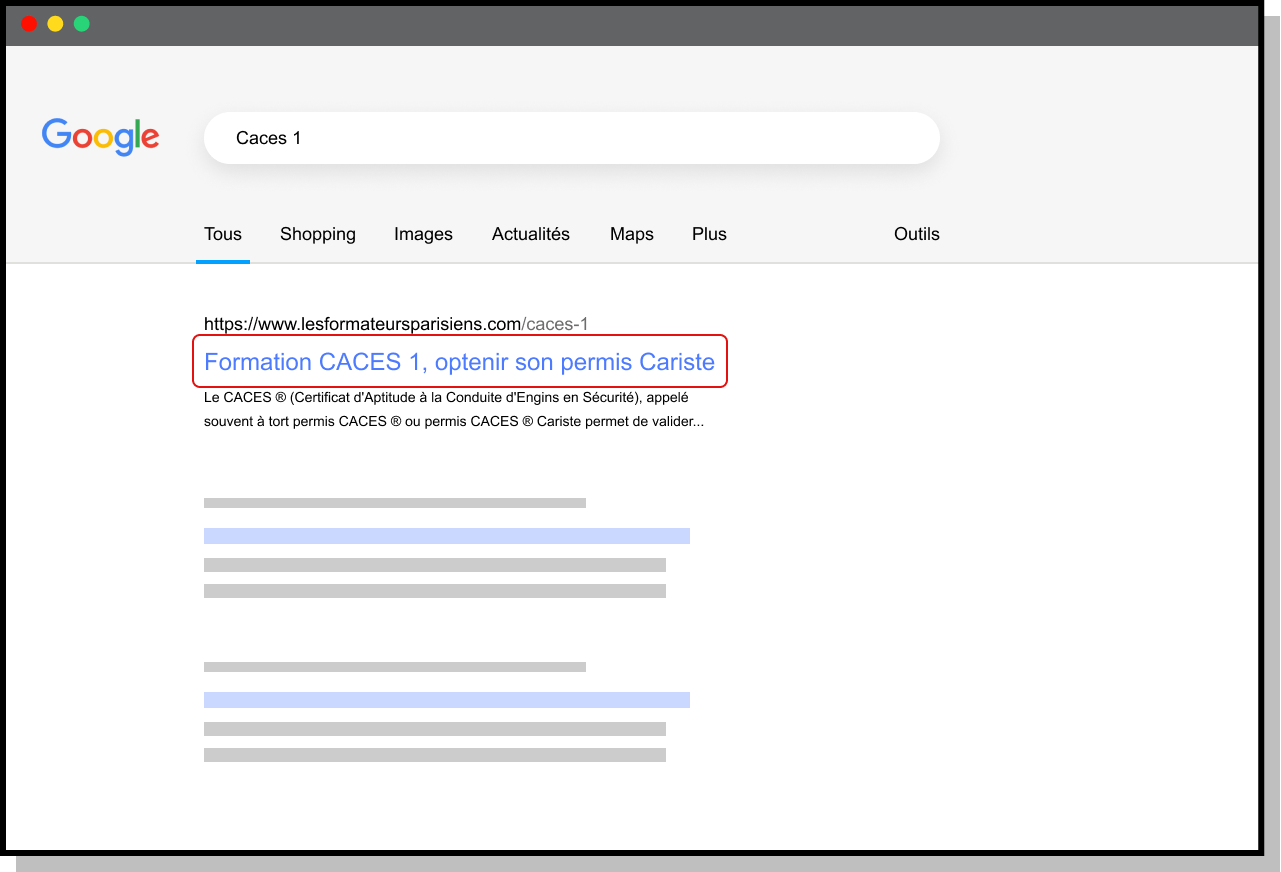
The title tag
The Title tag describes the content of your page. This description tells Google what the page is about and helps the search engine bot index, evaluate, and rank your page properly.
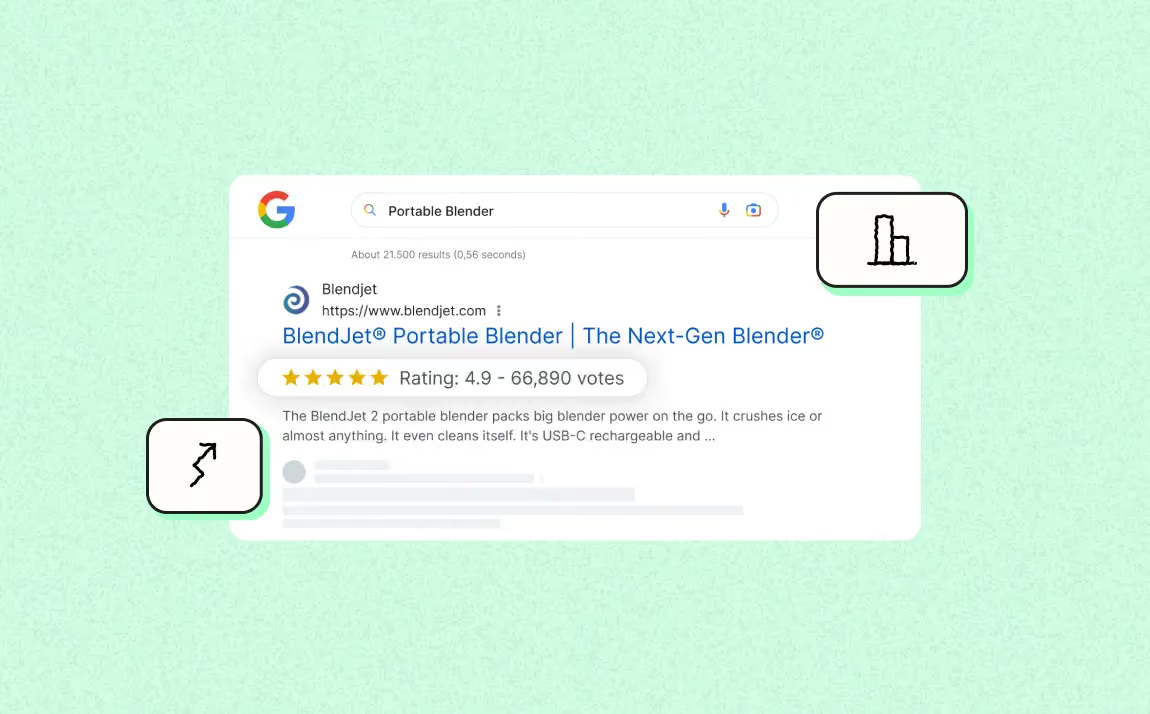
The title appears on search engine results pages (SERPs). It gives users valuable information about whether they should click through to your website.
It should follow a few basic rules:
- The main keyword should appear at the beginning of the text
- 65 characters max (10-12 words)
- It must be unique across the entire site
- The golden rule: the title should make users want to click
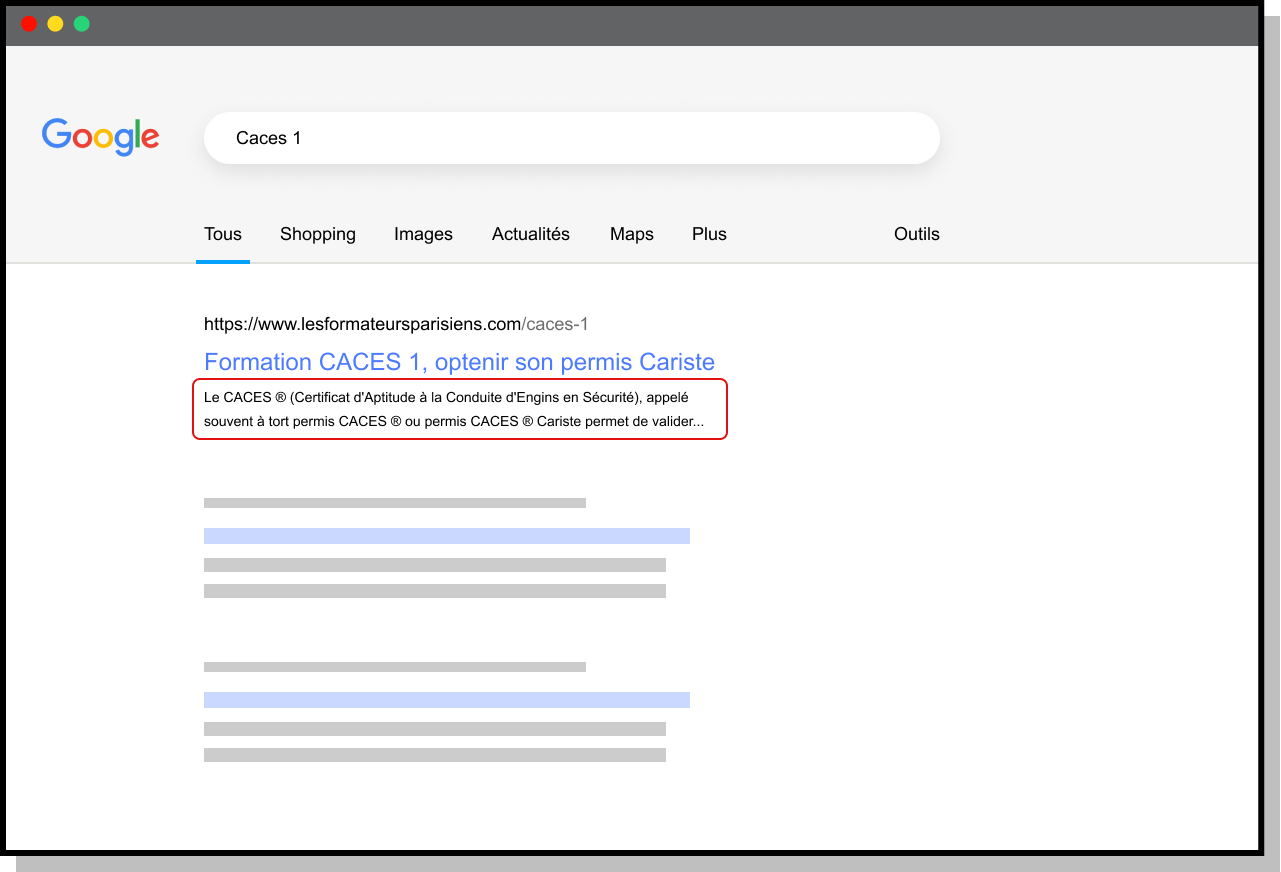
The meta description
The meta description is the text displayed under the link in Google. It helps you stand out from competitors by making prospects want to click your link. Google measures how interesting your article is through CTR (click-through rate). A strong CTR helps you rank better, which is why you need a meta description that is compelling and answers what the user is looking for.
Best practices:
- Main keyword at the beginning of the text
- 230 characters max (otherwise it gets truncated)
- Unique across the entire site
- Aligned with the title tag
- Sentences with subject + verb + object
Avoid:
- keyword lists
- repeated keywords
- numbers
- special characters
- words in all caps and exact dates.
The H1
The H1 tag is the most important tag on your page after the title. It's the page's main headline.
This heading should follow these rules:
- Include your main keyword
- Ideally be 70 characters long
- Describe the page content
- Be unique per page
If you want to work on local SEO, include the name of the city / county / region you're targeting as well.
H2-H6
H2 - H6 are the subheadings that help structure the page. The logical sequence of your Hn tags also creates semantic links between the different terms involved. It's a smart way to strengthen the semantic consistency of your pages.
More broadly, building your content with relevant and logical Hn markup makes it easier to read and helps improve your bounce rate and increase time on site. Together, these two factors will have a positive impact on your SEO.
Links and internal linking
It's important to link to content related to your article. You can create internal links based on the site structure you've chosen, which helps drive traffic to other pages on your site. You can also link to external sites related to your topic that add extra information for your readers.
Image & ALT attribute
Illustrate your content with images for readers! However, Google can't read images, so you need to give the image context through the alt tag.
To set it up properly:
- The main image on the page should include the main keyword
- 5-6 words in simple English
- Describe the image
- Pay attention to image size (make it a habit to always compress your images)
URL
The URL tells users what your page is about right away. For search engines, it helps clarify the topic covered on the page.
The URL should:
- Include the main keyword
- Be clear and readable; hyphens "-" are allowed
Avoid:
- Dynamic URLs
- "_" underscores
- special characters
- symbols
- accents
- uppercase letters
- overly deep hierarchies
6. Polish the user experience
When talking about SEO optimization, you also need to take UX, typography size, accessibility, responsive design, and more into account... The SEO + UX combo is called SXO! Having high-quality, highly optimized content that is unreadable or weighed down by a poor experience will drive readers away, and your rankings will suffer.
The essentials:
- Typography at least 16px
- A responsive site
- Well-spaced text and sections
- Strong accessibility (color contrast, etc.)
Increase your revenue with SEO - Key takeaways
Good to know
Heading
Lorem ipsum dolor sit amet, consectetur adipiscing elit. Suspendisse varius enim in eros elementum tristique. Duis cursus, mi quis viverra ornare, eros dolor interdum nulla, ut commodo diam libero vitae erat. Aenean faucibus nibh et justo cursus id rutrum lorem imperdiet. Nunc ut sem vitae risus tristique posuere.







Lorem ipsum
Lorem ipsum dolor sit amet, consectetur adipiscing elit, sed do eiusmod tempor incididunt ut labore et dolore magna aliqua. Ut enim ad minim veniam, quis nostrud exercitation ullamco laboris nisi ut aliquip ex ea commodo consequat. Duis aute irure dolor in reprehenderit in voluptate velit esse cillum dolore eu fugiat nulla pariatur.


.avif)