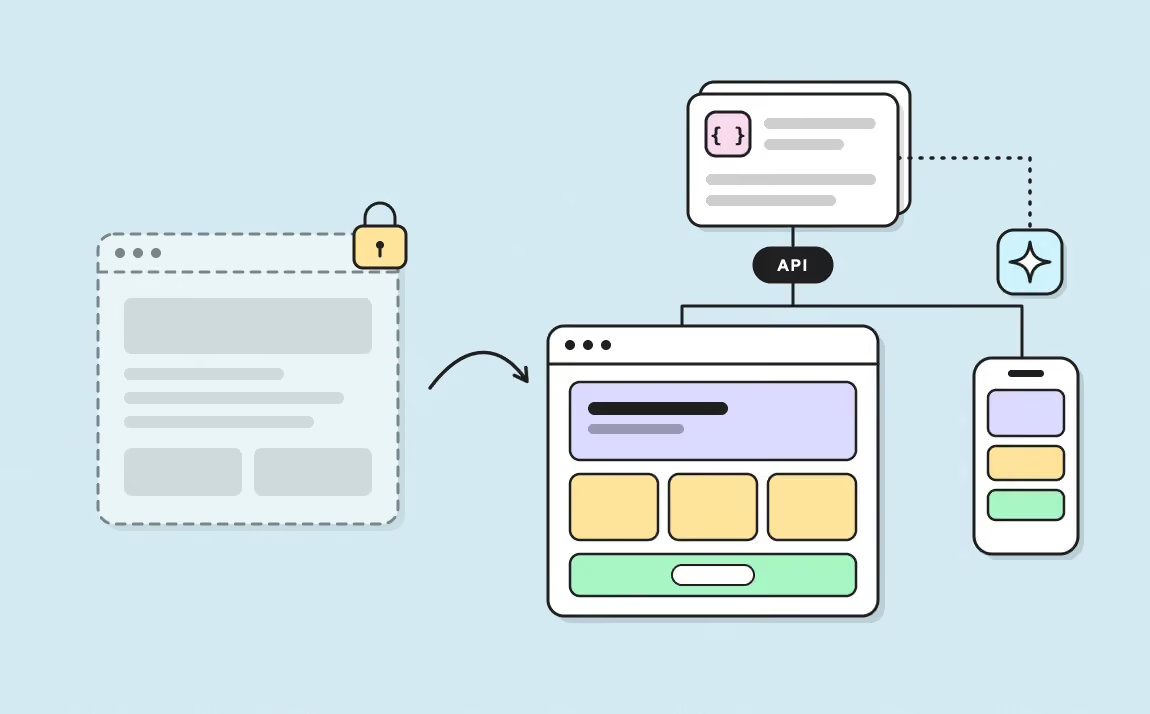
Can you create a Webflow site without coding?
In the web world, the no-code trend is winning over more and more entrepreneurs, creators, and developers looking for simplicity. Webflow has become one of the most popular tools for building a website without touching code. But is it really possible to build a Webflow site without coding? What are the limits and alternatives?
If you're looking for professional expertise to design your Webflow site, our Webflow agency can support you in building a high-performing, custom website.
Answers to all your questions in this article!
article summary
- Webflow lets you design and publish a professional website without writing code through its visual interface.
- The platform generates HTML and CSS while providing precise control over responsive behavior and interactions.
- The CMS, components, and dynamic templates make recurring content easier to manage without technical intervention.
- Understanding web fundamentals is still useful for building a clean, accessible, and maintainable website.
- Custom code is only necessary for certain features, integrations, or logic that go beyond Webflow’s native capabilities.
Want to take it further? Ask:
What Is Webflow and How Does It Work?

Webflow is a no-code website builder that lets users design professional websites without writing a single line of code. It stands apart from traditional CMS platforms like WordPress, which often require installing a lot of plugins to add specific features.
With Webflow, everything is built in natively. That means users get all the tools they need to customize their site right away, without relying on third-party extensions.
One of Webflow’s biggest strengths is its visual editor, built on drag and drop. In practical terms, that means you can:
- Add and organize elements like text, images, buttons, videos, and forms directly on the page
- Customize each section with advanced settings like typography, colors, spacing, and animations without touching CSS
- Structure web pages with grids and columns for a fully responsive result
All of this is possible thanks to a system that automatically generates HTML, CSS, and JavaScript in the background, so users don’t have to think about it. The result: a clean, optimized, high-performing website without needing a developer.
Is Webflow 100% no-code, or do you need to code to build a site?
While Webflow lets you build a complete site without coding, it also offers advanced features for users who want to go further with customization and optimization.
Adding custom code (HTML, CSS, JavaScript) for specific features
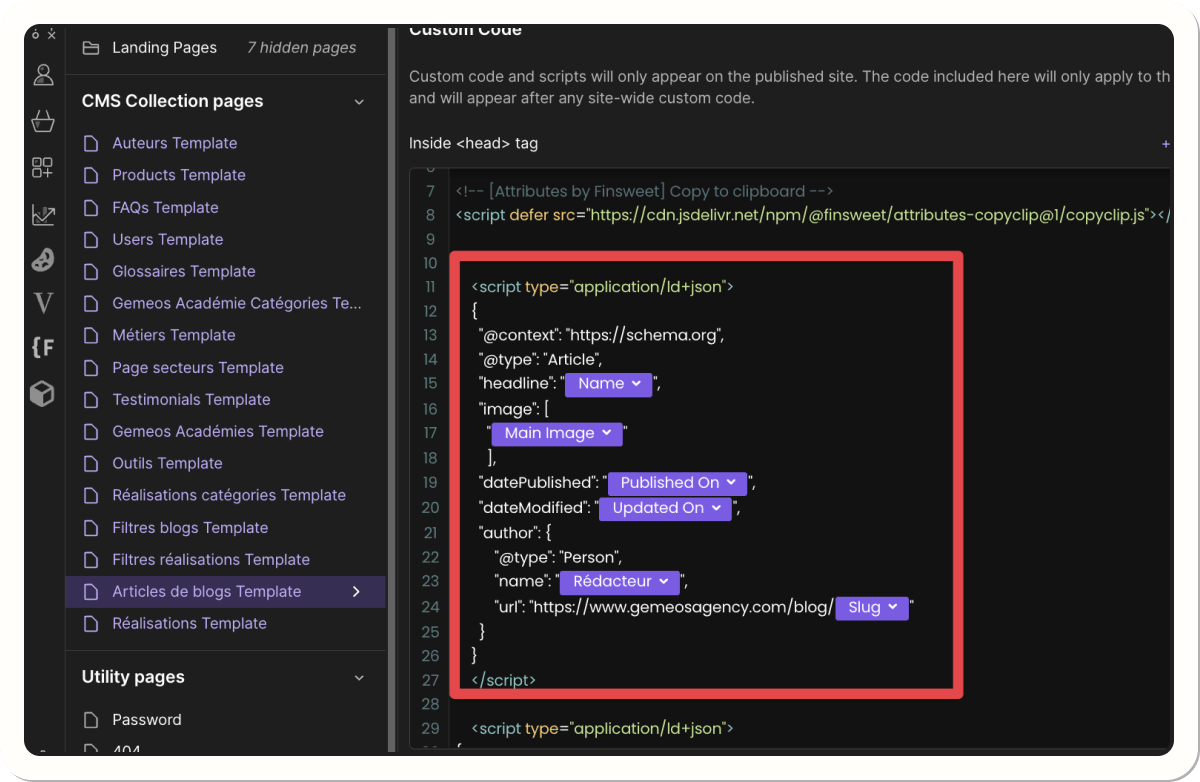
Webflow automatically generates HTML, CSS, and JavaScript, but you can also add your own custom code to modify or enhance certain site features. For example, this lets you:
- Customize advanced CSS styles that aren’t available in the visual editor
- Add JavaScript scripts for interactive animations or dynamic behavior
- Embed custom HTML, such as specific elements not supported by Webflow
Example: a user may want to add a text-reveal-on-scroll effect that’s more complex than what Webflow offers natively. They can then add a custom JavaScript script to get exactly the effect they want.
Advanced interaction customization with JavaScript
Webflow includes a visual editor for animations and interactions like hover effects, transitions, dynamic scrolling, and more. But some complex interactions require JavaScript.
Here are a few cases where code becomes useful:
- Building advanced image carousels with specific transitions
- Adding a typewriter effect, where text appears automatically
- Setting up a dynamic counter or real-time data display
These customizations aren’t always accessible to no-code users, but they let developers unlock Webflow’s full potential.
API and third-party tool integrations
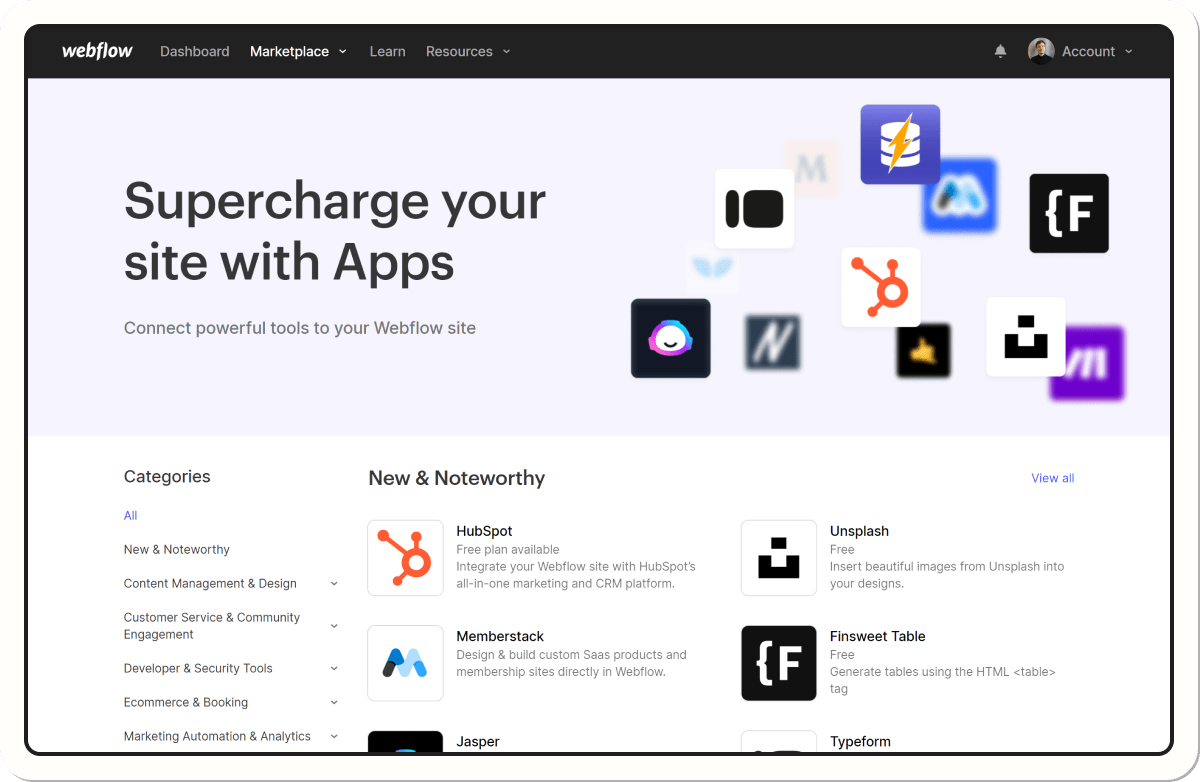
To add more advanced functionality, Webflow supports API and external tool integrations. Some of these integrations can be handled through no-code connectors like Zapier or Make, but others require scripts to connect Webflow to databases, third-party services, or specific features.
Examples of integrations that require code:
- Connecting to an external database to display dynamic content
- Integrating a payment system outside Webflow E-commerce
- Advanced automation through the Webflow API, such as automatically updating content based on an external service
Webflow: a hybrid tool between no-code and advanced development
Webflow is a hybrid platform that meets different levels of need:
- Beginners and designers can build a site without coding, using only the visual tools and CMS.
- Advanced users can add custom code for specific effects or bespoke features.
- Developers can go even further by using APIs and script integrations for more complex projects.
So Webflow works just as well for beginners as it does for experts, offering unique flexibility for website creation.
Webflow’s no-code features
A powerful visual editor for building your site
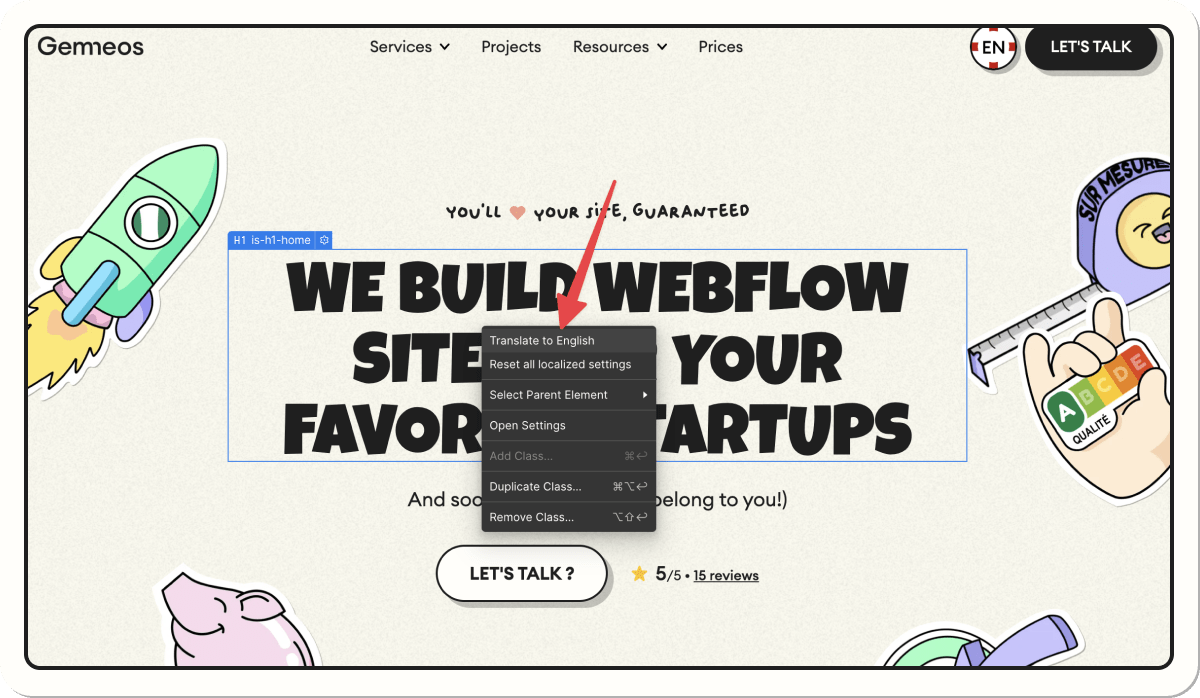
One of Webflow’s biggest strengths is its visual editor, which works on a drag and drop basis. It lets you:
- Add and edit text, images, and videos
- Structure pages with sections, columns, and blocks
- Customize styles like colors, fonts, and spacing without touching CSS
Code-free interactions and animations
One of Webflow’s major strengths is its ability to create advanced animations and interactions without coding. Thanks to its visual animation editor, you can add dynamic effects to a website and make the user experience smoother and more engaging.
With Webflow, you can easily set up animations such as:
- Hover effects: change colors, shadows, or an element’s size when a user hovers over it
- Parallax scrolling: elements move at different speeds depending on page scroll, creating a sense of depth
- Scroll animations: elements appear as the user moves down the page
- Progressive reveal effects: text or images fade in or slide into view smoothly
Webflow’s animation editor uses a fully visual interface that lets you define each interaction by adjusting settings like duration, speed, and animation trigger. That means users can create professional effects without writing a single line of JavaScript or CSS.
Webflow also lets you chain multiple animations on the same element, opening the door to sophisticated interactive effects like smooth transitions between sections, entrance animations for a website, or click-triggered animations that bring buttons and menus to life.
Webflow CMS: manage your content without coding
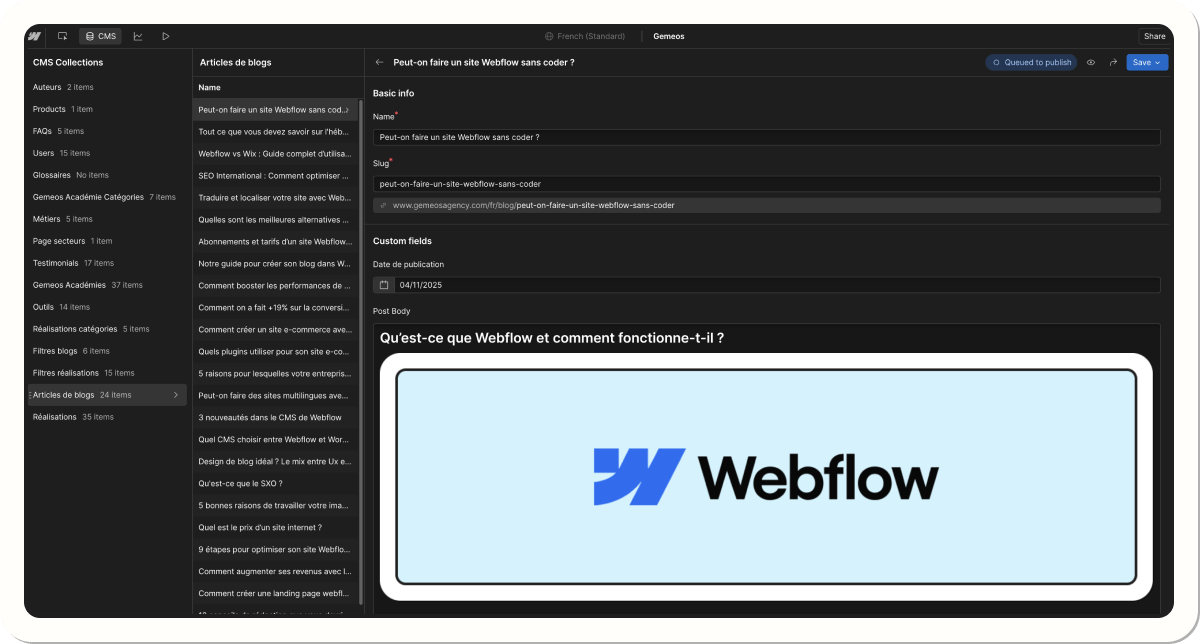
Webflow includes a built-in content management system (CMS) designed to let users create, edit, and organize dynamic content without touching code. Unlike classic solutions like WordPress, Webflow CMS doesn’t require plugins or external updates: everything is managed directly from the Webflow interface.
It’s especially useful for managing:
- Blog posts (adding, editing, categorizing, scheduling publication)
- Product pages for an e-commerce site without relying on third-party solutions
- Portfolios and projects for creators who want to update their work easily
- Dynamic pages like testimonials, team pages, and services, powered by data collections
With its interface, you can add new content without coding skills by simply filling in preconfigured fields like title, image, description, link, and more.
One of the biggest advantages of Webflow CMS is that it lets you display and format content dynamically. For example, a blog can be updated automatically with new posts, and each article will appear in a predefined design without any manual changes.
Webflow’s limits without coding skills
Can you do everything without coding?
No, Webflow doesn’t let you do everything without coding. Webflow is powerful for no-code, but for highly custom needs, code is still essential.
When should you add code in Webflow?
Webflow offers a wide range of no-code features, but some advanced customizations require code or third-party tools:
- Complex forms: Webflow doesn’t handle conditional or multi-step forms. Solutions like Typeform or JavaScript are needed.
- Memberships & subscriptions: Not possible natively. Integrations with Memberstack or Outseta can handle users and payments.
- Advanced filters and search: Webflow CMS doesn’t support multi-criteria search or complex filters without JavaScript or Finsweet Attributes.
- API integrations: Connecting databases or advanced automations requires scripts or tools like Zapier or Make.
- Advanced e-commerce: Webflow E-commerce is limited (no subscription sales or complex logic), so integrations with Shopify or Snipcart are needed.
Webflow vs. other no-code tools: which one should you choose?
Webflow stands out for its design flexibility and powerful CMS, outperforming Wix and Framer in these areas. It offers advanced no-code customization, although WordPress + Elementor provides greater modularity through its plugins.
For e-commerce, Webflow is solid but still trails Shopify when it comes to customization and subscription management. In terms of API integration and automation, Bubble is more powerful, though harder to master.
Finally, Wix and Framer are more beginner-friendly, while Webflow has a steeper learning curve if you want to unlock its full potential.
Is Webflow the right choice for a no-code website?
Who is Webflow best for?

Webflow is a perfect fit for:
- Designers who want to build a site without depending on developers
- Founders who want a professional, customizable website
- Marketers and startups that need a flexible CMS without plugins
Examples of 100% no-code Webflow sites
mattOS
An interactive site designed by Matthew P Munger, offering an immersive user experience that feels like an operating system.
toludeji
A clean, modern portfolio showcasing creative projects.
Rebuild → Civilization VI
A recreation of the Civilization VI game website, showing what Webflow can do for advanced design.
You can find examples of 100% no-code Webflow sites here.
What are the alternatives to Webflow for a no-code site?
If Webflow isn’t the right fit for your project, here are some alternatives:
- Wix – Simple and accessible, ideal for beginners, but lacking flexibility for complex designs.
- Framer – Ultra-intuitive for designers, but less powerful for content management (CMS).
- WordPress + Elementor – Highly customizable, but dependent on plugins and heavier maintenance.
- Bubble – Built for advanced no-code web apps, but not optimized for showcase websites.
- Squarespace – A great option for portfolios and simple e-commerce, but limited customization.
- Shopify (with Dawn or PageFly) – Ideal for no-code e-commerce, but limited customization without third-party apps.
- Carrd – Perfect for ultra-simple landing pages, but not suited to complex sites.
- Dorik – A lightweight Webflow alternative with built-in CMS and fast design without the complexity.
You can find an interesting article with a full breakdown of the topic on Click Up’s website.
Using Webflow without coding in 2026 - What you need to know
Conclusion: Is Webflow a true no-code tool?
Yes, Webflow lets you build a site without coding, but it also offers advanced options for developers. It’s a hybrid tool, perfect for anyone who wants a custom, scalable, high-performing website without necessarily writing a single line of code.
Want an effective, high-converting Webflow site with custom design? Contact us for a fully optimized, turnkey website!
Good to know
Heading
Lorem ipsum dolor sit amet, consectetur adipiscing elit. Suspendisse varius enim in eros elementum tristique. Duis cursus, mi quis viverra ornare, eros dolor interdum nulla, ut commodo diam libero vitae erat. Aenean faucibus nibh et justo cursus id rutrum lorem imperdiet. Nunc ut sem vitae risus tristique posuere.



.avif)









Lorem ipsum
Lorem ipsum dolor sit amet, consectetur adipiscing elit, sed do eiusmod tempor incididunt ut labore et dolore magna aliqua. Ut enim ad minim veniam, quis nostrud exercitation ullamco laboris nisi ut aliquip ex ea commodo consequat. Duis aute irure dolor in reprehenderit in voluptate velit esse cillum dolore eu fugiat nulla pariatur.