Projects
 Our Offers
 Dedicated team
 Blog
 Academy
 About Us
Successfully Migrating to Webflow
Fewer bugs. Fewer plugins. More control.
We transform your Figma designs or migrate your current site to a high-performance Webflow site.
Why migrate your site to Webflow?
You migrate without losing your existing SEO
A poorly executed migration can erase months of SEO work in a few hours. We manage every redirect, every tag, every URL structure to ensure your current ranking is preserved.
You gain performance from launch
Your old site was hindering your growth. With Webflow, you get a faster architecture, cleaner code, and an optimized user experience.
You regain control of your site
Your old site was hindering your growth. With Webflow, you get a faster architecture, cleaner code, and an optimized user experience.
These companies' marketing teams trust us

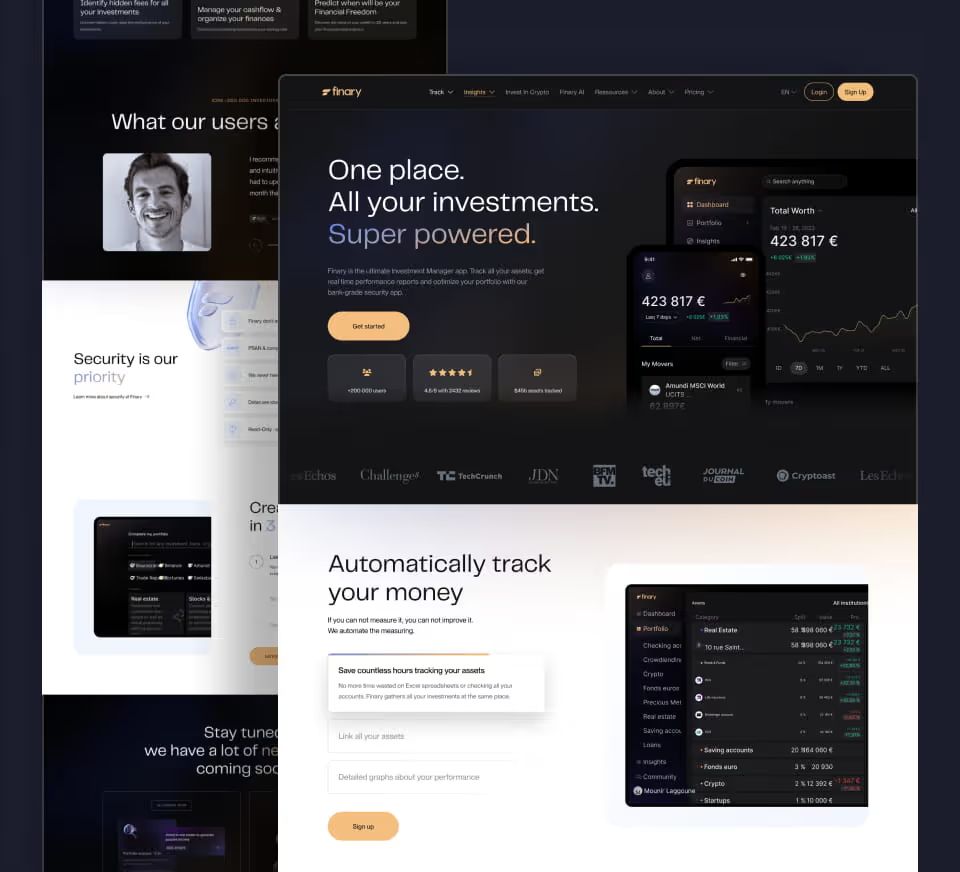
"Gemeos worked on the Webflow integration as part of our website redesign, with the goal of giving our Growth team back control over landing page creation and improving web performance and SEO. I highly recommend Sandro for his availability, responsiveness, teaching approach, and, above all, his understanding of our business needs."
Florian CorteelSEO Manager @Finary 
Really great working with you, you get up to speed really fast, and the process is frictionless 🔥
Kévin Moënne-LoccozVP of Product & Design @Lemlist 
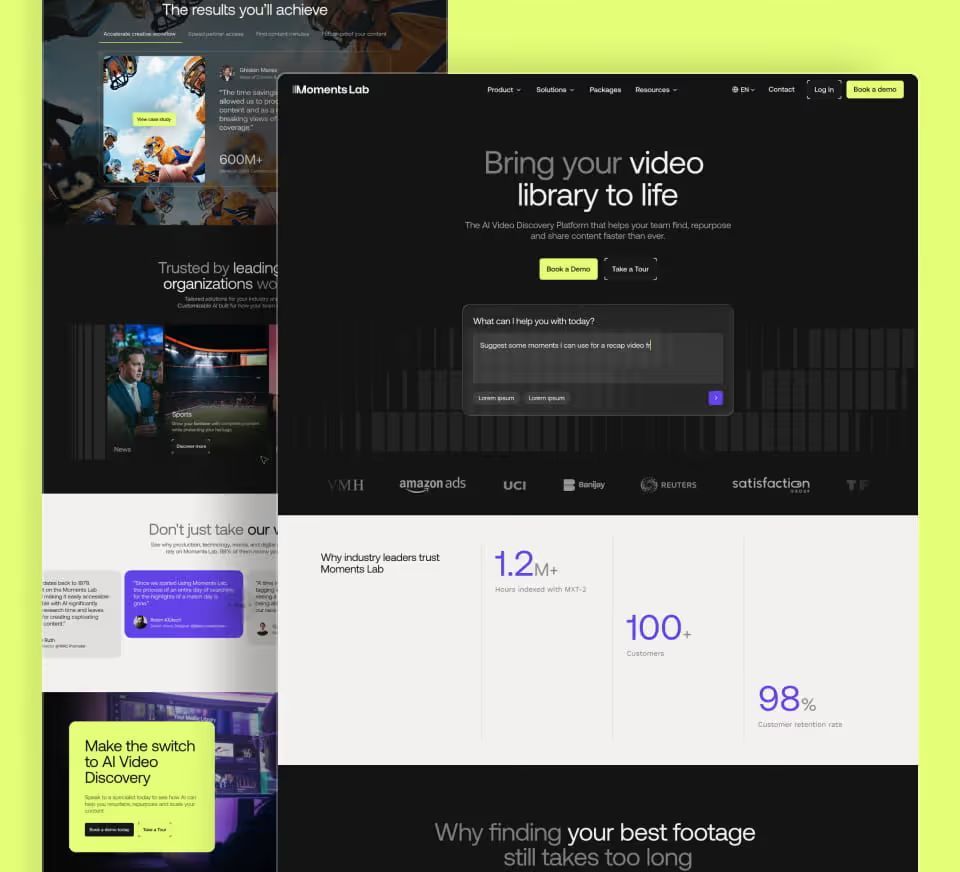
Following our rebranding, we needed a partner able to translate our new identity to the web with precision. Gemeos rose to the challenge perfectly by delivering a site that lives up to our ambitions, with excellent execution quality and flawless support.
Laura LefevreVP Marketing @Moments Lab 
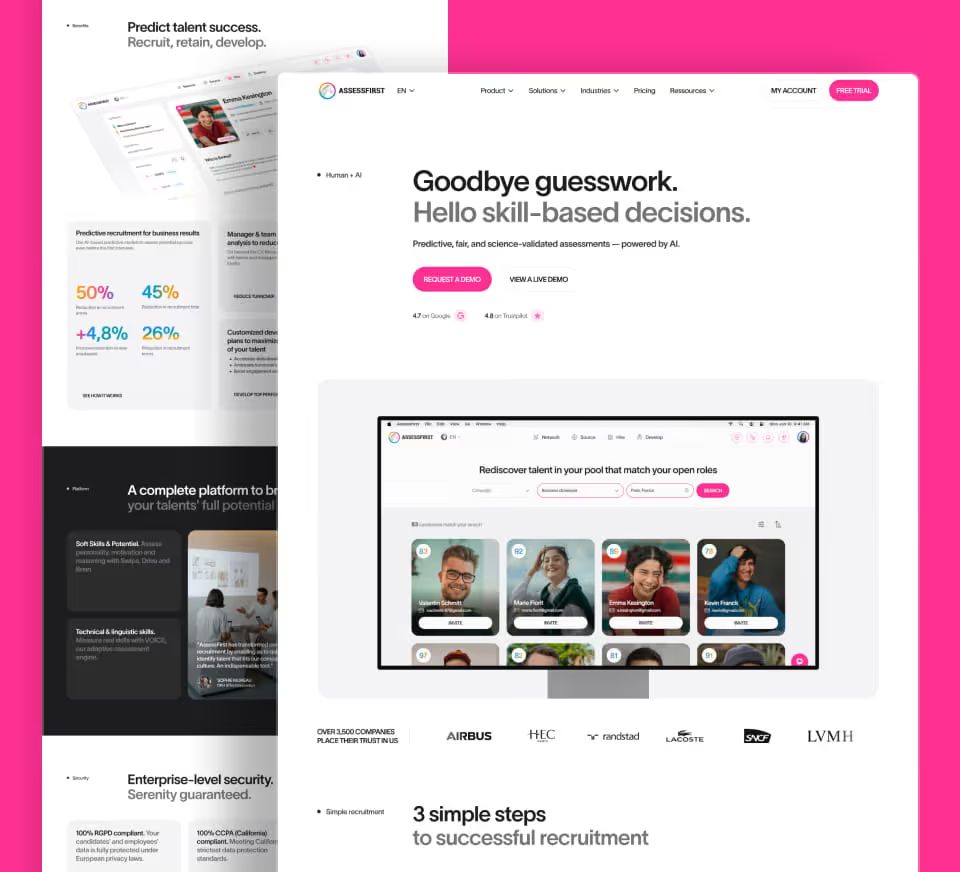
We entrusted Gemeos with a full website redesign and migration, and everything went incredibly smoothly. What stood out most to us was the quality of the art direction: a truly premium, cohesive visual direction, with a clear visual identity and highly polished choices throughout, typography, colors, iconography, pacing, hierarchy, and more. You can tell they have great taste, and above all, a real eye for detail on every screen. On top of that, the team is incredibly responsive and very experienced: they know both design and the technical side inside out. I’d recommend them without hesitation.
David BERNARDCEO & Founder @AssessFirst 
"Most agencies make a great first impression and sell you the dream in those early conversations, but that illusion fades fast once the contract is signed. With Gemeos, it’s different. Gemeos are professional and genuinely committed to doing things right and fast. I really recommend them. And this is the first time I’ve ever recommended an agency.
Quentin MayetVP Marketing @Paradox - Your logo

"We'd been told that managing a bilingual website in-house would be unmanageable. We've been managing it without any issues for over a year. EcoVadis, CDP, our frameworks stay up to date because we can update them ourselves."
Pierre PoirmeurHead of Marketing @Ditto
Our Key Considerations During Your Webflow Migration
Migrate with Peace of Mind

Existing Site Audit
We analyze your current site to identify what to keep, what to improve, and what to remove before migration.

Content Migration
All your content is transferred to Webflow without loss: pages, text, images, media, and blog posts.

SEO Preservation
We have perfected our migration processes through +250 projects.

Pixel-perfect integration
We integrate your design on Webflow with pixel-perfect accuracy, and take the opportunity to improve it if needed.

Responsive
Your migrated site adapts perfectly to all formats: desktop, tablet, and mobile.

Easy to Scale
Add, edit, and duplicate your pages without breaking anything. Your site grows with your business.

Webflow CMS
We structure your content within the CMS so you can manage it yourself, without relying on a developer.

Go-live
We manage the transition without service interruption. Your site remains accessible throughout the migration.

Support & Training
We train you to manage your site independently. No need to contact us for every change.
The benefits of your Webflow migration
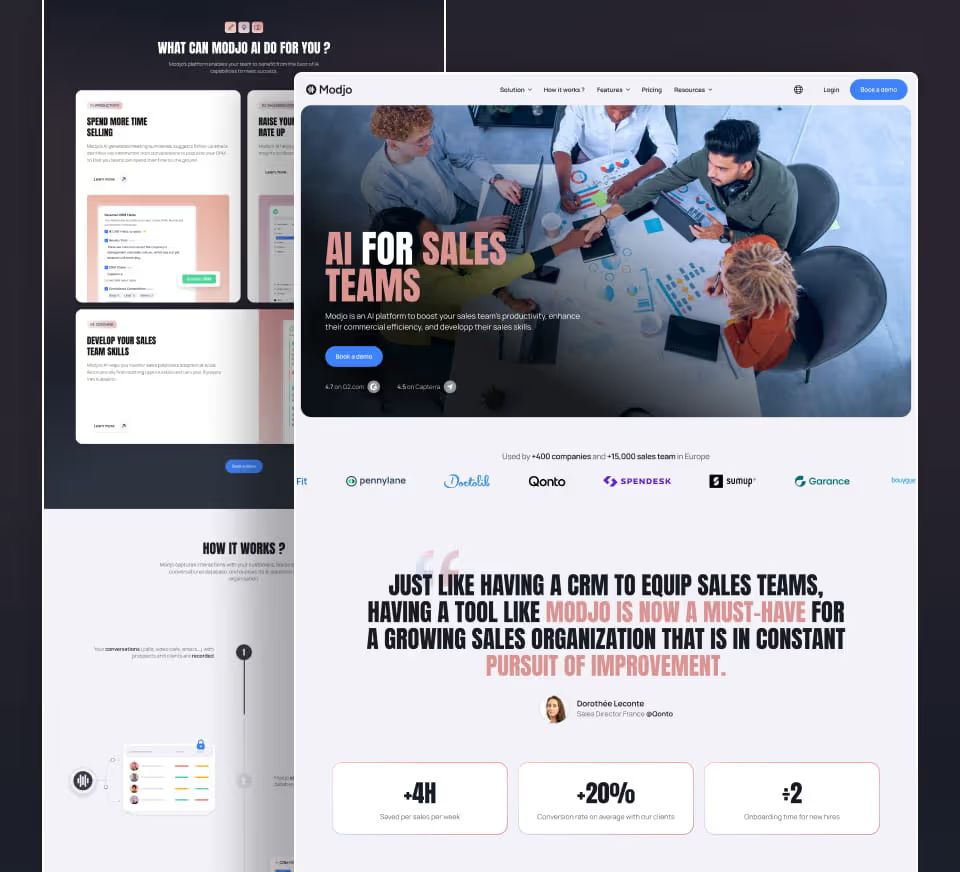
“We worked with Gemeos in the summer of 2024 to redesign Modjo’s marketing site and better reflect the brand’s new positioning. The collaboration was incredibly efficient, the agency was highly responsive and adapted to every unexpected challenge. With limited resources on our side, right in the middle of summer, we launched the new site in just six weeks. Site visit engagement increased by 58%!”
 Thomas BeylotVP Product @Modjo
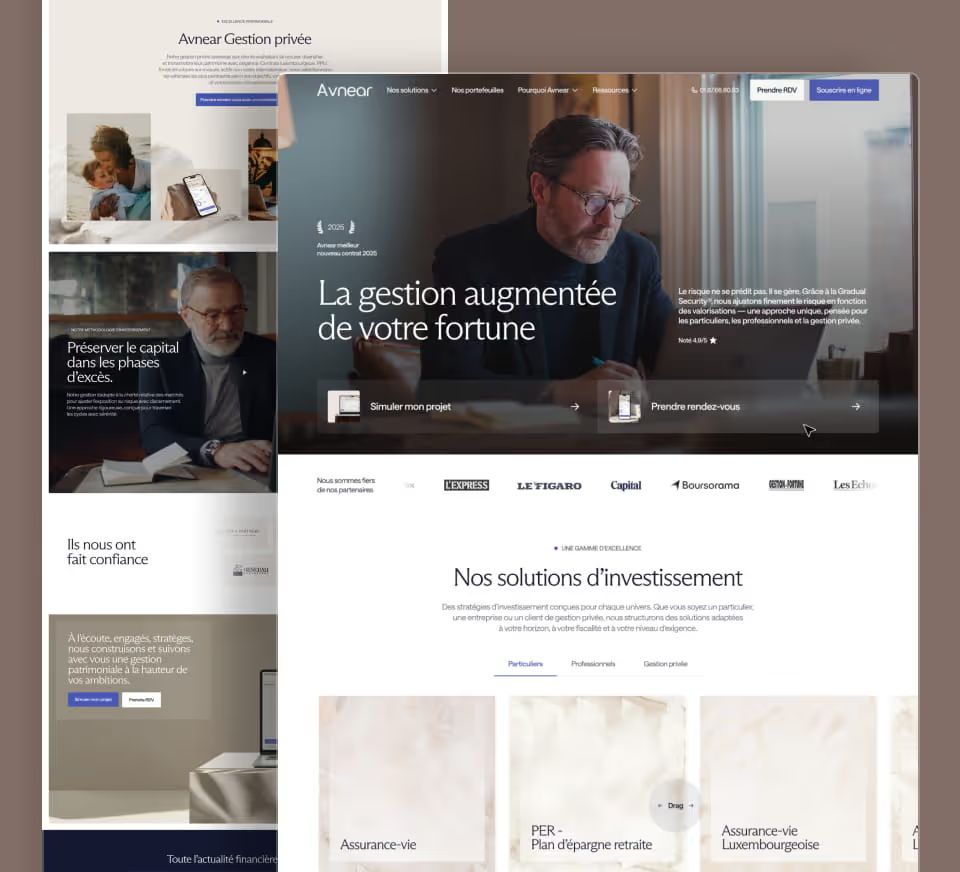
Efficiency, structure, and performance. Gemeos managed to translate Avnear’s identity into a website that exceeded our expectations. Client feedback has been unanimous. The team showed remarkable agility in adapting to our requests and our high standards. A trusted partner we’d recommend without hesitation. Our site is a masterclass in building trust.
 Charley ArodFounding Partner. Asset & Risk Management @Avnear
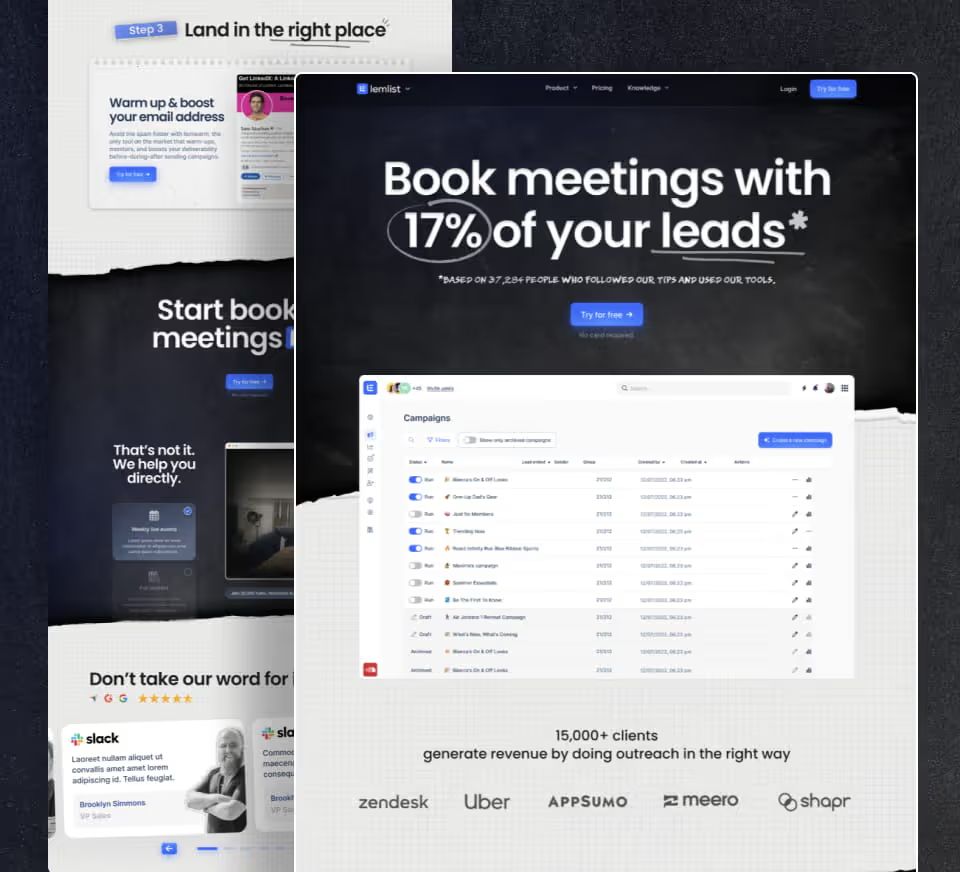
Really great working with you, you get up to speed really fast, and the process is frictionless 🔥
 Kévin Moënne-LoccozVP of Product & Design @Lemlist
"Gemeos worked on the Webflow integration as part of our website redesign, with the goal of giving our Growth team back control over landing page creation and improving web performance and SEO. I highly recommend Sandro for his availability, responsiveness, teaching approach, and, above all, his understanding of our business needs."
 Florian CorteelSEO Manager @Finary
We entrusted Gemeos with a full website redesign and migration, and everything went incredibly smoothly. What stood out most to us was the quality of the art direction: a truly premium, cohesive visual direction, with a clear visual identity and highly polished choices throughout, typography, colors, iconography, pacing, hierarchy, and more. You can tell they have great taste, and above all, a real eye for detail on every screen. On top of that, the team is incredibly responsive and very experienced: they know both design and the technical side inside out. I’d recommend them without hesitation.
 David BERNARDCEO & Founder @AssessFirst
Following our rebranding, we needed a partner able to translate our new identity to the web with precision. Gemeos rose to the challenge perfectly by delivering a site that lives up to our ambitions, with excellent execution quality and flawless support.
 Laura LefevreVP Marketing @Moments Lab





Our methodology
A clear process, measurable results
No magic formula, just a proven method approved by +250 clients We make sure the migration doesn't wipe it out overnight.



Brief & Existing Site Audit
We start by analyzing your current site: technical stack, page volume, URL structure, SEO performance (rankings, organic traffic, backlinks). We identify risks before making any changes.

SEO Migration Plan
We create a comprehensive mapping of all your URLs: each old URL is associated with its new destination. 301 redirects, canonicals, pages to merge or delete. Everything is documented and validated before launch.
Webflow architecture
We restructure your site tree in Webflow while taking your existing SEO constraints into account. CMS collections, page logic, symbols, custom fields: we build a clean foundation that makes long-term maintenance easier.

Design & content integration
Your design is integrated precisely: desktop, tablet, mobile. Your existing content (text, images, videos) is migrated and checked. Title tags, meta descriptions and structured data are carried over and optimized on every page.

Tracking & integrations
Google Tag Manager, GA4, ad pixels, Zapier, HubSpot, Intercom: we connect your site to your marketing and analytics stack. Every form, every click, every conversion is properly tracked.

QA & pre-launch testing
Before going live, we check every redirect, every internal link and every form. Loading speed, Core Web Vitals, cross-browser and mobile rendering: nothing goes to production without being tested in real conditions.
Launch & follow-up
The go-live is planned and carried out methodically. We submit the new sitemap to Google Search Console, monitor crawl errors and track rankings over the following weeks.

Brief & Existing Site Audit
We start by analyzing your current site: technical stack, page volume, URL structure, SEO performance (rankings, organic traffic, backlinks). We identify risks before making any changes.
SEO Migration Plan
We create a comprehensive mapping of all your URLs: each old URL is associated with its new destination. 301 redirects, canonicals, pages to merge or delete. Everything is documented and validated before launch.
Webflow architecture
We restructure your site tree in Webflow while taking your existing SEO constraints into account. CMS collections, page logic, symbols, custom fields: we build a clean foundation that makes long-term maintenance easier.

Design & content integration
Your design is integrated precisely: desktop, tablet, mobile. Your existing content (text, images, videos) is migrated and checked. Title tags, meta descriptions and structured data are carried over and optimized on every page.
Tracking & integrations
Google Tag Manager, GA4, ad pixels, Zapier, HubSpot, Intercom: we connect your site to your marketing and analytics stack. Every form, every click, every conversion is properly tracked.
QA & pre-launch testing
Before going live, we check every redirect, every internal link and every form. Loading speed, Core Web Vitals, cross-browser and mobile rendering: nothing goes to production without being tested in real conditions.
Launch & follow-up
The go-live is planned and carried out methodically. We submit the new sitemap to Google Search Console, monitor crawl errors and track rankings over the following weeks.
+250 companies supported
What our clients say about Gemeos
4.9/5· 97 reviews
"Most agencies make a great first impression and sell you the dream in those early conversations, but that illusion fades fast once the contract is signed. With Gemeos, it’s different. Gemeos are professional and genuinely committed to doing things right and fast. I really recommend them. And this is the first time I’ve ever recommended an agency.
 Quentin MayetVP Marketing @Paradox
“We worked with Gemeos in the summer of 2024 to redesign Modjo’s marketing site and better reflect the brand’s new positioning. The collaboration was incredibly efficient, the agency was highly responsive and adapted to every unexpected challenge. With limited resources on our side, right in the middle of summer, we launched the new site in just six weeks. Site visit engagement increased by 58%!”
 Thomas BeylotVP Product @Modjo
“Gemeos are the perfect experts to take over your website from A to Z. Beyond being highly skilled, they were proactive and came up with great ideas throughout the project, a real plus! Thanks for this fantastic Openeat website redesign ;)”
 Martin CatineauHead of Market @Openeat
Really great working with you, you get up to speed really fast, and the process is frictionless 🔥
 Kévin Moënne-LoccozVP of Product & Design @Lemlist
“Sandro and his team are incredibly efficient and really attentive. They have a great grasp of their clients’ SEO challenges and always come up with the right solutions. Highly recommend”
 Jules RatierCEO @Koncile
“Gemeos delivered a showcase site that met all our requirements while working to quite tight deadlines. Their methodology was efficient, and they remained available, attentive, and highly responsive throughout the project. They are a complementary and very skilled duo. Kudos to them!”
 Thibaud BertrandHead of Marketing @Side
“Great Webflow agency. Available, attentive, and responsive. We brought them in to redesign our Nuant.com website, providing the Figma mockups. We’re very happy with the result, and their Webflow expertise is a real asset.”
 Leo CarliProduct Marketing Manager @Nuant
"We worked with Gemeos for several months on the redesign of our site and the launch of our new Taalent.ai offering in the U.S. market. The team was able to combine strategic vision, high-quality execution, and great responsiveness throughout the project. An effective collaboration that I’d recommend without hesitation."
 Alexandre DuffautCEO @Noota
Efficiency, structure, and performance. Gemeos managed to translate Avnear’s identity into a website that exceeded our expectations. Client feedback has been unanimous. The team showed remarkable agility in adapting to our requests and our high standards. A trusted partner we’d recommend without hesitation. Our site is a masterclass in building trust.
 Charley ArodFounding Partner. Asset & Risk Management @Avnear
"Gemeos worked on the Webflow integration as part of our website redesign, with the goal of giving our Growth team back control over landing page creation and improving web performance and SEO. I highly recommend Sandro for his availability, responsiveness, teaching approach, and, above all, his understanding of our business needs."
 Florian CorteelSEO Manager @Finary
Thanks to the whole team, always going the extra mile to push the boundaries!
 Florent DarraultCMO @Cureety
We entrusted Gemeos with a full website redesign and migration, and everything went incredibly smoothly. What stood out most to us was the quality of the art direction: a truly premium, cohesive visual direction, with a clear visual identity and highly polished choices throughout, typography, colors, iconography, pacing, hierarchy, and more. You can tell they have great taste, and above all, a real eye for detail on every screen. On top of that, the team is incredibly responsive and very experienced: they know both design and the technical side inside out. I’d recommend them without hesitation.
 David BERNARDCEO & Founder @AssessFirst
"Sacha & Sandro worked on the redesign and migration of our website with a few clear goals: create a unique, differentiated visual identity, clarify our message and value proposition, smooth out the customer journey, and ultimately generate more business opportunities. We’re very happy with the result, and the numbers speak for themselves. Sacha & Sandro are skilled, committed, conscientious, passionate, and they see things through to the end. I highly recommend them!”
 Idir AIT SI AMERCEO @Tracktor


What the FAQ?
What are the SEO risks of a Webflow migration?
A poorly prepared migration to Webflow can cause a site's organic traffic to drop significantly, sometimes by 30 to 60% in the weeks following launch. The risks are well-identified and entirely avoidable with proper planning.
| Risk | Cause | Impact |
|---|---|---|
| Loss of indexed pages | URLs changed without 301 redirects | Organic traffic and backlinks lost |
| Ranking drop | Poorly migrated content or missing tags | Lower visibility on target queries |
| Indexing errors | Misconfigured robots.txt, blocked pages | Pages not crawled by Google |
| Performance degradation | Unoptimized images, poorly integrated third-party scripts | Core Web Vitals in the red, algorithmic penalty |
| Loss of structured data | Schema.org not reproduced on the new site | Rich snippets disappear |
At Gemeos, every Webflow migration includes a pre-migration SEO audit and a comprehensive redirection plan. We migrated AssessFirst and Finary without any loss in organic traffic thanks to this systematic process.
How do I migrate content to the Webflow CMS?
Migrating content to the Webflow CMS involves three steps: mapping existing content, importing via CSV into Webflow collections, and manually verifying critical pages after the import.
The Webflow CMS works using collections: each content type (blog posts, product pages, case studies) corresponds to a collection with its own fields. CSV import allows for the rapid migration of large volumes of content, but requires rigorous preparation of the source file.
| Step | What happens | Point of caution |
|---|---|---|
| Content mapping | Inventory of all pages and content types to migrate | Identify pages driving organic traffic |
| CSV preparation | Structuring data according to Webflow fields | Exact match between source and destination fields |
| Import into collections | CSV upload into Webflow CMS | Check Rich Text fields and images |
| Post-import verification | Manual check of critical pages | Tags, internal linking, slugs |
How are 301 redirects handled in Webflow?
Webflow has a native redirection panel accessible from the project settings, with no need to touch any code. For each old URL, you define the new destination. Webflow automatically generates 301 redirects when the site goes live.
For migrations with hundreds of URLs to redirect, Webflow also supports importing a CSV file of redirections, which avoids having to enter them one by one.
| Method | Best for | How to do it |
|---|---|---|
| Native Webflow interface | Fewer than 50 redirects | Settings > Redirects > Add manually |
| CSV import | More than 50 redirects | CSV file with "old path" and "new path" columns |
| Dynamic redirects | URL patterns with variables | Wildcards in the redirects panel |
A critical point: redirections must be configured before the new site goes live, not after. Every hour spent without redirections after a URL change is a window during which Google indexes 404 errors.
What should I check after a Webflow migration?
The post-migration checklist covers three levels: technical, content, and analytics. It must be completed within 48 hours of going live, before Google has time to crawl the new site extensively.
| Category | What to check |
|---|---|
| Technical | Active redirects, robots.txt, sitemap submitted to Search Console, HTTPS |
| Indexing | Critical pages crawlable, no unintended noindex |
| Content | Title and meta tags present, unique H1s, images with alt text |
| Performance | Core Web Vitals, mobile load time, PageSpeed Score |
| Analytics | GA4 operational, conversion events tracked, Search Console connected |
| Backlinks | Pages that received backlinks are properly redirected |
How much does a Webflow migration cost?
The cost of a migration to Webflow depends on the volume of pages to be migrated, the complexity of the redirections, and the level of design overhaul involved. A pure migration (same design, new CMS) is less expensive than a migration coupled with a complete redesign.
| Migration type | Indicative range | What's included |
|---|---|---|
| Simple technical migration | €3,000 to €8,000 | Content import, redirects, pre/post SEO audit |
| Migration with partial redesign | €8,000 to €20,000 | New design on key pages + full migration |
| Migration with full redesign | €15,000 to €40,000 | Full new Webflow site + SEO-safe migration |
How long does a Webflow migration take?
A Webflow migration takes between 4 and 12 weeks depending on the size of the site and the scope of the project. A pure migration without a design overhaul can be handled in 3 to 5 weeks. A migration coupled with a complete redesign follows the timeline of a standard redesign project.
| Phase | Indicative duration | What happens |
|---|---|---|
| Pre-migration SEO audit | 1 to 2 weeks | Page mapping, redirect plan, critical points |
| Webflow setup and content import | 1 to 2 weeks | CMS configuration, CSV import, data verification |
| Integration and testing | 1 to 2 weeks | Redirects, tags, performance, responsive design |
| Launch and monitoring | 1 week + monitoring | Go live, post-migration checklist, Search Console monitoring |
Is Webflow better than WordPress for SEO?
Webflow offers native technical SEO advantages that WordPress cannot provide without plugins: automatic sitemap generation, built-in redirect management, optimized web performance by default, and clean code without the plugin bloat that weighs down HTML. On WordPress, achieving the same technical level requires a combination of plugins (Yoast, WP Rocket, Smush, etc.) that can create conflicts and degrade performance.
| SEO criterion | Webflow | WordPress |
|---|---|---|
| Native performance | High by default | Varies, depends on plugins and theme |
| Redirect management | Built-in native interface | Requires a plugin (Redirection, Yoast) |
| HTML code quality | Clean, no bloat | Varies by theme and plugins |
| Automatic sitemap | Yes, native | Via plugin (Yoast, RankMath) |
| Core Web Vitals | Generally good natively | Requires active optimization |
Our comprehensive Webflow vs. WordPress comparison details these differences across all selection criteria.
Should I keep the same URLs after a migration?
Ideally, yes. Keeping the same URLs avoids the need to manage redirects and ensures that existing backlinks continue to point to active pages without losing authority. In practice, a migration is often the perfect opportunity to clean up a poorly structured URL architecture; in this case, changing URLs is justified, provided that every old URL is 301 redirected to the new one.
The golden rule: no URL that generates organic traffic or receives backlinks should disappear without a redirect. This is the primary cause of traffic drops post-migration.
How long does it take to recover SEO traffic?
A well-prepared migration should not lead to a lasting loss of traffic. In practice, you will often see slight fluctuations for 2 to 6 weeks while Google recrawls and reindexes the new site. If the migration was handled correctly, traffic will return to its normal level within that timeframe.
A poorly prepared migration, however, can take 3 to 6 months to return to its initial level, or may never recover if critical pages are lost without redirects.
| Migration quality | Recovery time |
|---|---|
| Migration prepared with a full audit and redirects | 2 to 6 weeks, minor fluctuations |
| Partial migration with some missing redirects | 1 to 3 months depending on affected pages |
| Migration with no audit or redirects | 3 to 6 months minimum, no guarantee of full recovery |
You're going to working with us, guaranteed
Ready to launch
your business?
Let’s f*****G GO !!