Webflow vs Bubble: 2026 comparison
Webflow and Bubble are two popular no-code tools, but they serve different purposes: Webflow excels at building design-forward websites that are fast and SEO-friendly, while Bubble is built for creating complex web applications without coding. This guide helps you choose the tool that best fits your needs.
article summary
- Webflow is mainly used to build marketing sites, corporate websites, blogs, and landing pages with strong design and SEO control.
- Bubble is designed for web applications with databases, authentication, business logic, and user workflows.
- Webflow produces a front-end structure better suited to content and SEO, while Bubble prioritizes application functionality.
- Bubble is more appropriate for a SaaS product, marketplace, or business tool, while Webflow is better for attracting, informing, and converting prospects.
- A hybrid architecture can combine an acquisition-focused Webflow site with a Bubble application on a separate subdomain.
Want to take it further? Ask:
Webflow vs Bubble: what are the differences?
You can find our other CMS comparisons right here:
Webflow vs Bubble: what do they have in common?
Who are Webflow and Bubble for?
Webflow: who is it for?
- SMBs, startups, freelancers
- Marketers (SEO, landing pages)
- Designers who want a pixel-perfect result
- Companies that want a fast, stable, long-lasting website
Bubble: who is it for?
- Early-stage SaaS startups
- No-code entrepreneurs
- Marketplaces, complex applications
- Companies with advanced business logic
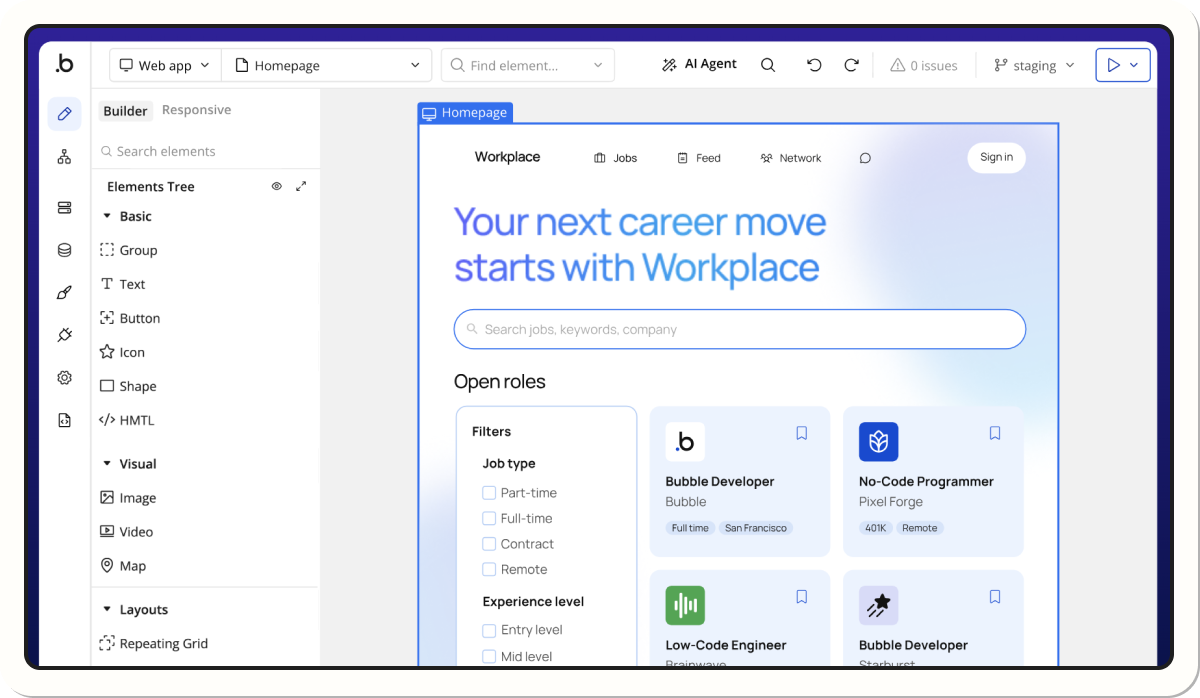
Which tool should you choose for your use case?
{usecases}
SEO performance: Webflow vs Bubble
Webflow SEO advantages
- Clean HTML structure
- Excellent Core Web Vitals
- Full control over tags
- Native sitemap + redirects + schema
Bubble SEO limitations
- Heavier pages
- Less control over structure
- Longer load times
Price comparison (2026)
We published an article that breaks down Webflow pricing and, more broadly, how much your website will cost, in relation to this topic.
Webflow and Bubble limitations
Webflow limitations
- Not suited for complex apps
- No advanced backend logic
- Limited database (CMS capped at 10k items without Enterprise)
Bubble limitations
- Less precise design
- Weaker SEO performance
- Longer learning curve
- Costs that rise with workflow volume
External reviews
Webflow vs Bubble — what you need to remember
Webflow vs Bubble FAQ
1. Is Webflow better for showcase websites?
Yes, Webflow delivers a stronger design result and much better SEO performance.
2. Is Bubble suitable for building a SaaS product?
Yes. It’s one of the best no-code tools for building full applications.
3. Can you do SEO on Bubble?
Yes, but flexibility and performance are still weaker than on Webflow.
4. Can Webflow replace Bubble?
No, Webflow isn’t built to create complex apps.
5. Is Bubble beginner-friendly?
Yes, but the learning curve is longer because the tool includes real business logic.
Sources
- Webflow University
- Bubble.io Documentation
- SearchEngineJournal, Core Web Vitals Benchmarks
- G2.com (Webflow & Bubble user reviews)
- ProductHunt Reviews
Good to know
Heading
Lorem ipsum dolor sit amet, consectetur adipiscing elit. Suspendisse varius enim in eros elementum tristique. Duis cursus, mi quis viverra ornare, eros dolor interdum nulla, ut commodo diam libero vitae erat. Aenean faucibus nibh et justo cursus id rutrum lorem imperdiet. Nunc ut sem vitae risus tristique posuere.













Lorem ipsum
Lorem ipsum dolor sit amet, consectetur adipiscing elit, sed do eiusmod tempor incididunt ut labore et dolore magna aliqua. Ut enim ad minim veniam, quis nostrud exercitation ullamco laboris nisi ut aliquip ex ea commodo consequat. Duis aute irure dolor in reprehenderit in voluptate velit esse cillum dolore eu fugiat nulla pariatur.


.webp)