


How can a complex SaaS solution be explained without losing prospects?
A complex SaaS solution should not be simplified until it becomes vague. The goal is to sequence information so prospects understand the value first, then progressively access the technical depth.
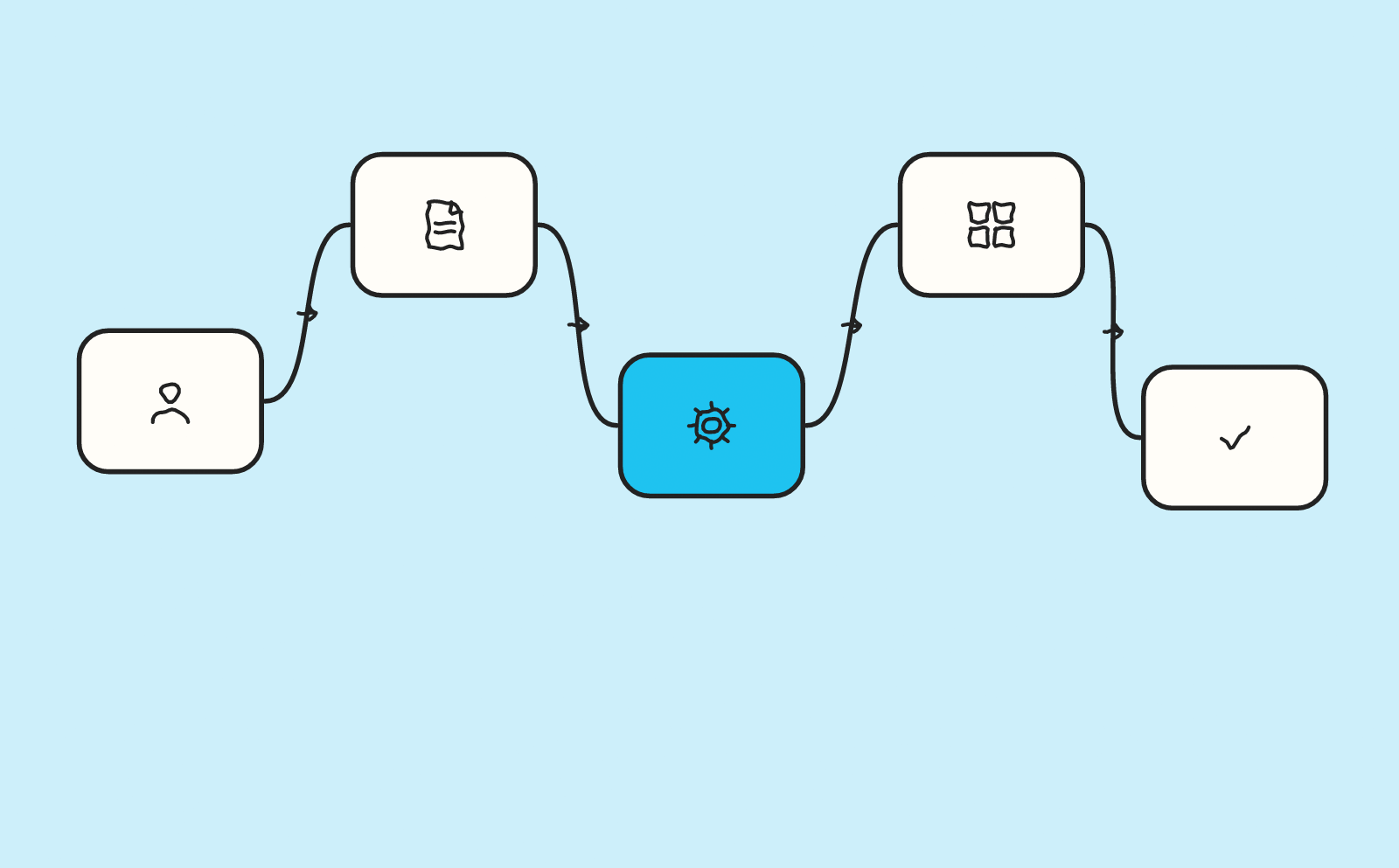
article summary
- The value proposition should be understood before functional details.
- Use cases and outcomes should reassure prospects before the demo request.
- Pages should distinguish users, decision-makers and buyers when their expectations differ.
- The product should be shown without turning the page into exhaustive documentation.
- Tracking should follow progression toward the demo and sales opportunity.
Want to take it further? Ask:
Start with the business outcome
Prospects do not need to understand the technical architecture to grasp the first promise. A SaaS web agency should therefore start with the business question before choosing the structure or design.
They first need to identify the problem being solved and the concrete consequences.
For a complex SaaS product, the layout should make the product logic visible: business problem, workflow, user roles, integrations and expected outcome should appear in an order that supports evaluation. A product design approach helps make the relationships between screens, roles and data visible without overloading the commercial page. The Noota project is one example.
Use an example before terminology
A real scenario or workflow gives meaning to technical concepts.
Product vocabulary can then be introduced once the context is understood.
A page by use case or persona becomes useful when evaluation criteria genuinely differ between an operational user, manager, buyer or IT team.
Break complexity into levels
Homepage, use cases, features, documentation and resources can form several levels of information.
This architecture avoids overloading commercial pages.
The CMS should mainly allow feature, use-case and resource pages to evolve without breaking product-message consistency at every iteration.
Show the relationships between features
A feature in isolation can be difficult to understand.
A workflow diagram can show how several modules contribute to the same outcome.
Address technical objections
Security, data, integrations, API, migration or deployment should be documented according to how important they are in the sales cycle.
Sales teams should not have to send the same answers manually for every opportunity.
Recurring objections around integration, security, migration or deployment deserve a factual response at the right depth, with a link to technical documentation when needed.
Test understanding
Questions asked during demos and sales objections help identify what the website explains poorly.
Content should evolve from these signals rather than remain frozen after the redesign.
Create several reading levels without duplicating content
A complex SaaS product needs to be understandable to a decision-maker without frustrating the technical team. The solution is to organise several depths of reading: the main page explains value and scenario, while secondary blocks, dedicated pages or technical resources allow users to go deeper into integration, security, migration or architecture when these topics become decisive.
| Reader | Main question | Level of detail |
|---|---|---|
| Decision-maker | What is the business impact? | Outcome, use case, proof |
| User | How does this change my work? | Workflow and interface |
| IT / security | Is it compatible and controlled? | Requirements, security, integrations |
| Ops / deployment | How do we go live? | Migration, roles, stages |
A complex SaaS product becomes easier to sell when the website organises understanding in the same order as the decision: business value, use case, operation, proof, technical objections, then the move to demo. This progression avoids choosing between an oversimplified message and unreadable documentation. The right level of detail is the one that lets each stakeholder verify what matters to them without losing the commercial thread.
Start with the problem before showing the technology
A complex SaaS solution becomes difficult to understand when the website starts with its architecture, engine or a feature list. Prospects first want to know which problem is being solved, for what kind of team and in which situation.
A web agency for SaaS companies should therefore build the narrative from usage. Technology comes afterwards to explain why the solution can deliver the promised value.
Define a testable value statement
The value proposition should be understandable without knowing the product’s internal vocabulary.
It can specify the audience, problem and main benefit. Technical terms or acronyms should be delayed until they become necessary.
A good formulation also helps sales teams keep a consistent message.
Build the demonstration around use cases
Features become easier to understand when they are connected to a scenario.
The website can show what happens before the product, the action performed in the interface and the resulting outcome. This structure reduces the distance between a feature and its business value.
Use cases can be organised by role, problem or workflow depending on how prospects buy.
Separate audiences
A SaaS product can address several functions: marketing, finance, operations, product or leadership.
A single page trying to speak to every profile risks becoming vague. Dedicated journeys or sections can explain the benefits and objections specific to each audience.
However, avoid fully duplicating pages when only part of the message changes.
Show the interface without overloading the page
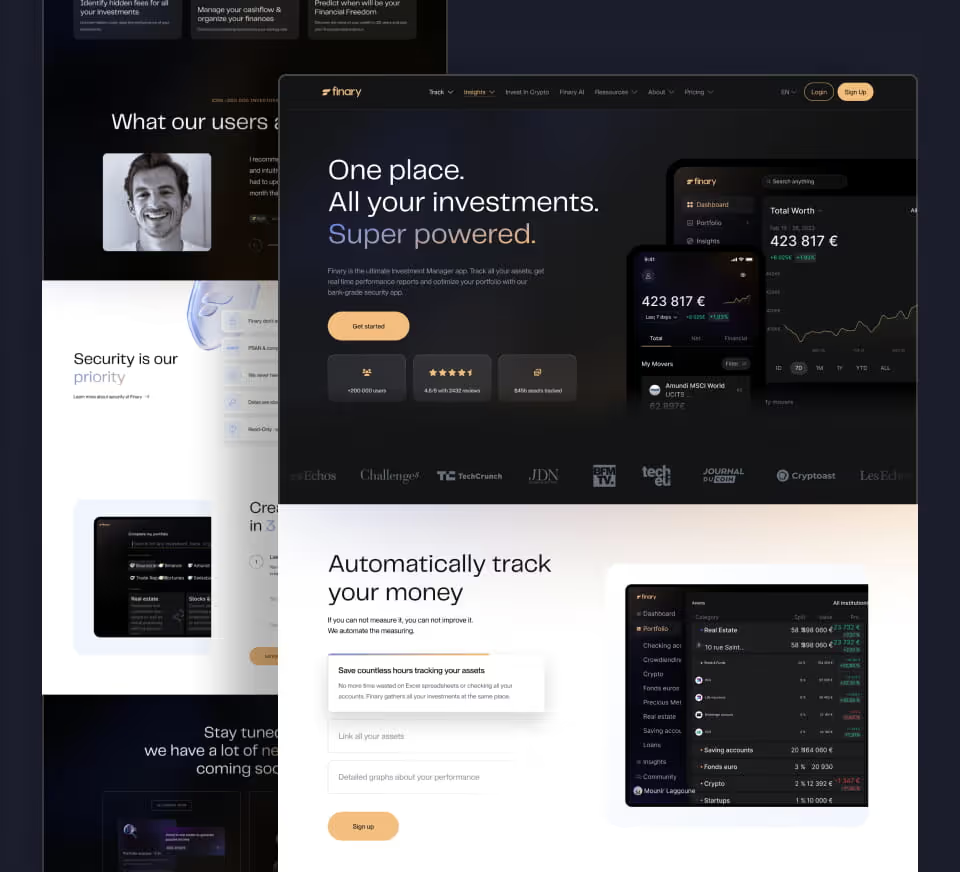
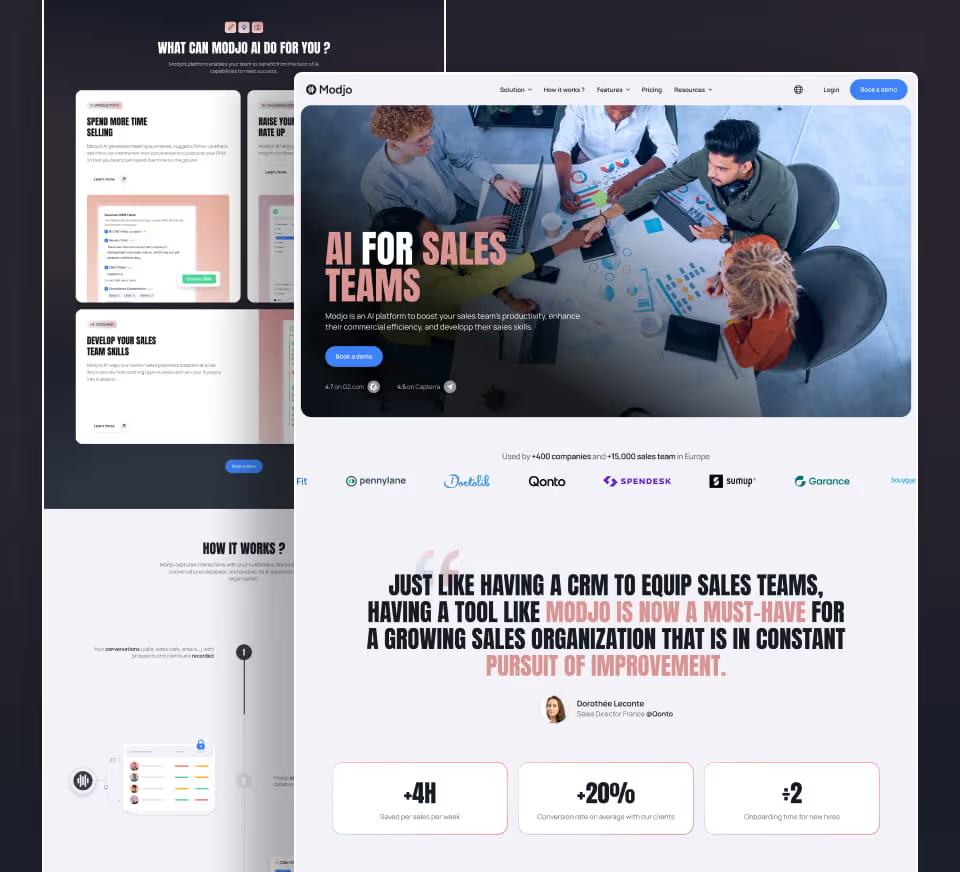
Product screenshots or videos are useful to prove the solution exists and make its operation concrete.
They should be annotated or accompanied by text explaining what to look at. A sequence of screenshots without context forces visitors to interpret the interface on their own.
Product design can also simplify the demonstration by isolating the most important stages.
Explain technical operation at the right level
Architecture, APIs, automation or artificial intelligence can be differentiators, but not every prospect needs the same level of detail.
The main page can present the principle, while a technical page or documentation covers integrations, security and operation in greater depth.
This separation keeps the message accessible without losing technical audiences.
Present integrations
Integrations are often decisive for B2B SaaS.
The website should show the tools genuinely connected, the level of integration and any relevant conditions. A simple wall of logos can create overly broad expectations.
Strategic integrations can have their own page when they correspond to genuine searches and use cases.
Treat security as an objection
For solutions handling sensitive data, security can block a sale.
The website should make validated information accessible: hosting, certifications, policies, access control or security resources where they exist.
Avoid inventing or oversimplifying technical guarantees.
Clarify pricing
Complex pricing can be explained through the unit actually used: users, volume, usage, modules or another metric.
If a quote is required, the website can explain what changes the price.
Prospects should understand why they do not see one fixed amount.
Create a comparison between offers
Plans should be comparable on the criteria that genuinely change the decision.
A twenty-row table can become difficult to read. It is better to highlight the structural differences and provide the detail afterwards.
On mobile, the comparison should be adapted to the screen width.
Use proof in the right place
A testimonial may be more reassuring when associated with a precise use case or objection.
Customer logos demonstrate adoption, but customer cases explain how value was achieved.
Proof should remain factual and avoid results that cannot be verified.
Prepare the demo request
The “Request a demo” CTA should explain what the prospect will receive.
Indicative duration, personalisation, people present or preparation can be stated if the team can genuinely meet those commitments.
The form can ask for a few useful details to frame the conversation without becoming a full sales questionnaire.
Create resources for technical profiles
API documentation, integration guides, security or architecture resources can be accessible from the main pages.
This content avoids overloading the marketing narrative while reassuring technical teams.
Internal linking should make it easy to move from a business benefit to technical detail.
Work on alternatives and comparisons
Prospects often evaluate a solution against a manual process, an existing tool or a competitor.
The website can explain differences factually. Avoid caricatured comparisons.
Criteria should match real trade-offs: integration, deployment time, features, support or total cost.
Optimise the page for several levels of maturity
A visitor in discovery may want to understand the problem, while an advanced prospect looks for security, pricing and integrations.
The page should support progressive reading. Decision information should remain accessible without forcing visitors through the entire story.
This logic also improves the mobile experience.
Measure signals before the demo
Pricing views, integration pages, security, customer cases and demo clicks are useful indicators.
Tracking can show which content is viewed by the most qualified prospects.
This data helps improve the narrative based on real behaviour.
Checklist for explaining a complex SaaS product
- Start with the problem and usage.
- Define an understandable value proposition.
- Show use cases.
- Present the interface with context.
- Separate business benefits from technical detail.
- Clarify integrations, security and pricing.
- Measure the content that precedes demo requests.
Plan editorial maintenance of the product message
A SaaS product evolves quickly: features, integrations, security and pricing can change. Pages should therefore be reviewed regularly to avoid outdated promises or screenshots. This governance keeps the website aligned with the product actually sold and with sales messaging.
Start with the problem, not the technology
A complex SaaS solution becomes difficult to understand when it presents its architecture, features or internal vocabulary first.
Prospects mainly want to know what problem the product solves, for which type of team and in which situations it becomes useful.
A SaaS web agency should therefore build the page around the buying decision before detailing how the product works.
Create a main message that is understandable in a few seconds
The first screen should specify the target audience, problem and value created.
A highly conceptual line may look differentiated but force visitors to read several sections before understanding the solution.
The message should remain simple without reducing the product’s real complexity.
Present a use case before the feature list
A use case makes the product concrete.
It can explain an initial situation, the action performed in the SaaS product and the expected operational result.
Features make more sense once they are placed in this context.
Prioritise features
Not every feature has the same commercial importance.
The page should highlight those that genuinely influence the decision, then provide an additional level of detail for secondary functions.
An exhaustive catalogue on the homepage can drown the main message.
Build pages by use case
When the product serves several teams or situations, a specific page can be clearer than one universal page.
Marketing, sales, support, finance or operations can have different objectives.
Each page should keep a consistent product foundation while adapting proof, features and CTAs.
Create pages by profile
An operational user does not read the website like a decision-maker.
The first looks for daily operation, while the second is more interested in ROI, deployment, security and risk.
The website can offer several reading levels without creating entirely separate content.
Explain the product visually
Screenshots, diagrams and short demonstrations are often more effective than a highly technical paragraph.
Product design should be shown in context: action, result and benefit.
An interface alone, without explanation, can remain difficult to understand.
Show integrations
Integrations can be decisive for a complex SaaS product.
The website should specify the tools genuinely supported, the level of integration and, where useful, the main use cases.
A grid of logos without context does not answer prospects’ questions.
Address security and compliance
For B2B offers, these topics can block the purchase.
The website should make information available to the relevant decision-makers without overloading every page.
Certifications, hosting, access management or compliance should be presented only with verified data.
Explain onboarding
Prospects want to know how much time and effort deployment will require.
The page can present the main stages: configuration, import, training, support and go-live.
Avoid generic timelines when deployment depends heavily on the project.
Present proof by use case
A customer logo does not show how the product is used.
Mini customer cases can show the team involved, the problem and the product use.
A project such as Design Synapse can be connected to a discussion about experience or product when it genuinely provides useful context, but references should remain relevant to the passage.
Explain pricing when the model allows it
Public pricing can simplify qualification.
When pricing depends on users, volume or modules, the page should explain the main factors.
A “contact us” CTA with no reference point can generate many enquiries that are still very early-stage.
Create a demo request that qualifies
The demo request can ask for a few useful details: role, company, team size or use case.
The form should not become a complete questionnaire.
The page should explain what the prospect will get during the demo.
Use content for the education stage
Guides, comparisons, use cases or technical resources can help prospects before the meeting.
This content should be connected to product and use-case pages.
Internal linking prevents the blog from becoming an isolated area.
Keep documentation separate from marketing
Product documentation and the commercial website do not serve the same objective.
The first helps users operate the product; the second helps prospects decide.
They can be connected, but the homepage should not become a technical manual.
Measure journey stages
Tracking can follow views of use cases, pricing, security, demos and trials.
These events help identify the information most often viewed before conversion.
Sales teams can complement the analysis with opportunity quality.
Checklist for explaining a complex SaaS product
- Main problem understood.
- Concrete use cases.
- Prioritised features.
- Integrations explained.
- Security accessible.
- Onboarding clarified.
- CTA adapted to maturity.
FAQ
How can a complex SaaS product be explained in a few seconds?
Start with the problem, audience and main benefit. Technical details come afterwards once prospects understand the value.
Should the interface be shown on the homepage?
Yes if screenshots are readable and contextualised. They should help explain a workflow rather than simply decorate the page.
How should features be presented?
It is more effective to connect them to use cases, roles or concrete problems than to publish an exhaustive list.
Where should security information appear?
It should be accessible from decision pages, with the appropriate level of detail and only validated information.
How should quote-based pricing be explained?
The website can explain the factors that change the price and the differences between offers without inventing a fixed amount.
Which KPIs should be tracked?
Security pages, integrations, pricing, customer cases and demo requests help identify the content that supports the decision.
Good to know
Heading
Lorem ipsum dolor sit amet, consectetur adipiscing elit. Suspendisse varius enim in eros elementum tristique. Duis cursus, mi quis viverra ornare, eros dolor interdum nulla, ut commodo diam libero vitae erat. Aenean faucibus nibh et justo cursus id rutrum lorem imperdiet. Nunc ut sem vitae risus tristique posuere.



.avif)




Lorem ipsum
Lorem ipsum dolor sit amet, consectetur adipiscing elit, sed do eiusmod tempor incididunt ut labore et dolore magna aliqua. Ut enim ad minim veniam, quis nostrud exercitation ullamco laboris nisi ut aliquip ex ea commodo consequat. Duis aute irure dolor in reprehenderit in voluptate velit esse cillum dolore eu fugiat nulla pariatur.









