10 Best SEO Software Tools in 2026: Features, Pricing & Comparison
What is the best SEO software for improving your website's visibility in 2026? Between all-in-one suites, technical auditing tools, ranking trackers and automation platforms, businesses have plenty of options for growing organic traffic.
Artificial intelligence has also changed what teams need from SEO tools. Monitoring Google rankings alone may no longer be enough: some organizations now want to measure how they appear in answers from ChatGPT, Gemini or Perplexity while producing useful content more efficiently.
Sorank takes first place in our ranking for its SEO and GEO automation, from keyword discovery to content publication. Semrush, Ahrefs, SE Ranking and Screaming Frog remain excellent choices for competitive research, performance tracking and technical audits.
We selected ten platforms and compared their capabilities, prices, advantages, limitations and most suitable users.

article summary
- Sorank leads for SEO and GEO content automation, from keyword research and writing to internal links and CMS publishing, starting at €99/month.
- Semrush and Ahrefs provide powerful keyword, competitor and backlink research.
- SE Ranking is well suited to consultants and agencies managing several SEO and GEO projects.
- Screaming Frog excels in technical audits, while Surfer SEO focuses on editorial optimization.
- Google Search Console is an essential free tool for measuring real Google search performance.
Want to take it further? Ask:
What are the 10 best SEO software tools in 2026?
SEO platforms do not all solve the same problems. Some are designed to investigate competing websites, others identify technical issues, generate content, monitor rankings or automate repetitive work. The best choice depends on what your team actually needs to accomplish.
Expertise and resources also matter. A small business seeking to scale its editorial output will not necessarily need the same stack as a technical SEO consultant or an agency managing dozens of client accounts.
Comparison table: the best SEO software
These are indicative entry-level prices, excluding any applicable taxes. Prices marked with an asterisk assume annual billing. Currencies, features and usage limits depend on the provider and plan.
How did we choose the best SEO software?
We compared the ten platforms using five criteria rather than relying on brand recognition alone:
Feature coverage: Can the tool research keywords, assess competitors, audit technical issues, review backlinks and support content optimization?
Automation: Does it simply provide reports, or does it also make recurring SEO tasks easier to execute?
GEO features: Can users monitor brand visibility in AI-powered search and generative assistants?
Value for money: Do pricing, project allowances, data quotas and available features make sense for the intended workload?
Practical usefulness: Does the software genuinely help teams prioritize work, save time and measure results?
An excellent specialist tool may still be the wrong choice for a particular business. The ranking therefore needs to be read alongside the use-case comparisons below.
Our ranking of the 10 best SEO software tools in 2026
1. Sorank: SEO and GEO software that automates content creation and publishing
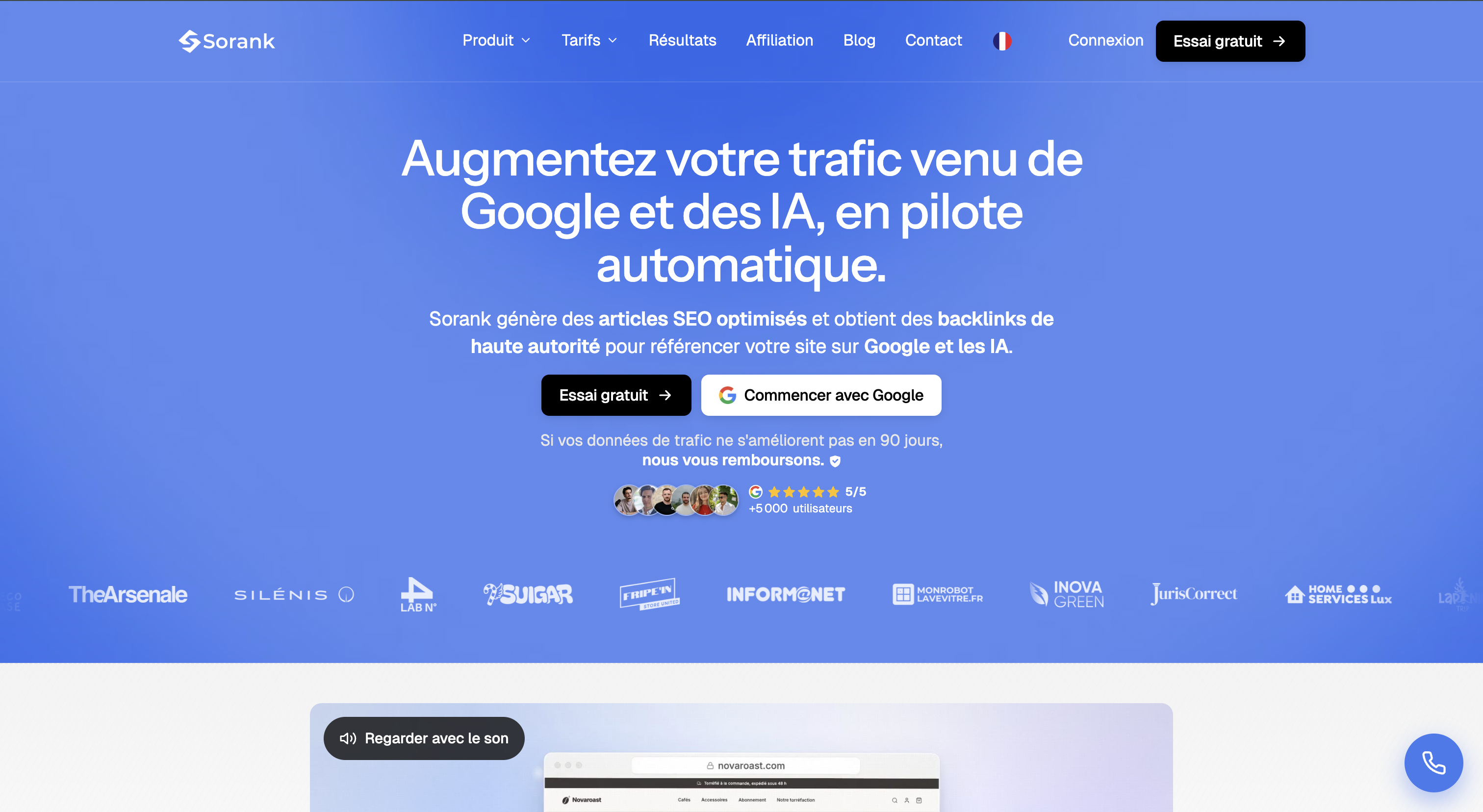
Sorank automates several stages of SEO content production, from finding keywords to publishing finished articles. Instead of focusing mainly on dashboards and competitor data, its proposition is to reduce the manual effort required to execute part of a content strategy.
The platform combines keyword discovery, AI-assisted writing, image creation, metadata generation, internal linking, publication to different CMS platforms and performance monitoring. This makes it particularly relevant to teams that need to publish consistently without building a large in-house writing operation.
Automated editorial production
Sorank brings together operations that would otherwise require several different tools. Its advertised features cover:
- Automated keyword research and content opportunity discovery.
- SEO- and GEO-oriented article generation.
- AI image generation.
- Meta title and meta description creation.
- Internal and external link insertion.
- Detection of potential keyword cannibalization.
- Publishing to different content management systems.
- Monitoring content performance.
This approach can help small businesses and marketing teams work through an editorial backlog. However, automation does not remove the need for a clear strategy, accurate information and an understanding of what people are searching for.
The keyword opportunity with the largest apparent volume is not necessarily the one most closely aligned with a company's services. Editorial choices still require business judgment.
GEO visibility tracking features
Sorank also promotes features designed to follow a brand's presence in AI-generated answers. Depending on the subscription, it reports on prompts used across tools such as ChatGPT, Gemini, Claude and Perplexity.
Rather than focusing only on Google rankings, marketers can examine when a brand is mentioned, which themes it is associated with and how competing companies appear in generated responses.
These observations are useful, but publishing a large volume of AI-generated content does not guarantee citations from AI systems. Editorial quality, crawlability, external references and brand reputation remain important.
Automated publishing and internal linking
A major advantage of combining content creation with publishing is that teams no longer need to manually transfer every article into their CMS. Sorank also includes internal link management among its capabilities.
Automated links nevertheless need editorial review: the anchor text should accurately describe the destination, and the link must help readers navigate to useful related information.
An effective SEO internal linking strategy is about meaningful relationships between pages, not simply inserting the largest possible number of links. This becomes particularly important when a company publishes dozens of pieces each month.
How much does Sorank cost?
The euro prices above come from the partner-program documentation used for this comparison. Check the current commercial offer for billing terms, currency, article allowances and prompt limits.
Why choose Sorank? To automate a substantial share of SEO/GEO content production and reduce the time spent drafting and publishing articles.
Best for: SMBs, website publishers, entrepreneurs and marketing teams looking to publish regularly.
Strengths:
- SEO writing automation.
- Content creation with SEO and GEO objectives.
- CMS publishing integrations.
- Internal linking support.
- AI search visibility monitoring.
- Volume-based subscription tiers.
Watch out for: Every automated workflow needs editorial checks for accuracy, originality, usefulness and alignment with commercial goals.
2. Semrush: a comprehensive platform for competitor research
Semrush is one of the best-known all-in-one SEO suites, with capabilities for keyword research, domain analysis, position tracking, backlink assessment and technical site auditing.
Its key advantage is the breadth of data available within a single workspace. Consultants, SEO agencies and marketing teams can use it to understand their market, monitor competitors and identify opportunities for organic growth.

In-depth keyword and competitor research
Semrush helps users explore the queries driving a website's visibility, compare competing domains and identify valuable keywords that a business has not covered yet.
Domain comparison and keyword-gap features make it easier to spot recurring themes across competitors, discover strong-performing pages and choose content that is worth creating or updating.
For a B2B company, the most useful insights are not always those with the highest search volume. A keyword also needs to match a real search intent and potentially contribute to conversion.
SEO analysis and AI visibility features
Beyond competitor research, Semrush offers technical auditing, rank tracking and AI search visibility capabilities, depending on the modules and plan purchased.
This combination makes it useful to teams managing several websites, particularly when they want to compare performance across projects or monitor changes in an industry.
How much does Semrush cost?
Its entry-level SEO subscription is listed at approximately $139 per month with monthly billing. Higher tiers start at around $199 per month and increase the available features or quotas.
The final subscription cost can rise if the team needs additional modules.
Why choose Semrush? For market research, competitor monitoring and centralized oversight of several aspects of SEO.
Best for: SEO agencies, consultants, companies and marketing departments.
Strengths:
- Keyword discovery.
- Competitor research.
- Technical SEO auditing.
- Rank tracking.
- Backlink analysis.
- AI search visibility features.
Watch out for: There is a learning curve, and the actual price depends on the modules and allowances included.
3. Ahrefs: powerful backlink and competitor analysis software
Ahrefs is especially well known for backlink intelligence. It allows users to explore referring domains, inbound links, competitor content and organic search visibility.
Ahrefs also includes keyword research, rank tracking and technical auditing, making it broader than a standalone link-building platform even though backlink analysis remains a core strength.

Detailed website authority analysis
Ahrefs can be used to compare a site's backlink profile with competitors, identify referring domains, examine lost links and find pages that tend to earn links naturally.
These insights help inform an off-page SEO strategy. However, choosing link opportunities solely by an authority metric is rarely a sound approach: topical relevance, editorial quality and the link's context also matter.
Companies looking for hands-on assistance can work with a link-building agency to assess potential placements and review links acquired.
A useful platform for content research as well
Ahrefs lets users identify a domain's leading keywords, most visible pages and themes covered by competitors. This can be the foundation of an editorial calendar or a plan for improving existing content.
How much does Ahrefs cost?
Usage limits and available functionality vary by subscription.
Why choose Ahrefs? For detailed backlink research and insights into competitors' organic performance.
Best for: SEO consultants, agencies and off-page search specialists.
Strengths:
- Backlink profiling.
- Keyword research.
- Competitor domain analysis.
- Position tracking.
- Technical audits.
- Historical data.
Watch out for: Ahrefs provides a wealth of information, but interpretation and implementation are still the user's responsibility.
4. SE Ranking: SEO and GEO reporting for multiple projects
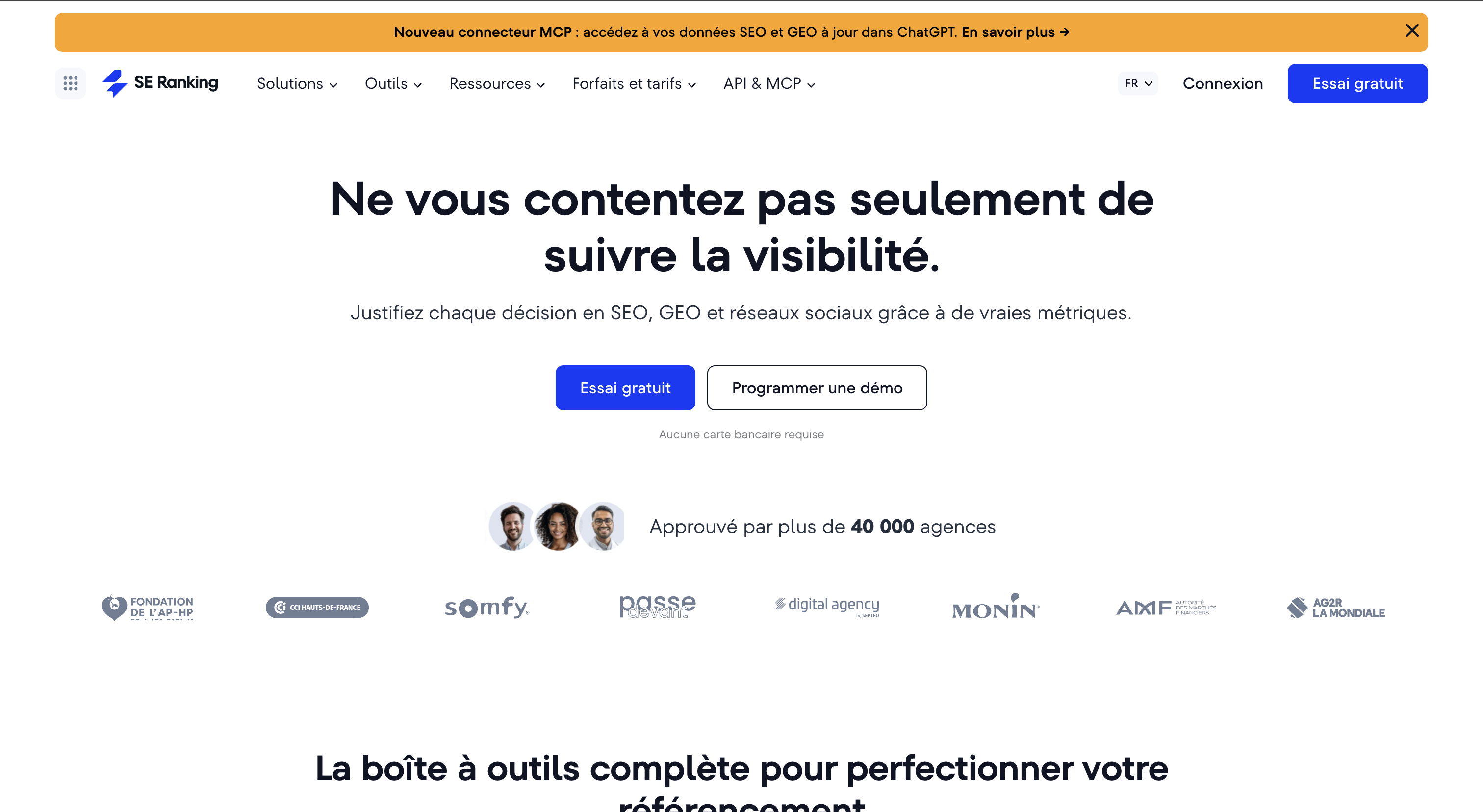
SE Ranking combines keyword rank monitoring, technical audits, competitive analysis and reporting in one SEO platform. It is designed for consultants, agencies and teams managing several projects.
One of its strongest use cases is ongoing performance tracking: users can follow the same metrics over time and turn them into reports for colleagues or clients.
Detailed rank tracking
SE Ranking tracks changes in Google rankings for selected keywords. Teams can organize the results by website, market and keyword category, helping them identify gains, declines and areas that deserve attention.
Rankings should not be considered in isolation. A meaningful SEO rank tracking process also takes account of impressions, clicks and conversions.
A three-position gain on a low-value query does not necessarily matter as much as a smaller improvement on a highly relevant commercial keyword.
AI search visibility monitoring
SE Ranking has also been developing GEO capabilities to follow prompts and brand visibility within generative search systems.
This can be useful to teams that want to compare traditional Google rankings with appearances in AI-generated responses.
Reporting features and API access vary with the subscription.
How much does SE Ranking cost?
The number of websites, tracked keywords, prompts and user accounts depends on the selected plan.
Why choose SE Ranking? To manage multiple SEO projects, monitor rankings and keep the principal visibility indicators together.
Best for: SEO consultants, agencies and marketing departments.
Strengths:
- Daily keyword ranking data.
- Keyword research.
- Competitor intelligence.
- SEO auditing.
- Client reporting.
- GEO monitoring.
- Integrations and API access.
Watch out for: Verify project limits, keyword quotas, prompt allowances and user seats before purchasing.
5. Screaming Frog: specialist software for advanced technical SEO audits
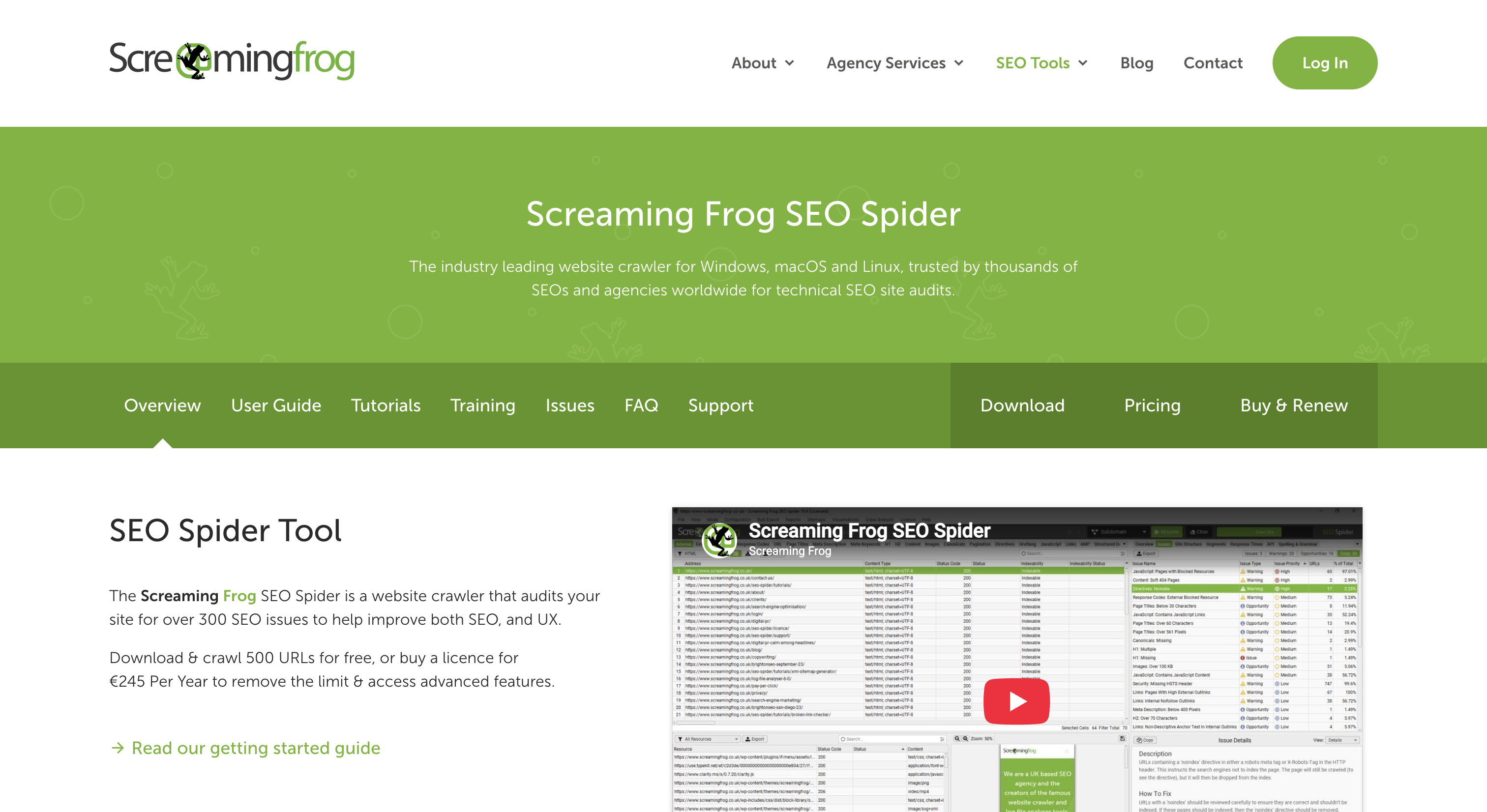
Screaming Frog SEO Spider is a desktop crawler that explores a website's URLs and analyzes technical SEO signals across its pages.
It has become a widely used tool for audits, migrations and post-launch checks. Unlike all-in-one market intelligence platforms, Screaming Frog focuses primarily on the structure and technical characteristics of the site being crawled.
Detailed URL and internal linking analysis
Screaming Frog can identify many of the issues that affect site crawlability and indexing, including:
- 404 errors and broken links.
- Redirect chains and redirect responses.
- Title tags and meta descriptions.
- H1 and H2 headings.
- Canonical tags.
- Noindex directives.
- Internal linking structures.
- Duplicate pages and content.
- Structured data.
- Hreflang annotations.
Its detailed exports are useful for large websites and provide a practical way to share technical findings with developers.
A valuable tool during a website migration
Before a redesign, the crawler can inventory the site's existing URLs, headings, metadata and linking. After launch, it can help verify redirects, architecture changes and errors.
These checks are part of a broader technical SEO audit that also considers performance, indexing and editorial quality.
For very large websites, crawling can be complemented by server log analysis, which helps identify how search engine bots actually interact with the site.
How much does Screaming Frog cost?
Screaming Frog offers a free version limited to 500 URLs per crawl. Its paid license is listed at €245 per user per year.
Why choose Screaming Frog? For thorough website crawling, troubleshooting technical issues and validating SEO migrations.
Best for: Technical SEO consultants, agencies and developers.
Strengths:
- Detailed crawling.
- Technical error detection.
- Internal link audits.
- Redirect validation.
- Custom extractions.
- Google tool integrations.
Watch out for: Technical knowledge is needed to interpret the results. Screaming Frog does not replace a comprehensive keyword research or competitor intelligence platform.
6. Surfer SEO: a platform focused on content optimization
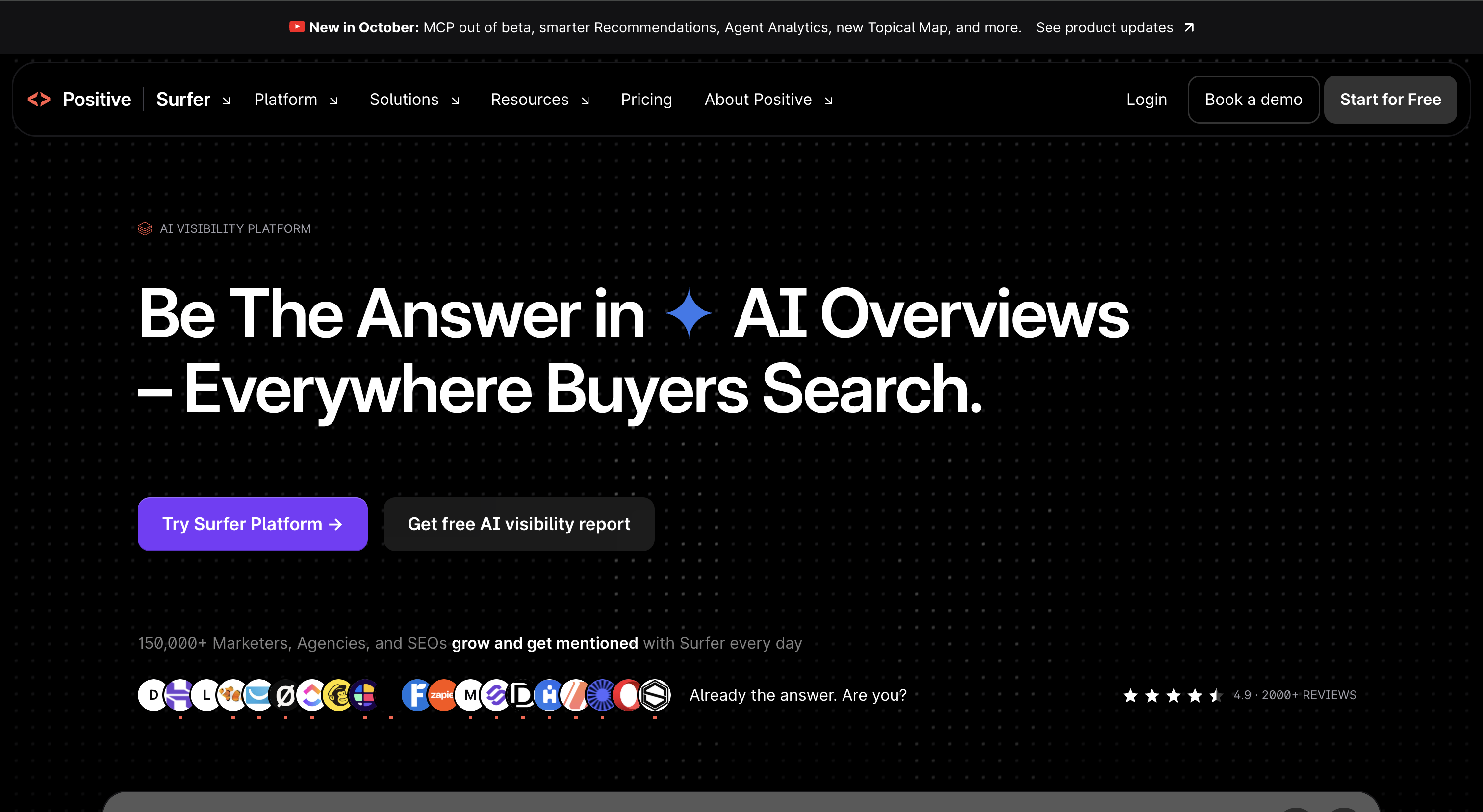
Surfer SEO helps editorial teams create and refine content for organic search. Its recommendations are based on analyzing relevant pages, language patterns and topic coverage.
The platform is particularly useful to SEO writers, editors and content marketing departments that want a structured approach to optimization.
Recommendations for organizing content
Surfer can suggest related terms, evaluate the coverage of a topic and help writers organize the structure of an article. It also includes AI-assisted writing functionality.
Such recommendations are useful, but they are no substitute for understanding why somebody is searching. Before writing, teams should evaluate search intent and select an appropriate content format: definition, tutorial, comparison, guide or service page.
A document can mention a large number of related keywords yet still fail to answer the user's actual question.
How much does Surfer SEO cost?
The Discovery subscription is listed from €49 per month with annual billing, while the Standard plan starts at about €99 per month under the same conditions.
Why choose Surfer SEO? To support writers with content research, drafting and semantic optimization.
Best for: SEO copywriters, editorial teams and marketing managers.
Strengths:
- Semantic content guidance.
- Editorial analysis.
- Assisted writing.
- Content recommendations.
- AI-powered features.
Watch out for: Treat optimization scores as guidance, not as a replacement for clear, useful and accurate writing.
7. Ubersuggest: accessible SEO software for beginners
Ubersuggest provides keyword ideas, domain overviews, audits and position tracking in an approachable interface. It is primarily aimed at small businesses, bloggers and users beginning to learn SEO.
Its affordable entry-level price is an advantage compared with more advanced suites, particularly when an organization only needs basic analysis.

Core features for getting started
Ubersuggest can generate keyword suggestions, review competitors and surface common optimization opportunities. The platform also provides backlink data and website performance indicators.
For a small business, these capabilities may be sufficient to establish an initial editorial strategy and monitor progress. Limitations become more apparent as the number of projects and the need for deeper data increase.
How much does Ubersuggest cost?
The provider may also offer one-time-payment subscription options.
Why choose Ubersuggest? To access essential SEO capabilities without the price of a more comprehensive platform.
Best for: Freelancers, bloggers, very small businesses and independent professionals.
Strengths:
- Keyword ideas.
- Domain analysis.
- Rank tracking.
- SEO audits.
- Accessible interface.
- Relatively inexpensive entry point.
Watch out for: Data depth and usage limits may not suit advanced SEO teams.
8. Mangools: straightforward SEO tools for keyword research
Mangools offers a family of SEO applications for keyword research, position tracking, competitor analysis and backlinks.
The suite includes KWFinder, SERPChecker, SERPWatcher, LinkMiner and SiteProfiler, each dedicated to a specific research or monitoring task.

A complementary suite of focused tools
- KWFinder: explore keywords and their potential.
- SERPChecker: analyze search result pages.
- SERPWatcher: monitor changes in rankings.
- LinkMiner and SiteProfiler: study backlinks and domains.
This modular structure can be a good fit for users who regularly perform SEO research but do not need the complexity of a large all-in-one platform.
How much does Mangools cost?
The Basic plan is listed from $37.70 per month with annual billing. Premium starts at around $52.70 per month under the same conditions.
Why choose Mangools? For approachable keyword research and ranking data.
Best for: Freelancers, bloggers and small marketing teams.
Strengths:
- Keyword research.
- Search result analysis.
- Rank tracking.
- Backlink inspection.
- Straightforward user experience.
Watch out for: Large agencies may find the limits or depth of analysis restrictive.
9. Majestic: dedicated backlink analysis software
Majestic focuses on inbound links, referring domains and metrics designed to assess the characteristics of backlink profiles.
Its specialization makes it useful alongside another tool, rather than as a full replacement for keyword research, technical SEO and rank tracking platforms.

Metrics designed for analyzing link profiles
Majestic provides Trust Flow and Citation Flow. Trust Flow is the company's measure of link quality, while Citation Flow estimates the influence associated with a link profile.
Topical Trust Flow adds an assessment of topical relevance. These indicators help compare domains but they are not Google metrics, nor should they be treated as direct ranking factors.
To judge an opportunity, combine such metrics with the site's editorial quality, traffic, topical match and the context of the proposed link.
How much does Majestic cost?
The Lite plan starts at approximately $49.99 per month. Pro and API plans provide additional features and capacities.
Why choose Majestic? To take a deeper look at referring domains and backlink profiles.
Best for: Link-building and off-page SEO specialists.
Strengths:
- Backlink analysis.
- Trust Flow and Citation Flow.
- Topical Trust Flow.
- Referring domain data.
- Backlink profile comparisons.
Watch out for: Majestic is not an all-in-one solution for content production, technical audits and ongoing SEO tracking.
10. Google Search Console: essential free SEO software
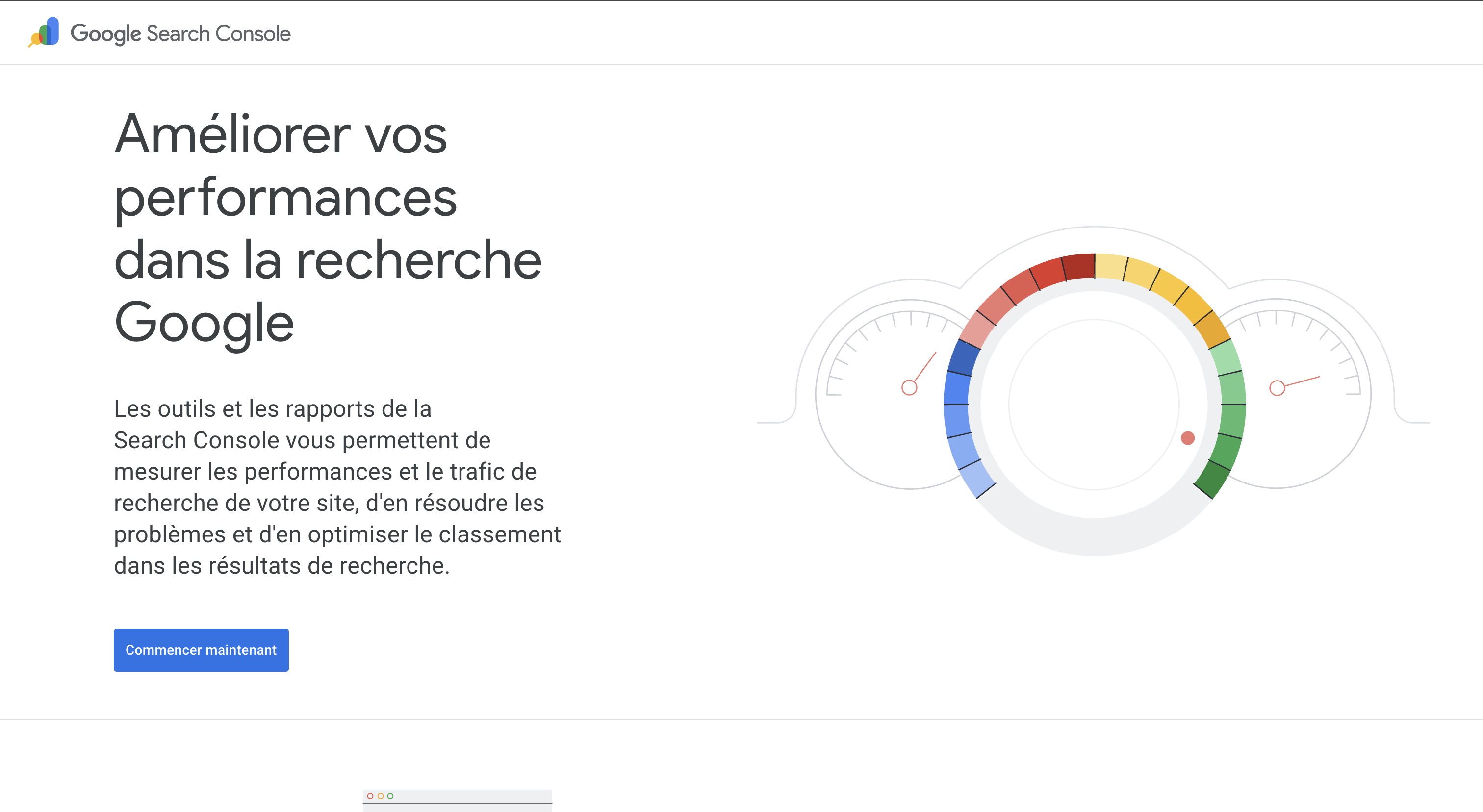
Google Search Console is Google's free service for measuring a website's presence in search results and diagnosing important indexing issues.
It gives website owners insight into clicks, impressions, queries, pages and technical search information. Unlike third-party tools that estimate activity using their own databases, Search Console reports on the site's activity in Google, within the service's data limitations.
Key data for monitoring organic performance
Google Search Console helps users review:
- Organic clicks.
- Search impressions.
- Search queries.
- Pages appearing in Google.
- Click-through rates.
- Average positions.
- Indexing and coverage issues.
- Sitemaps.
- Selected technical indicators.
These metrics are useful for identifying pages that deserve attention. A URL receiving many impressions but few clicks, for example, might need a closer look at its title, ranking or how well it matches search intent.
Search Console can also show changes in search performance after new content goes live.
How much does Google Search Console cost?
Google Search Console is free. Users simply need access to the appropriate website property.
Why choose Google Search Console? To monitor actual Google search activity and important indexing issues.
Best for: Every website owner.
Strengths:
- Free access.
- Data from Google.
- Query and page analysis.
- Clicks and impressions.
- Indexing checks.
- URL Inspection.
Watch out for: Search Console does not give complete competitor keyword and backlink intelligence.
Which SEO software is best for your needs?
A general ranking is useful for comparing the market, but the right software depends above all on the work your team plans to perform. An in-house content team might prioritize publishing automation, while an agency may need deeper competitive insights and client reporting.
What are the best tools for SEO automation?
SEO automation reduces the time spent on repeatable tasks such as keyword discovery, content drafting, publication, rank monitoring and reporting.
Sorank is useful when faster content publishing is the priority. SE Ranking and Semrush are better suited to ongoing analysis, data collection and monitoring.
What is the best SEO software for keyword research?
Keyword research helps businesses understand what people are searching for and where useful new content can fit into the customer journey.
Keywords should be evaluated not only by search volume, but also by intent, commercial potential and their relevance to what a company offers.
What are the best tools for a technical SEO audit?
Technical SEO auditing focuses on problems that can affect a site's exploration, indexing and accessibility.
For large websites, SEO log file analysis can complement a traditional crawl by revealing which URLs bots actually request from the server.
The two methods answer different questions: a crawl explores accessible pages, while logs record requests received by the server.
Which SEO software is best for backlink analysis?
Backlink research helps teams understand which sites link to a domain and compare its off-page profile with competitors.
A good link-building strategy focuses on relevance and source quality rather than accumulating links indiscriminately.
What is the best SEO software for agencies?
Agencies need to organize projects, monitor numerous keyword sets and turn performance data into client-facing reports.
Before purchasing, verify project allowances, tracked keyword quotas, user access and API capabilities.
What are the best GEO software tools for measuring AI visibility?
Generative Engine Optimization tools track signals related to a brand's appearance in AI search. Some monitor prompts, mentions, citations or competitor visibility across selected questions.
Mentions in generated answers, links cited as sources and traffic actually sent to a website are different metrics and should not be confused.
Free vs. paid SEO software: which should you choose?
A free tool can be enough for important foundational tasks, such as examining Google performance or diagnosing indexing problems.
Google Search Console, GA4 and PageSpeed Insights together provide a useful starting point for many companies. Paid platforms generally add broader competitor research, specialized tracking, larger datasets and automation capabilities.
Smaller organizations may begin with free resources and add subscriptions only when a clear need arises. Experienced SEO teams often combine several specialist tools.
How much does SEO software cost in 2026?
SEO software pricing ranges from free services to subscriptions costing several hundred euros or dollars a month. Differences largely reflect the quantity of data, advanced features and the usage allowances included.
What affects the price of SEO software?
The cost of a subscription can depend on:
- Number of projects.
- Number of keywords tracked.
- Tracking frequency.
- Available keyword searches.
- Pages included in audits.
- GEO monitoring features.
- API access.
- User seats.
- Automation limits.
- Number of AI-generated articles.
A low starting price is not necessarily the lowest total cost once the team's projects and needs grow.
Should you use several SEO tools?
In many situations, yes. A company might use Google Search Console for actual search performance, Screaming Frog for technical auditing and Ahrefs for backlinks.
The same stack could also include dedicated rank monitoring or content production software. The point is to cover complementary needs without paying for unnecessarily duplicated features.
How to choose the right SEO software for your company
Choose a tool based on the tasks that need to be completed, the expertise available within the team and your budget. The platform advertising the longest feature list is not necessarily the most useful.
Identify your SEO priorities
Do you need more content, better competitor insights, help identifying technical issues or a way to track search performance? A focused tool may be more valuable than a broad platform if the requirement is highly specific.
Evaluate the reliability of the data
Search volumes, keyword difficulty metrics and estimated traffic are calculated differently by different vendors. Treat them as useful directional indicators rather than perfectly precise figures.
Consider the time needed to use the platform
A powerful all-in-one solution can require hours of analysis every week. Automated tools may save manual work, but they still need review and approval. Productivity should be measured across the entire workflow.
Check the available integrations
Connections to Google Search Console, GA4, your CMS and reporting services can reduce manual processing. For agencies, API access can also simplify centralizing data in a shared dashboard.
Plan for future growth
A business may begin with a single site and later expand into several domains, languages or markets. Verify how easily project limits, users and features can scale before committing.
Can SEO software replace an SEO agency?
SEO software can streamline a significant part of search optimization. It can identify keywords, research competitors, detect technical issues and monitor results.
But it does not automatically define a strategy that fits a company's business model, competitive environment and technical constraints.
Prioritizing work, assessing commercial value, coordinating development and interpreting results still require informed decisions.
A business with strong internal SEO skills may be largely independent with the right software stack. Organizations coordinating technical SEO, content, backlinks and AI search visibility may benefit from an SEO agency that connects those analyses to a prioritized action plan.
Execution is what matters most: even excellent software will not deliver results if the insights it produces are never implemented.
FAQ: the best SEO software tools
What is the best SEO software in 2026?
Sorank ranks first in this selection for its SEO and GEO content automation approach. Semrush and Ahrefs stand out for in-depth research, while SE Ranking is well suited to monitoring several projects. The best choice depends on your goals.
What is the best free SEO software?
Google Search Console is an essential free tool for monitoring clicks, impressions, search queries and indexing issues in Google.
Which SEO software should beginners use?
Ubersuggest and Mangools offer approachable keyword research and basic SEO analysis. Google Search Console is also a good introduction to actual search performance.
What is the best software for backlink analysis?
Ahrefs and Majestic are both strong options. Ahrefs covers more areas of SEO, while Majestic specializes in backlink profiles and link metrics.
What is the best tool for technical SEO audits?
Screaming Frog is particularly useful for thorough technical audits. Semrush and SE Ranking also provide integrated audit features.
Which software can automate SEO?
Sorank can automate stages of content creation and publishing. Other platforms offer automation for monitoring, research and reporting.
Which SEO platform should an agency choose?
SE Ranking, Semrush and Ahrefs suit different agency needs. Check client project limits, tracked keywords, user seats and API availability before subscribing.
What is the best GEO software?
Sorank, SE Ranking and Semrush offer features related to AI search visibility. The right choice depends on whether you prioritize prompt tracking, competitor insights or content automation.
Can you do SEO without paying for software?
Yes. Google Search Console, Google Analytics and other free tools cover many fundamental needs. Paid subscriptions become useful for deeper research and greater automation.
How much does SEO software cost?
Prices range from free access to several hundred euros or dollars per month. The number of projects, features, available data and quotas all affect pricing.
Can SEO software guarantee the top spot on Google?
No. No software can guarantee a particular ranking. Results depend on content quality, relevance, competition, technical quality and site authority.
What is the difference between SEO and GEO?
SEO aims to improve a website's visibility in search engines. GEO focuses on developing and measuring a brand's or content's presence in AI-generated answers. Both depend on useful, accessible information.
How long does it take to see SEO results?
Initial effects can sometimes appear within weeks, but evaluating a strategy usually takes several months. Timing depends on the market, competition and work completed.
Do you need more than one SEO tool?
Not necessarily. A small company may start with Google Search Console and one complementary tool. Advanced teams often combine specialized solutions for technical analysis, content, backlinks and tracking.
Good to know
Heading
Lorem ipsum dolor sit amet, consectetur adipiscing elit. Suspendisse varius enim in eros elementum tristique. Duis cursus, mi quis viverra ornare, eros dolor interdum nulla, ut commodo diam libero vitae erat. Aenean faucibus nibh et justo cursus id rutrum lorem imperdiet. Nunc ut sem vitae risus tristique posuere.

Lorem ipsum
Lorem ipsum dolor sit amet, consectetur adipiscing elit, sed do eiusmod tempor incididunt ut labore et dolore magna aliqua. Ut enim ad minim veniam, quis nostrud exercitation ullamco laboris nisi ut aliquip ex ea commodo consequat. Duis aute irure dolor in reprehenderit in voluptate velit esse cillum dolore eu fugiat nulla pariatur.