


How to increase demo requests on a SaaS website?
A demo request does not happen because a button is more visible. It happens when the prospect understands the product well enough, recognises the problem and decides that a conversation is worth their time.

article summary
- The value proposition should be understood before the functional details.
- Use cases and results should reassure prospects before the demo request.
- Pages should distinguish users, decision-makers and buyers when their expectations differ.
- The product should be shown without turning the page into exhaustive documentation.
- Measurement should track progress toward the demo and then toward the sales opportunity, so pages that generate volume can be distinguished from those that produce genuinely qualified conversations.
Want to take it further? Ask:
Clarify the problem before detailing the product
The hero section should make it clear who the solution is for, what problem it solves and what outcome it aims to deliver. A SaaS web agency should therefore start from this business question before choosing the structure or design.
A message focused only on the technology forces prospects to translate the business value for themselves. This is one of the key points in what a SaaS homepage should include to convert more visitors.
On a SaaS website, the visual hierarchy should above all make the problem, use cases and next step easy to understand. Prospects should not have to decode the interface to determine whether the solution fits their context. For more detail, see how to explain a complex SaaS solution without losing prospects.
Create journeys by use case
The same SaaS product can address several challenges. Use cases make it possible to explain the value in a specific context without creating one generic page that tries to speak to everyone.
Each use case should include a situation, a product response and proof.
For acquisition campaigns, a dedicated page is only useful if it reflects the vocabulary, objection and maturity level of the target audience. Copying the homepage and changing the title generally weakens qualification.
Show the product at the right level
Screenshots, short videos or animations can make the product more tangible.
The goal is to show the moments that help someone make a decision rather than run through every feature.
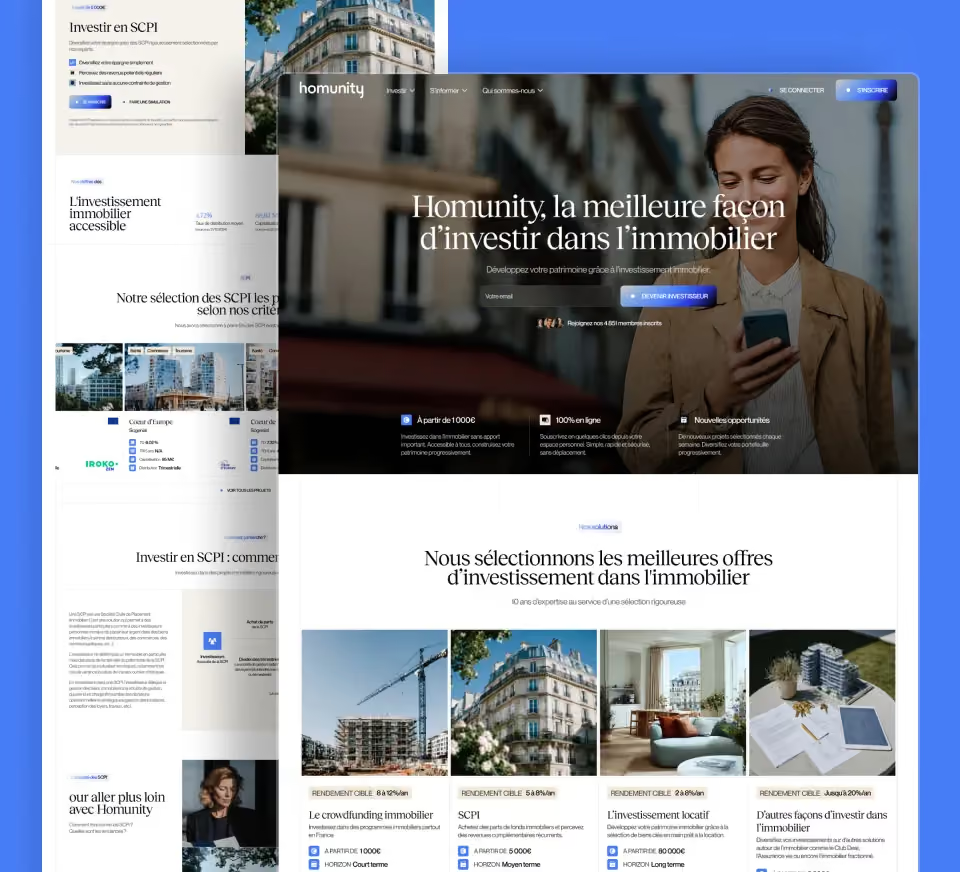
An annotated screenshot, a short product sequence or a workflow example helps prospects picture themselves using the product more than a pile of screenshots without context. Product interface design should support this understanding before chasing visual impact. The Design Synapse project provides a concrete example of an industrial SaaS project with a strong product dimension.
Place proof close to objections
Customer cases, integrations, security, ROI or adoption proof should appear where the relevant question arises.
A wall of logos below the hero provides less context than proof connected to a specific use case.
Proof should answer a precise objection: security for IT, adoption for the user team, integration for operations, or economic impact for the decision-maker.
Qualify demo requests without making the form painful
The form can ask for role, company, size or challenge when this information is genuinely useful to sales.
Every additional field should help prepare the conversation rather than satisfy a reporting requirement. This is the logic used for Optivalue's demo forms: a few qualification criteria (industry, organisation size, monthly questionnaire volume) and a direct CRM integration.
Connect the website, CRM and pipeline
Tracking should retain the page, use case and source that generated the request.
The best page is not necessarily the one that produces the most demos, but the one that creates the best opportunities.
Tracking should connect the demo request to its entry page, its use case and, when the CRM allows it, the quality of the opportunity created. Form volume alone can hide a qualification problem.
Adapt the demo request to the prospect's maturity level
Not every visitor should land on the same form. A prospect in the discovery phase mainly needs to confirm that the product matches the problem, while a more advanced account wants to specify its context, technical environment or deployment constraints. Qualification should therefore increase progressively with intent, without turning the demo request into a thirty-field questionnaire.
| Profile | Information to request | Objective |
|---|---|---|
| Discovery | Role and main need | Check fit |
| Advanced prospect | Use case and environment | Prepare a targeted demo |
| Complex account | Integrations, security, timeline | Bring in the right experts |
| Existing account | Expansion project or new use case | Avoid a generic demo |
Increasing demo requests is not about making the button omnipresent. The website must first move the prospect to the level of understanding that makes the conversation useful, then pass enough context to sales to personalise the demonstration. The right metric is therefore not just form volume, but the share of requests that become genuine opportunities.
Understand why a prospect asks for a demo
A demo request rarely happens at the start of the journey. The prospect has generally already understood the problem, identified the product as a credible option and now wants to check how it works, whether it fits the context and what level of support is provided.
A SaaS web agency should therefore prepare this stage upstream. The page should not simply display a “Request a demo” button; it should answer the main objections before the form. This was one of the key challenges in the redesign of Alpacap, whose previous website did not provide a clear path to the demo.
Clarify what the demo will show
Prospects should understand what they will get: a product overview, use cases, questions about their context, a demonstration of selected features or a discussion about deployment.
A promise that is too vague can reduce interest.
It is better to explain the general flow without locking every demo into exactly the same script.
Present use cases before the CTA
Prospects should be able to recognise themselves in a specific situation.
Marketing, sales, finance, support or operations can have different pages when their needs differ.
Each use case can then offer a contextualised demo CTA.
Show the product
Screenshots, short videos or diagrams help reduce uncertainty before the meeting.
Product design should be presented with enough context to show the action and the result.
An interface without explanation may look impressive but does not genuinely qualify the need.
Address integrations
Integrations are often an important objection.
The website can show the main tools, explain the use cases and link to a complete page.
Avoid showing integration logos that do not correspond to connections that are actually available.
Reassure prospects about security
For B2B SaaS, security can block a demo request.
Certifications, hosting, access controls or compliance information should be accessible when these elements are verified.
The demo page can link to this information without repeating it in full.
Explain onboarding
Prospects want to know whether deployment will take a few minutes, several days or a full project.
The page can present the main stages without promising one universal timeline.
This information helps qualify expectations before the sales conversation.
Present pricing or pricing factors
Public pricing can prevent demos with prospects who are far outside the budget.
When pricing is quote-based, the website can at least explain what affects the price: users, volume, modules or level of support.
A complete lack of reference points often generates requests that come too early in the buying journey.
Optimise the form
The form should collect information that is useful to sales: company, role, team size or use case depending on the product.
Avoid asking for information that will simply be requested again during the demo.
The number of fields should remain proportional to the value of the conversation.
Create a useful confirmation page
After submission, the prospect should know what happens next.
Response time, calendar, documents to prepare or the option to book a slot directly can be presented.
This step reduces uncertainty and follow-up messages.
Use customer cases
A customer case close to the prospect's industry or role can strengthen the decision.
A project such as Design Synapse can illustrate the importance of a clear product experience when the context is relevant.
Proof should be selected according to the objection, not simply displayed as a block.
Create intermediate CTAs
Not every prospect is ready to speak to sales.
A trial, video, documentation, benchmark or customer case can act as an intermediate step.
The website should still keep a clear hierarchy so attention is not fragmented.
Test the mobile journey
The form, calendar and proof content should work properly on a phone.
A poorly integrated external calendar can cause abandonment.
The demo should remain easy to access even if discovery starts on mobile.
Measure the quality of demo requests
Form conversion rate alone is not enough.
You should track qualified demos, meeting attendance, conversion into opportunities and account quality.
A drop in volume can be positive if requests become much more relevant.
Checklist for increasing demo requests
- Clear use cases.
- Product shown in context.
- Integrations visible.
- Security information accessible.
- Pricing or pricing factors explained.
- Short, qualifying form.
- Clear confirmation.
Prepare the demo before the form
A prospect is more likely to request a demonstration if they know what they will get. The page can explain the general format: understanding the need, presenting the relevant use cases and defining the next steps.
A SaaS web agency should make the demo a continuation of the journey, not an isolated form.
Use use cases to trigger the request
Each use case can offer a contextualised demo. The form then keeps the context of the page viewed, allowing the sales team to prepare a more relevant conversation from the first contact.
Reduce the number of fields
Name, work email, company, role and, where relevant, team size or use case may be enough. Every field should have a real qualification purpose.
Improve the confirmation step
After submission, the prospect should know what happens next. A confirmation page can state the next step, offer a calendar or provide a useful resource.
Measure demo quality
The number of requests is not enough. Track demos that actually take place, their source and their conversion into opportunities to identify which pages attract the most relevant prospects.
FAQ
How can you increase demo requests on a SaaS website?
Explain the use cases, show the product, address the main objections and keep the form simple enough for a first conversation.
What should a demo page explain?
Prospects should understand what they will see, who the demo is for, what information to prepare and what happens after the request.
Should pricing be shown before the demo?
When possible, yes. Otherwise, at least explain the factors that influence the price so that clearly out-of-budget requests are reduced.
How many fields should the form contain?
Only those genuinely used to qualify the conversation: identity, company, role and context may be enough depending on the product.
What reassures prospects before a demo?
Customer cases, security, integrations, onboarding and product screenshots reduce the main uncertainties.
Which KPIs should be tracked?
Demo requests, attendance rate, account quality, conversion into opportunities and sales conversion rate help assess real performance.
Good to know
Heading
Lorem ipsum dolor sit amet, consectetur adipiscing elit. Suspendisse varius enim in eros elementum tristique. Duis cursus, mi quis viverra ornare, eros dolor interdum nulla, ut commodo diam libero vitae erat. Aenean faucibus nibh et justo cursus id rutrum lorem imperdiet. Nunc ut sem vitae risus tristique posuere.




Lorem ipsum
Lorem ipsum dolor sit amet, consectetur adipiscing elit, sed do eiusmod tempor incididunt ut labore et dolore magna aliqua. Ut enim ad minim veniam, quis nostrud exercitation ullamco laboris nisi ut aliquip ex ea commodo consequat. Duis aute irure dolor in reprehenderit in voluptate velit esse cillum dolore eu fugiat nulla pariatur.









