Projects
 Our Offers
 Dedicated team
 Blog
 Academy
 About Us
Tips7 min read
How much does a website for a veterinary clinic cost?
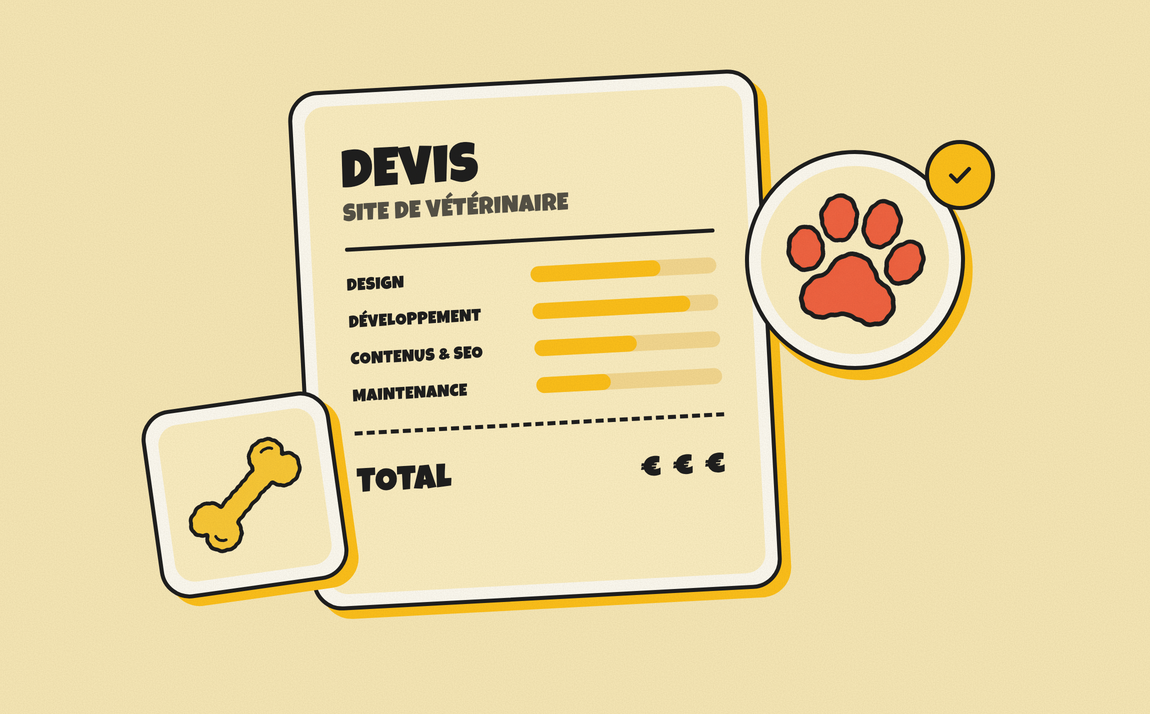
A dog owner looking to book a follow-up appointment and someone trying to reach a practice in an emergency should not follow the same path. To build the website, allow €5,500 to €11,000 excl. VAT at Gemeos for "Veterinary clinic" (8 pages, 4 vets and 1 language) and €7,000 to €14,500 excl. VAT for "Clinic with external booking" (12 pages and 1 calendar for 4 consultation types).
The priority is to point people in the right direction before the visit: knowing which address to call, which animals are seen and how to request an appointment. A booking tool, an owner portal or a connection to the clinic's software are additional services to be scoped. They are not automatically included in the price of the showcase site.
What budget should you plan for your veterinary clinic's website?
Budgets are given excluding VAT for the volumes and features stated. For a new build: scoping, site structure, UX/UI, CMS development, integration of the copy and visuals you supply, testing and onboarding. For a redesign, migration or enhancement: the work is carried out on an existing site. These services are not automatically cumulative. Copywriting, translations, new visuals, licences, subscriptions and third-party costs are to be specified in the quote.
| Service and project | Budget excl. VAT | Scope and limits |
|---|---|---|
| New build — Veterinary clinic | €5,500 to €11,000 | 8 pages, 4 vets and 1 language. Care, species seen, access and contact. No animal records or automated clinical advice. |
| New build — Clinic with external booking | €7,000 to €14,500 | 12 pages and 1 calendar for 4 consultation types. Booking journey and emergency guidance. No custom-built calendar or emergency management. |
| New build — Specialist centre | €7,000 to €14,500 | 15 pages, 6 specialities and 20 resources. Referral services, team and requests from partner vets. Medical validation and copywriting to be defined. |
| New build — Network of clinics | €7,000 to €15,000 | 5 clinics, 25 vets and 2 languages. Clinic finder and calendars by location. Translations and veterinary software not included in the build. |
| Redesign — Redesign with existing client journeys | €7,500 to €16,500 | 40 URLs and 2 external tools retained. SEO migration and checks on appointments and services. No replacement of the veterinary software. |
| Technical migration — CMS migration with the design retained | €6,500 to €19,000 | 60 URLs, 1 language, 1 source CMS and 1 target CMS to be confirmed. Transfer of clinics, vets and care arrangements. Checks: calendars, emergencies and veterinary software retained. Design and functional scope retained; exportable sources and available interfaces; licences and editorial overhaul handled separately. |
| Site enhancement — Add a clinic directory | €1,200 to €3,500 | Existing site, 5 locations and 20 vets. Listings, access details and calendar links. No animal records or replacement of the veterinary software. |
What should an owner see straight away on the clinic's website?
They need to be able to identify the practice, find the right contact and understand the next step. The address, published opening hours and the way to reach the team are of immediate use. Information on care arrangements must reflect how you actually operate, particularly when out-of-hours cover is organised with another practice.
A veterinary website can serve very different audiences. A small animal clinic for dogs and cats, an equine practice and a team working on farms do not call for the same navigation. The species covered and how the team works can appear early in the journey, so that requests are not sent to the wrong contact.
The design work consists of prioritising these uses without turning the home page into a cluttered directory. More detailed content about the team, the equipment and what happens during a visit then finds its place. The number of entry points should stay in proportion to the practice's actual activities.
On mobile, a call button must dial the expected number and an address must lead to the right practice. These simple checks are part of useful testing. A polished presentation loses its value if an owner arriving from a service page is sent to another clinic in the network without realising it.
How do you price the reception, booking and emergency journeys?
These journeys can share the same visual identity, but their objectives differ. A routine booking can let owners choose a reason and a slot on offer. Emergency guidance must follow the instructions approved by the veterinary team, without waiting for an ordinary form to be processed. The site must not produce a diagnosis to decide on care.
| Owner's situation | Information or action expected | Service to scope |
|---|---|---|
| Preparing a routine visit | Identify the practice, its opening hours and how to book | Practical pages, contact and mobile journey |
| Looking for urgent guidance | Find the contact details and instructions actually in place | Separate presentation, updates and call testing |
| Checking a species or service | Know where the care is offered | Species/service templates and linking to clinics |
| Accessing a private owner service | See only the information they are authorised to access | Existing tool or portal, login and access rights: separate work package |
The website build budget covers designing the screens, building them and testing the different situations. If instructions change outside normal opening hours, you need to specify who updates them and what triggers their display. A simple editable text and an automated rule linked to a rota do not require the same service.
Good to know: displaying "emergencies" on the site does not prove that the clinic sees animals on site at any hour. Contact details and wording must match the organisation approved by the practice. The web work should make this organisation easy to understand, without creating a promise of availability that does not exist.
What does online booking add to the price of a veterinary website?
The cost depends first on the tool and the chosen integration. A link to a solution already in use does not involve the same work as an integrated journey or a bespoke connection. In every case, the owner must find the right practice and understand which appointments they can actually request or confirm.
Setting up appointment reasons is an operational matter. Your team must decide which ones can be offered online, under what conditions and with what information. Durations, restrictions and instructions are approved by the clinic; the agency organises how they are presented. The site must not make all slots interchangeable or invent care rules.
Making appointment booking easier also means handling cases where no slot fits: a new owner, a species not offered, a need that matches no appointment reason or a request for another practice. A useful message should state the next step planned by the team. An empty screen or a form presented as constantly monitored creates the wrong expectation.
Testing must cover receipt, confirmations and the changes allowed by the solution. If your practice management software remains the reference for scheduling, check the possible data exchanges with its vendor before promising synchronisation. The price of the site, the service licence and the integration work should remain identifiable in the proposals.
What content should you produce to present the clinic accurately?
Content should help an owner understand how they will be received and the care actually on offer. Team profiles can set out the roles and qualifications that may be published. Service pages explain the practical process and the organisational guidance approved by the vets. They do not replace a consultation and must not turn a possible treatment into a promise of results.
The Ordre national des vétérinaires, the French veterinary regulator, points out that communication must be fair, honest and scientifically supported, and that any capabilities claimed must be justifiable. This requirement affects the service: copy, headings, images and descriptions need to be approved by the responsible professionals, rather than repeating generic claims on every page.
Presenting equipment is not about piling up machine names. The information becomes useful when it specifies at which practice the service is available and how the team organises the corresponding appointments. A device at one clinic in the network must not be automatically attributed to all the others.
To reassure owners, real images of the premises and teams can show the place where they will be received. Publication consents and confidentiality must be reviewed before going live. Photographs of clinical cases or testimonials are not to be treated as mere promotional material; it is better to keep factual content that has been approved and suits the professional framework.
What scope should you plan for several clinics or several activities?
A shared base can present a group while giving each clinic its own contact details, team and services. The work increases when opening hours, species seen, booking journeys or out-of-hours arrangements differ. The site must avoid mixing a shared presentation with local information that does not apply everywhere.
The content structure can centralise certain explanatory pages while linking services to the practices concerned. A change of address should not require every page to be corrected by hand. On the other hand, a shared rule must not prevent a clinic from presenting a genuine specific feature. This split is defined with the teams before development.
An owner portal adds yet another layer: login, accessible information and rights specific to each account. If your practice software already offers such a portal, start by looking at how it is used. Recreating access within the public site without a source and without clear rules can multiply data and maintenance tasks.
How do you keep the build and maintenance budget under control?
Start with the pages and features needed to guide owners. Very detailed content can be added gradually, with someone responsible for approval. Web design must ensure that practical information and journeys are easy to read before spending time on complex visual effects.
An owner portal or a veterinary practice management application is priced separately, depending on the accounts, data and connections required.
- Gather the approved addresses, opening hours and contact details for each practice.
- Define the species and services actually offered at each practice.
- Have the routine and emergency journeys approved by the people who handle reception.
- Identify the content to carry over and the images you are authorised to publish.
- Specify access to the booking tool and the integration options confirmed by its vendor.
After launch, maintenance covers technical updates but also operational information. A change of team or out-of-hours cover may need a quick correction. Subscriptions, licences and editorial work must be kept distinct from the build when they are not included, with someone able to request and approve these changes.
A web agency for vets should be able to translate your organisation into pages, journeys and update rules. To prepare the quote, use concrete reception scenarios rather than an abstract list of features. You will be able to check what will actually be designed, tested and handed over to your team.
FAQ on the price of a veterinary website
How do you adapt the site of a practice that mainly sees farm animals?
Present the species and areas actually covered, how to get in touch and the approved information on how call-outs are organised. A livestock farmer should not be automatically directed to a calendar designed for a companion animal consultation. If both activities coexist, identify their respective contact details and journeys. The budget covers this content and guidance; it does not assume an automated call-out schedule or a change to the software used by the practice.
How do you guide an owner when the clinic is closed?
The site must display the journey defined by the clinic for this situation: approved contact details and instructions, distinguishing between practices where necessary. The presentation can be editable or linked to display rules planned in the project. Do not let an ordinary form serve as the only entry point for an urgent request.
Can all species be booked through the same tool?
It depends on the species covered and the solution's features. The journey must allow owners to select only the options that genuinely exist, or direct them to a suitable contact. The clinic approves the appointment reasons and conditions; the web provider must not infer them from the way another practice operates.
Should every vet at each practice be featured?
The presentation must remain accurate and maintainable. Profiles can identify the professionals, their roles and the qualifications that may be published, linking them to the right practices. The quote can include a shared template and the integration of a defined set of profiles. A departure or a change of posting should then be easy to handle.
Does an owner need to create another account when their animal is seen at two clinics in the network?
It depends on the tools used by the clinics and their actual ability to share data. The site must explain which portal to open and whom to contact if the animal or the expected documents do not appear there. A website shared across the network does not mean that accounts and records are combined. Before promising single access, have user login, accessible data and the necessary connections checked with the people responsible for the tools.
How do you avoid one clinic's services being attributed to the whole network?
Link each service and piece of equipment to the practices concerned and show this information near the contact details. Test the journey from a service page through to booking. A shared page can explain the service, but the owner must know which clinic to contact for their situation. The name of each practice calls for the same rigour, as the word "clinique" (clinic) is reserved in France for practices that meet the requirements for that designation. To create a website for a vet, this check comes on top of declaring the site to the regional council of the Ordre.