How do you migrate a website without losing SEO traffic?
An SEO migration involves moving or transforming a site while preserving access to content, its indexing, and the signals acquired by the old URLs. It applies to a redesign, a change of CMS, domain, protocol, site structure, or the merging of multiple sites. Zero risk does not exist: Google states that ranking fluctuations are normal during a site change. However, an exhaustive inventory, URL-by-URL mapping, rigorous testing, and close monitoring significantly reduce avoidable losses.
article summary
- Establish a baseline before making any changes: URL, traffic, rankings, conversions, indexing, and backlinks.
- Map each useful URL to a relevant destination; a global redirect to the homepage is not a migration plan.
- Test the staging environment without exposing it to indexing, then verify redirects, tags, rendering, and user journeys before launch.
- On launch day, immediately check server responses, robots files, sitemaps, and webmaster tools.
- Monitor old and new URLs at D+1, D+7, D+30, and D+90, with clear responsibilities and a rollback plan in place.
Want to take it further? Ask:
What is an SEO migration?
An SEO migration is a transformation project that changes how search engines discover, interpret, or process a site's pages. The term does not just refer to a technical transfer. A redesign that keeps the same domain but changes URLs, content, internal linking, or JavaScript rendering is also a high-risk migration.
The most common cases include moving from HTTP to HTTPS, changing domain names, switching CMS, restructuring the site architecture, mass URL changes, moving to a JavaScript framework, and merging multiple properties. A project can combine several of these changes; the more they are concentrated at the same time, the harder it becomes to diagnose the cause of a drop in traffic.
Why can a migration cause organic traffic to drop?
A drop occurs when search engines can no longer find a page, do not understand its new destination, discover degraded content, or encounter obstacles to crawling and rendering. The problem rarely stems from a single tag: it is often the result of a series of decisions made separately by product, design, technical, and SEO teams.
- High-performing URLs disappear without a relevant 301 redirect.
- Redirects create chains, loops, or lead to error pages.
- Useful content, titles, structured data, or internal links are removed during the redesign.
- The staging environment leaves behind noindex directives, a blocking robots.txt, or canonical tags pointing to the wrong environment.
- The new rendering hides part of the content or links from bots.
- Sitemaps, hreflang tags, or faceted navigation parameters describe an architecture that differs from the one actually published.
- Aggregated traffic monitoring masks losses concentrated on specific templates or strategic pages.
Before the migration: build a reliable baseline
1. Define the scope and responsibilities
Start by appointing a project lead, a technical lead, an SEO lead, a content owner, and a decision-maker with the authority to block the launch. Every check must have a person in charge, expected evidence, and a decision rule. Without this governance, critical issues easily become "fixes to be done later."
The scope defines what is changing and what remains stable: domain, protocol, CMS, hosting, URL structure, site architecture, content, design, tracking, internationalization, and rendering mode. If multiple transformations can be decoupled, sequencing them makes it easier to measure their impact.
2. Inventory all relevant URLs
A crawl alone is not enough. You must cross-reference URLs discovered through exploration with sitemaps, Search Console data, analytics, backlinks, server logs if available, and CMS exports. This consolidation reveals orphaned, old, or rarely crawled pages that still generate traffic or hold backlinks.
- Export crawlable URLs and their HTTP status codes.
- Identify pages that generate impressions, clicks, sessions, or conversions.
- Locate URLs receiving external backlinks.
- Keep titles, H1s, canonicals, robots directives, hreflang tags, and structured data.
- Categorize pages by template, language, directory, and priority level.
- Archive existing sitemaps, robots.txt files, and primary redirection rules.
3. Measure performance before the change
Create a baseline dashboard before the production freeze. At a minimum, track organic clicks and impressions, rankings by keyword group, landing pages, conversions, indexation rate, crawl errors, and technical performance. Segment by page type and country: a stable total can mask a significant decline in a specific business area.
Build the URL-by-URL redirection plan
Mapping is the heart of the migration. For every old URL, specify a destination, an action, and a justification. The destination must reflect the intent and, as much as possible, the content of the source page. If no equivalent exists, explicitly decide whether to recreate, merge, or delete the resource.
- Keep: the URL remains identical and must return a 200 status.
- Move: the old URL redirects via 301 to its direct equivalent.
- Merge: several old pages converge toward a single page that genuinely addresses their intent.
- Delete: a URL with no value or substitute returns a consistent status, typically 404 or 410.
- Temporary: a 302 or 307 is only used if the move is truly reversible and time-limited.
Avoid redirect chains: the source must point directly to the final destination. Also, avoid generic rules that send hundreds of pages to the homepage or an unrelated category. These degrade the user experience, blur the transfer of ranking signals, and make verification more difficult.
User acceptance testing for pre-production before authorizing launch
Pre-production must remain inaccessible to public indexing, while staying available for teams and testing tools. The goal is not just to verify that the site "works": you must compare the old and new sites at the URL, template, and user journey levels.
Critical SEO checks
- Every retained page returns a 200 status code and has a consistent canonical URL.
- Old URLs tested redirect in a single step to the correct destination.
- No noindex directives or temporary robots rules are blocking areas intended for publication.
- Titles, H1s, main content, internal links, and expected structured data are present.
- Multilingual pages have valid, reciprocal hreflang annotations.
- Sitemaps contain only canonical, indexable URLs that return a 200 status code.
- Internal links point to the new URLs rather than to redirects.
- Mobile and JavaScript rendering correctly display essential content and links.
Functional and tracking checks
- Consent management, analytics tags, and conversion events are working.
- Forms, internal search engines, filters, payments, and login areas have been tested.
- Real-world performance is compared by template, not just on the homepage.
- Support, marketing, and sales teams are aware of changes to user journeys.
- A usable backup and a rollback procedure have been validated.
Go / no-go: which checks should block a migration?
Useful acceptance testing doesn't just produce a list of bugs: it distinguishes between acceptable flaws and issues that compromise crawling, indexing, or conversions, which require postponing the launch.
Launch day: order of operations
Schedule the transition for a time when both technical and business teams are available. Avoid launching right before a weekend, a critical sales period, or when key decision-makers are unavailable. The deployment must follow a timestamped roadmap with a single incident reporting channel.
- Freeze editorial changes and perform a final backup.
- Deploy the new site and the redirection rules.
- Immediately test a representative sample of old and new URLs.
- Verify the robots.txt file, canonical tags, indexing directives, and rendering.
- Publish the new sitemaps and submit them to Search Console and Bing Webmaster Tools.
- If the domain is changing, use the Change of Address tool in Search Console after validating the redirects.
- Relaunch a priority crawl and monitor conversion paths.
- Decide whether to proceed or roll back based on the criteria defined before the launch.
For a domain change, Google recommends keeping redirects in place for as long as possible, generally at least one year. Also, maintain control of the old domain and its certificate to ensure the redirects continue to function.
Post-migration: monitor at D+1, D+7, D+30, and D+90.
D+1: detect critical errors.
Check HTTP status codes, redirects, noindex pages, canonicals, error logs, sitemaps, and conversions. Compare a sample of priority pages against the baseline. A widespread anomaly should be treated as an incident, not as normal SEO fluctuation.
D+7: observe crawling and indexing.
Analyze crawl statistics, indexing reports, and initial variations in clicks and impressions. Look for patterns: a directory, a language, a template, a type of redirect, or a canonicalization rule. Fix the root cause before addressing URLs one by one.
D+30: measure recovery by segment.
Compare performance against benchmarks, taking into account seasonality and other marketing changes. Study groups of pages rather than just the site total. Pages showing a decline should be cross-referenced with the mapping, content changes, internal linking, and indexing signals.
D+90: close or extend monitoring.
At this stage, document any residual gaps, corrections made, and permanent decisions. A large-scale migration may require more time for search engines; therefore, closing the project should not depend on a date alone, but on agreed-upon stability, indexing, and performance criteria.
How do you diagnose a drop in traffic after a migration?
Start by pinpointing the exact date of the drop and determining its scope. A decline across all pages suggests a global issue with availability, indexing, tracking, or the domain itself. A drop limited to a specific directory points more toward a template, a redirect rule, content, or internal linking issue.
- Verify that the drop is reflected in Search Console and not just in your analytics tool.
- Compare old URLs, their destinations, and the actual status codes returned.
- Segment by directory, template, country, device, and query type.
- Inspect representative pages in Search Console and compare the declared canonical to the chosen canonical.
- Check for differences in content, internal links, rendering, and structured data.
- Look for a concurrent external change: a Google update, seasonality, or a shift in brand demand.
- Prioritize fixes based on business impact and the ability to quickly restore the lost signal.
Do not fix multiple elements at random simultaneously. Each change must address an observable hypothesis. For a broader analysis, the Gemeos guide on SEO ranking loss can help deepen this diagnosis; save comparable exports now to facilitate the investigation.
Special cases to anticipate
International migration
Maintain the correspondence between languages and countries, verify reciprocal hreflang tags, and avoid automatically redirecting all users to a specific geographic version. Sitemaps and canonicals must reflect the same architecture as the URLs that are actually accessible.
JavaScript site
Test rendered HTML, link discovery, main content loading, and HTTP status codes. A functional interface in a human browser does not guarantee that the search engine receives the same information at the right time.
Domain merger
Evaluate each source site separately. Redundant content should not be stacked without careful consideration: choose the best version, enrich the destination, and redirect source pages to a relevant equivalent. Also, measure brand queries for each domain.
Facets and parameters
Decide before launch which combinations should be crawlable and indexable. Robots rules, canonicals, internal links, and sitemaps must be consistent. A filter overhaul can create millions of URLs or, conversely, make useful demand-driven pages invisible.
Who should be involved in an SEO migration?
A successful migration brings together SEO, development, product, design, content, data, and business decision-makers. SEO defines preservation requirements and checks; technical teams ensure implementation; product and design manage user journeys; content validates equivalencies; and data secures measurement. The project sponsor makes the final call when a critical flaw threatens the launch.
For a migration to Webflow or a redesign that significantly alters your architecture, Gemeos provides end-to-end support covering scoping, mapping, quality assurance, and post-launch monitoring. Our work for Finary and Lemlist also demonstrates our team's ability to handle ecosystems where growth is a high-stakes priority.
Final pre-launch checklist
- The inventory cross-references crawls, analytics, Search Console, sitemaps, and backlinks.
- The mapping covers all relevant legacy URLs.
- Redirects point directly to relevant destinations.
- Strategic pages retain their intent, useful content, and internal linking structure.
- The staging environment is secured without leaving any blocks in the production configuration.
- Canonical tags, hreflang, structured data, sitemaps, and robots.txt are all validated.
- Tracking and conversions are fully tested.
- Stakeholders, alert thresholds, and decision-making rules are clearly defined.
- The rollback plan is executable within the allotted timeframe.
- The monitoring schedule for D+1, D+7, D+30, and D+90 is assigned.
Case study: migrating 8,000 URLs to a new CMS
The initial crawl identified 8,000 URLs, but only 3,200 received impressions and 900 had backlinks or conversions. The mapping process must not ignore the others: they are categorized for retention, merging, or deletion. Before launch, a priority sample covers 100% of the 900 strategic URLs, followed by at least 20 URLs per template and language. On launch day, legacy URLs are tested automatically and conversion pages are tested manually. Overall performance variations are then segmented by directory to ensure that an average total does not mask the disappearance of a specific category.
- Before: retain 90 days of URL-by-URL data and archive the previous crawl.
- UAT: no indexing blocks, redirect chains, or canonical tags pointing to the staging environment.
- Launch day: test HTTP status codes, conversions, sitemaps, robots.txt, and tracking.
- Day 1: fix widespread issues before addressing isolated anomalies.
- Day 7 to Day 90: compare clicks, indexing, and conversions by template against the baseline.
Migration phase checks
How do you connect migration, redesign, and SEO continuity?
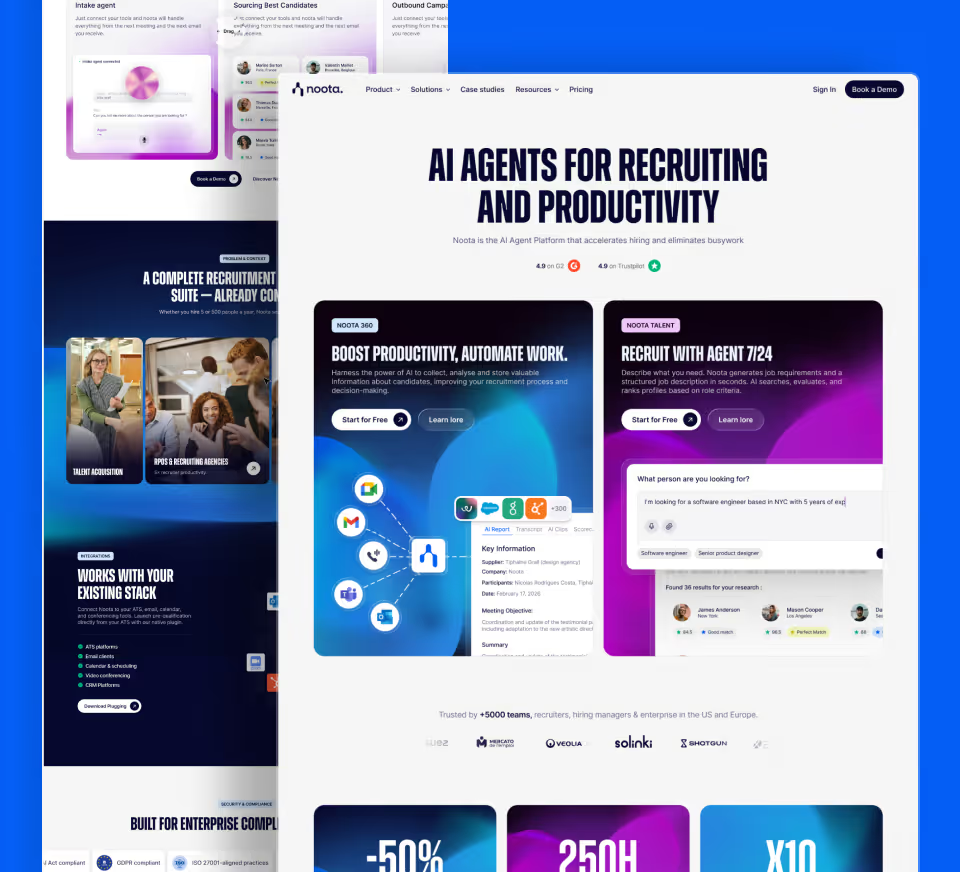
A migration to Webflow is more than just transferring URLs: it must preserve content, internal linking, measurement, and conversion paths. Thetechnical SEO audit provides the baseline, whileWebflow SEO expertise ensures CMS-specific requirements are verified before UAT.
The Finary and Lemlist migrations demonstrate two different contexts for moving to Webflow. For regulated businesses or those highly dependent on organic traffic, the redesign of a financial site also illustrates the trade-offs between design, compliance, content, and SEO continuity.
Preserving traffic is a matter of methodology
An SEO migration cannot be secured with a single list of redirects generated at the last minute. It must be prepared as a business continuity project: establishing a baseline, making URL-by-URL decisions, performing rigorous UAT, defining clear responsibilities, tracking segmented data, and maintaining the ability to roll back. The earlier these elements are formalized, the more the redesign can drive growth instead of turning every variation into an emergency investigation.
Frequently asked questions about SEO migration
How long does it take to recover rankings after a migration?
There is no universal timeframe. Google states that a medium-sized site can take a few weeks to move within its index, while a larger site may require more time. The speed depends on the volume of URLs, crawl frequency, the quality of redirects, and the scale of the changes.
Should all old URLs be redirected?
No. Useful URLs should be kept or redirected to a true equivalent. A deleted page without a substitute can return a 404 or 410 status. Redirecting all URLs indiscriminately to the homepage creates false equivalents and complicates analysis.
Do 301 redirects cause a loss in SEO rankings?
Google treats permanent redirects as a strong signal to the new URL. The main risk comes less from the 301 status itself than from poor mapping, redirect chains, irrelevant destinations, or significant changes to the target content.
Can you change CMS without changing URLs?
Yes, and doing so reduces a significant risk. However, you must still check rendering, tags, internal linking, sitemaps, performance, and HTTP codes: a CMS change can affect SEO even if the addresses remain the same.
When should a launch be cancelled?
A rollback should be considered when a critical, widespread issue prevents crawling, indexing, access to priority pages, or conversions, and cannot be fixed within the allotted window. Criteria must be defined before going live to avoid making an improvised decision.
Good to know
Heading
Lorem ipsum dolor sit amet, consectetur adipiscing elit. Suspendisse varius enim in eros elementum tristique. Duis cursus, mi quis viverra ornare, eros dolor interdum nulla, ut commodo diam libero vitae erat. Aenean faucibus nibh et justo cursus id rutrum lorem imperdiet. Nunc ut sem vitae risus tristique posuere.











Lorem ipsum
Lorem ipsum dolor sit amet, consectetur adipiscing elit, sed do eiusmod tempor incididunt ut labore et dolore magna aliqua. Ut enim ad minim veniam, quis nostrud exercitation ullamco laboris nisi ut aliquip ex ea commodo consequat. Duis aute irure dolor in reprehenderit in voluptate velit esse cillum dolore eu fugiat nulla pariatur.



.webp)