


Add a table of contents in Webflow
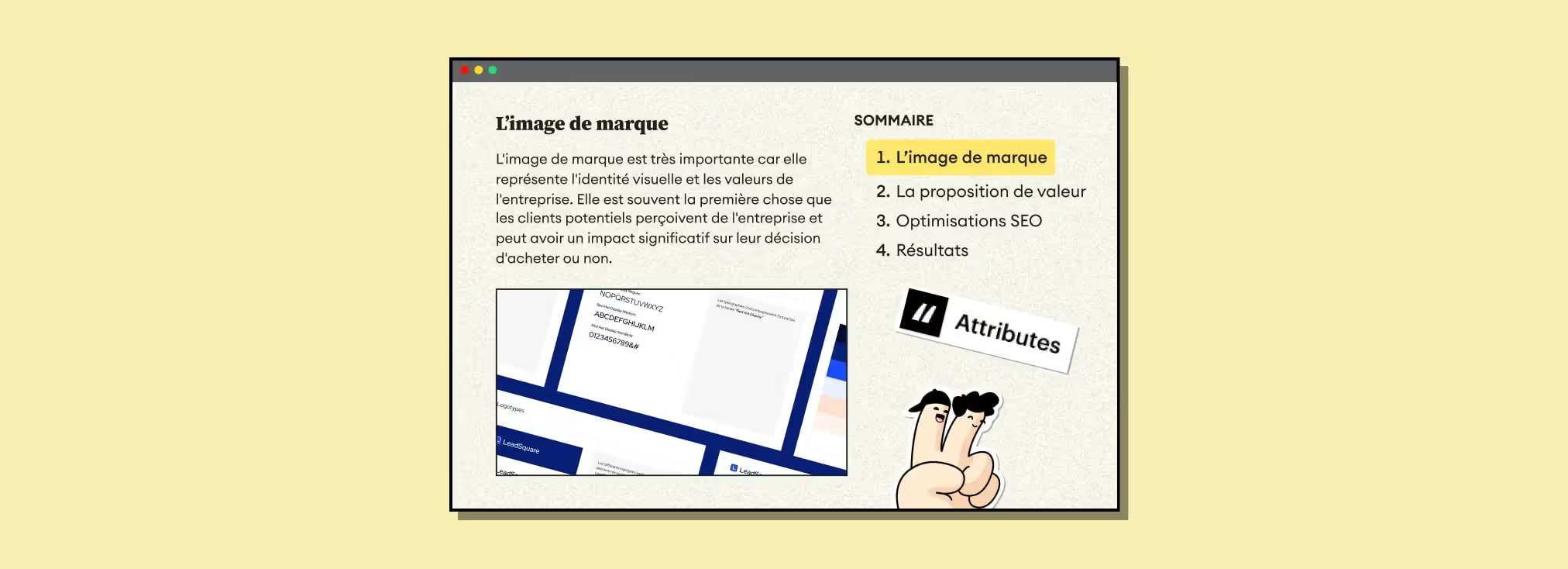
Video
| Finsweet attribute | Webflow element | Value |
|---|---|---|
| fs-toc-element | Rich Text | contents |
| fs-toc-element | Table of contents link | link |
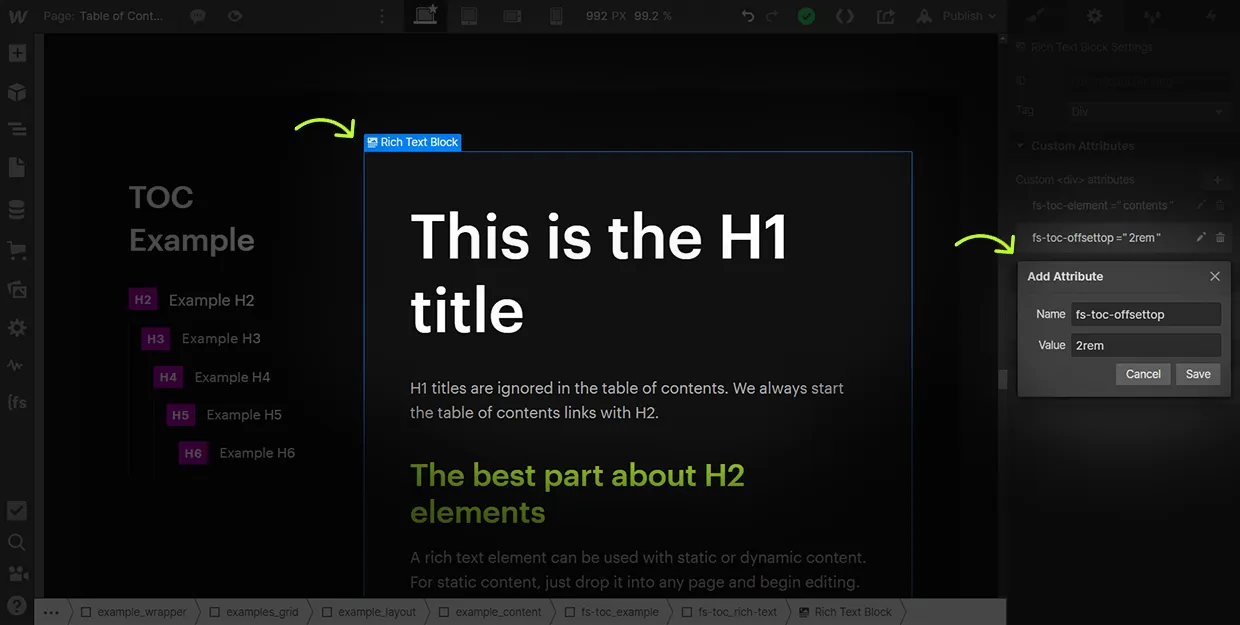
| fs-toc-offset | Table of contents wrapper | Your nav height (e.g. 80) |
Why add a table of contents to your blog posts?
The Gemeos Webflow agency explains why it’s important to add a table of contents to a blog post:
- Make navigation easier: a table of contents helps readers quickly find the sections they care about without having to read the whole article. It can improve the reading experience and keep people on your blog longer.
- Improve readability: a well-structured table of contents can make your article clearer and easier to follow. That matters even more if your article is long or complex.
- Boost SEO: a table of contents helps search engines understand your article structure and rank it better in search results. That can potentially increase traffic to your blog.
- Show you’ve thought about your reader: by adding a table of contents, you show that you’ve considered your readers’ needs and want to give them a smooth, efficient reading experience in the spirit of SXO.
In short, adding a table of contents to your blog post can improve navigation, readability, SEO, and show your commitment to your readers.
Also check out the 9 steps to optimize your Webflow site for SEO
1. Add this script in the <head> of your page
< script defer src="https://cdn.jsdelivr.net/npm/@finsweet/attributes-toc@1/toc.js">2. Add a "contents" attribute to the <Rich Text> element in your blog post
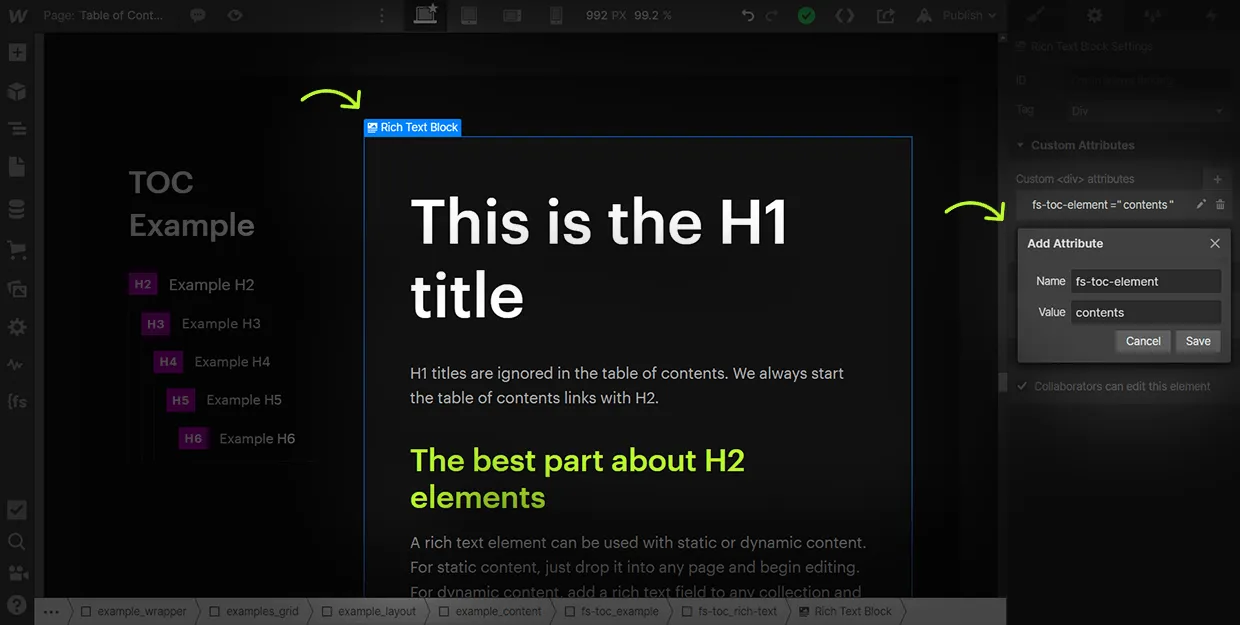
3. Add "link" attributes to the links in your table of contents
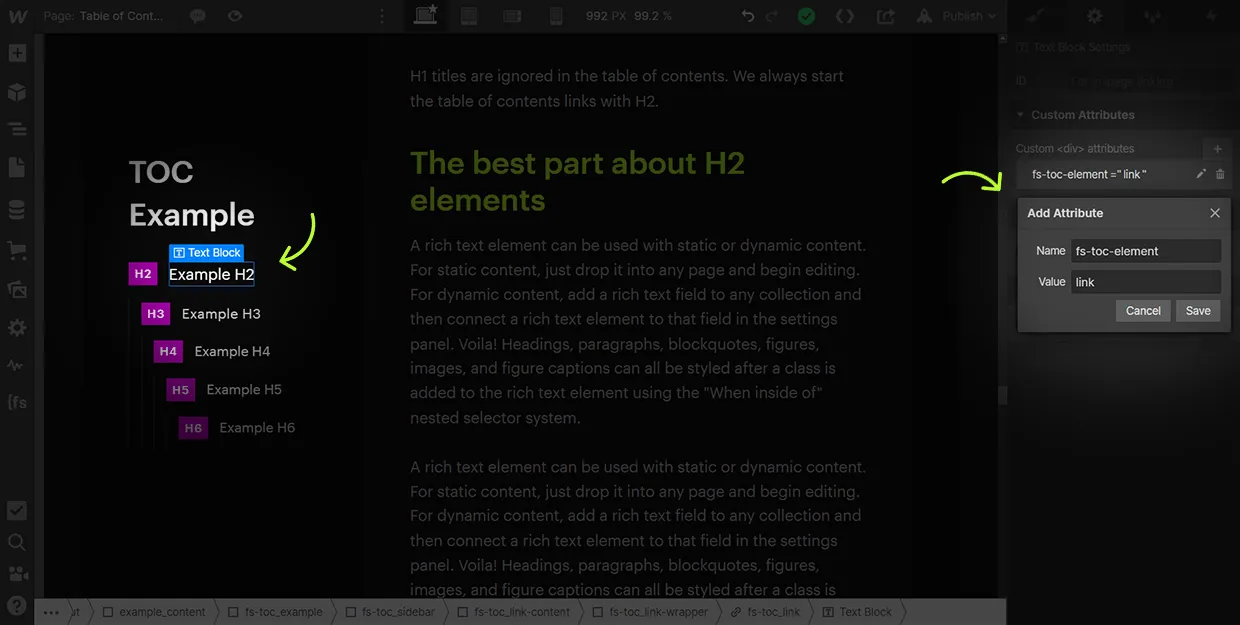
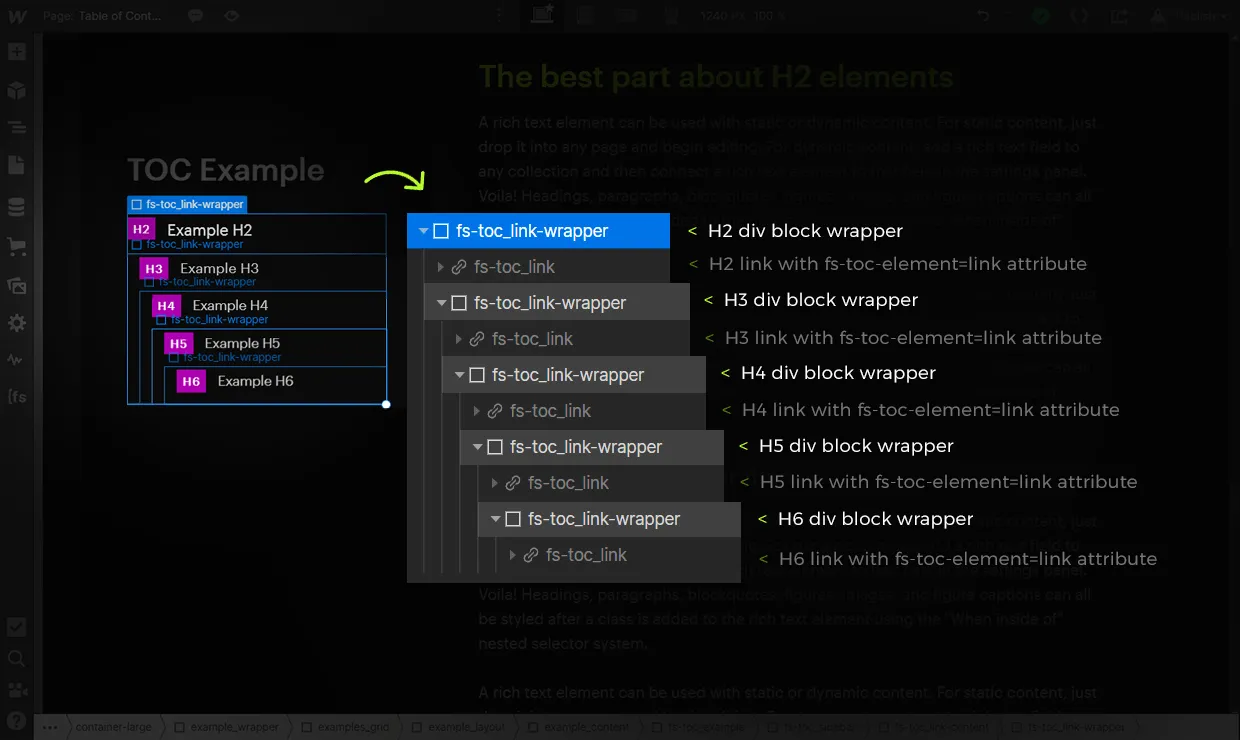
4. Publish your site and test the result

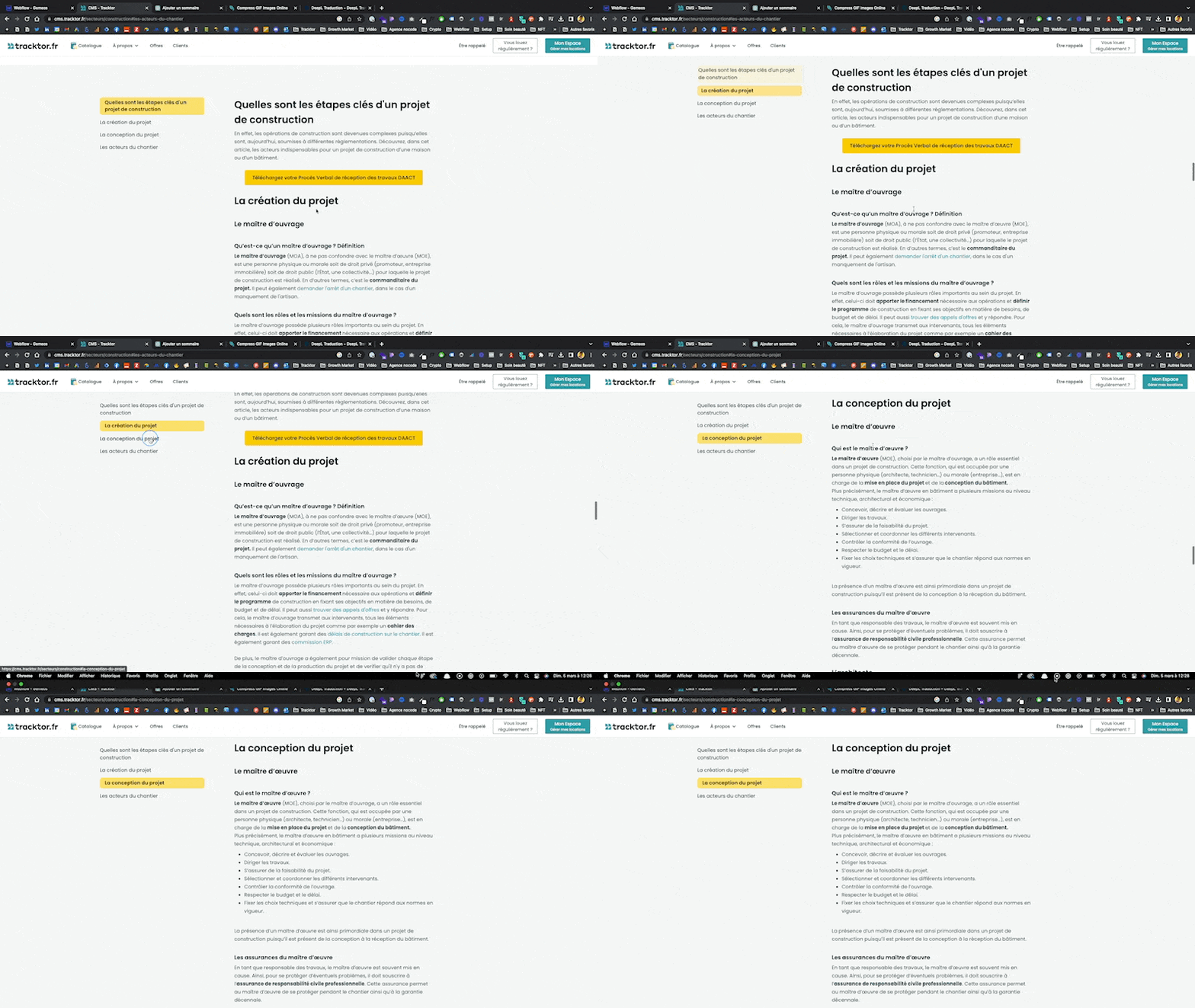
Bonus 1: Style the active state of your table of contents
The current state of generated table of contents links works with Webflow’s native current state.
To edit the "Current state" class in Webflow Designer:
- Look for the green "Current" class to appear in the Style panel (add the current page link in your link settings)
- Apply the current/active styles to the link. These styles will be used when a link is active while scrolling through the table of contents.
Bonus 2: Add an offset
When a user clicks a table of contents link, the page anchors and scrolls to that content section. This attribute adds top spacing above the content heading. Especially handy when your Heading ends up hidden behind your navigation bar.
Good to know
Heading
Lorem ipsum dolor sit amet, consectetur adipiscing elit. Suspendisse varius enim in eros elementum tristique. Duis cursus, mi quis viverra ornare, eros dolor interdum nulla, ut commodo diam libero vitae erat. Aenean faucibus nibh et justo cursus id rutrum lorem imperdiet. Nunc ut sem vitae risus tristique posuere.













Lorem ipsum
Lorem ipsum dolor sit amet, consectetur adipiscing elit, sed do eiusmod tempor incididunt ut labore et dolore magna aliqua. Ut enim ad minim veniam, quis nostrud exercitation ullamco laboris nisi ut aliquip ex ea commodo consequat. Duis aute irure dolor in reprehenderit in voluptate velit esse cillum dolore eu fugiat nulla pariatur.





