Projects
 Our Offers
 Dedicated team
 Blog
 Academy
 About Us
Tips10 min read
How much does a website for a training provider cost?
Your catalogue may offer the same programme on several dates and accept bespoke requests from businesses. At Gemeos, building the website costs €6,000 to €12,000 excl. VAT for "Provider with a few courses" (8 pages and 5 courses, 1 language). The "Catalogue with sessions" scope represents a budget of €7,500 to €16,500 excl. VAT (20 courses, 40 initial sessions and 3 filters).
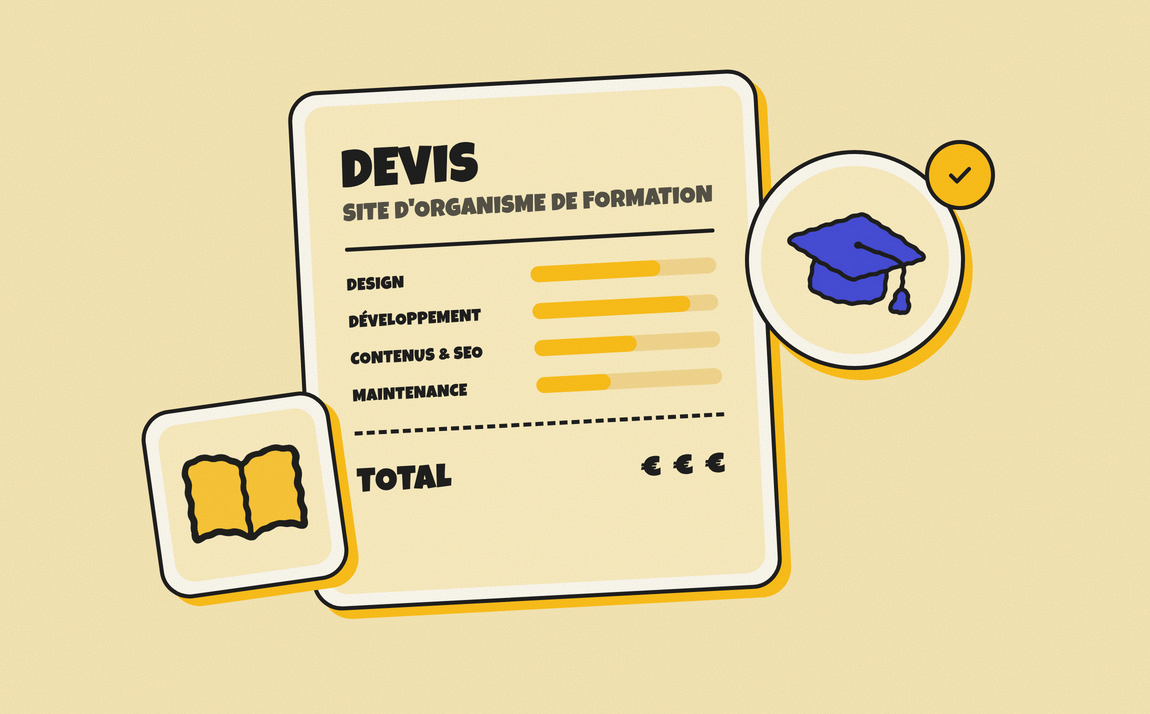
What budget should you plan for your training provider's website?
Budgets are given excluding VAT for the volumes and features stated. For a new build: scoping, site structure, UX/UI, CMS development, integration of the copy and visuals you supply, testing and onboarding. For a redesign, migration or enhancement: the work is carried out on an existing site. These services are not automatically cumulative. Copywriting, translations, new visuals, licences, subscriptions and third-party costs are to be specified in the quote.
| Service and project | Budget excl. VAT | Scope and limits |
|---|---|---|
| New build — Provider with a few courses | €6,000 to €12,000 | 8 pages and 5 courses, 1 language. Objectives, audiences, delivery arrangements and information request. No paid enrolment or LMS. |
| New build — Catalogue with sessions | €7,500 to €16,500 | 20 courses, 40 initial sessions and 3 filters. Programme pages, schedules and quote requests. Manual updates, no connected ERP. |
| New build — Training offer for businesses | €8,000 to €16,000 | 12 pages, 6 bespoke offers and 4 case studies. HR journeys, group needs and enquiry qualification. No sales acquisition subscription. |
| New build — Enrolment with payment | €7,500 to €16,500 | 15 courses and 1 external enrolment solution. Payment gateway, confirmations and enrolment testing. Commissions, licences and training funding excluded. |
| New build — Catalogue linked to the training software | €7,500 to €16,500 | 50 courses, 1 ERP source and 2 languages. Session synchronisation and enquiry routing. Documented API, no LMS or ERP built. |
| Redesign — Redesign of the existing site | €8,500 to €18,000 | 100 URLs to review, 1 language, up to 5 templates; CMS retained. Carry-over of courses, sessions and documents. Checks: open sessions, enrolments and training software. Existing copy lightly revised; no change of CMS or addition of business software. |
| Technical migration — CMS migration with design retained | €7,000 to €21,000 | 100 URLs, 1 language, 1 source CMS and 1 target CMS to be confirmed. Transfer of courses, sessions and documents. Checks: open sessions, enrolments and training software. Design and functional scope retained; exportable sources and available interfaces; licences and editorial overhaul handled separately. |
| Site enhancement — Add a session calendar | €2,000 to €5,500 | Existing site, 20 courses and 40 sessions. Session template, date filters and enrolment request. No LMS, payment or full redesign. |
What budget for a training provider's website: brochure site or connected catalogue?
Start by deciding where the sales website ends. Presenting an offer, receiving an enquiry and delivering training are different services. Bundling them under a single "website build" line hides the work involved and the tools you can keep.
A learning platform, or LMS, is used to deliver and track learning. Your organisation may already have one. The public website can lead to it without rebuilding the courses, the accounts and participant tracking.
A web agency for training providers should clarify these boundaries with your sales, teaching and administrative teams. The proposal can then distinguish what will be built, kept or connected. The price should reflect this split, without assuming that every service is included in a brochure site.
How do programmes and sessions affect the price of a training website?
The programme is long-lasting content; a session is a delivery of that programme on given dates. This distinction changes page design, management fields and the way content is published. A course offered on several dates does not necessarily require as many page templates. In the budget for a school website, the links between programmes, campuses, intakes and applications need to be defined before connecting to admissions. This work differs from managing sessions and open-enrolment or in-house requests at a training provider.
Real variations still need handling, though: in person or remote, venue, pace, a price that can be published or a contact for the session. The content architecture work defines what is shared and what varies. It should prevent a programme change from forcing you to correct every occurrence by hand.
The volume to integrate is not the same as the number of templates
Designing a reusable programme page pools the interface work. Filling the catalogue then means checking the objectives, prerequisites, delivery arrangements and sessions attached to each offer. To make sense of two website build quotes, compare separately the templates created, the programmes carried over and the session cases to handle: open, full, postponed or with no upcoming date.
Also specify the state of your data. A structured export, brochures in different formats and a library of PDFs do not require the same carry-over work. Cleaning up titles, missing content and attaching sessions should be identified before anyone promises an automatic import.
The course should stay visible between two sessions
When no date is open, the programme can still be useful for preparing an in-house request or for being notified of the next opening. The site should then offer an action consistent with how you work. Showing an enrolment button that leads to a finished session does not do that job.
The quote should describe how full, postponed or cancelled sessions are handled. An enrolment is not just a date on a page: it may depend on capacity, approval and an external tool. These rules give concrete substance to development and testing.
How should open-enrolment and in-house training be organised on a training provider's website?
In open-enrolment (inter-company) training, several clients join a scheduled session. In-house (intra-company), the conversation is about a company's need and logistics still to be defined. The questions asked, the information displayed and the messages received should reflect this difference.
| Visitor's situation | Journey to design | Work to include in the quote |
|---|---|---|
| Choosing an open-enrolment session | Programme, delivery arrangements, date and route to the enquiry or enrolment | Session display, transfer of the chosen reference and a clear return path |
| Training a team in-house | Need, audience, expected headcount, format and contact | Page or journey variant, tailored form and sales assignment |
| Interested in a programme with no date | Programme information and getting in touch | No-session state, explicit message and handling of the enquiry |
| Enrolling several employees | Group request, then data collection at the appropriate stage | Split between the public website and the enrolment tool, with no unnecessary re-entry |
The in-house form should help your team prepare a conversation. It does not need to collect the participants' full administrative file straight away. Conversely, an enquiry about an open-enrolment session should keep that session's reference: the programme name alone can leave ambiguity about the venue or dates.
The web design of the journeys should show these choices on mobile, right down to the confirmation messages. Specify which situations need mock-ups: a programme offered in both formats, an unavailable session, a group request or the return after the external service has opened.
What does the work on content and course search involve?
The editorial work should start from the programmes you actually offer. It may include interviews, rewriting course pages, organising sections and integration, within a defined volume. It does not create proof of results, certification or funding that is absent from your documents.
A complete training page remains useful for the visitor's choice. In the quote, above all ask who prepares and approves each piece of information, then who keeps it up to date. A programme reviewed by the head of training and an unapproved promotional text are not the same starting point.
Funding arrangements should be worded on the basis of what you can substantiate for the offer concerned. Building the website does not guarantee any funding. If a piece of information is awaiting approval, it is better to leave it unpublished than to ask the agency to fill the gap.
Paying for search that matches the offer available
The catalogue work consists of defining the categories and criteria that genuinely help people choose. A "location" filter is useful if several locations are offered and correctly filled in. A more sophisticated search engine will not fix inconsistent levels or delivery arrangements.
To present the catalogue without losing the user, the project should link navigation choices to your data. The estimate separates the organisation of sections, the design of search and the content to carry over. A limited catalogue can start with clear categories before paying for advanced features.
Plan the materials that help people choose a course: a programme extract, the teaching outline, an introduction to the trainer or a sample exercise that you are allowed to share. A gallery of generic images does not play the same role. The quote separates the materials supplied by the heads of training, their adaptation for the web and those still to be produced.
What Qualiopi information should you gather before getting the course pages costed?
For a provider certified under Qualiopi (the French national quality certification for training providers), indicator 1 of the framework expects detailed, verifiable information on each service: objectives, audience and prerequisites, duration and delivery arrangements, access lead times, prices, assessment methods and accessibility. When these elements are scattered across brochures and spreadsheets, collecting them and having the quality manager review them is a work item in its own right, separate from integrating the pages.
The required notices are checked at the same time. The activity declaration number may only be displayed with the wording set out in article L6352-12 of the French Labour Code, which states that registration does not amount to State approval, and terms such as "CPF-eligible" or "certifying" are decided course by course. To create a website for a training provider without having to rework the course pages after the audit, each regulatory field needs a place in the page template and a person responsible for updating it.
How do you connect the training website to the software that manages enrolments?
Start with the features your tool actually offers. A link to a session, a catalogue provided by the software vendor and a connection developed for your site are different pieces of work. The right solution depends on the experience you want and the exchanges your contract allows.
Digiforma's documentation on catalogue sessions illustrates this dependency: publishing an open-enrolment session is subject to specific conditions relating to the programme, scheduling and dates. This behaviour should not be extrapolated to all software, nor presented as a connection already available in your future site.
If development is needed, ask for a description of the exchanges: information read, requests sent, identifiers stored, error handling and who is responsible for the connection. An API is an interface for exchanges between software; its existence does not prove that all the expected fields or operations are accessible.
Define a reference source for each piece of data. Dates may come from the management software, while the sales presentations stay in the CMS. If both systems allow the same information to be edited, you need to decide which one prevails and how to correct a discrepancy.
The training website's CMS should let your team enrich a programme without re-entering the dates that come from the management software. If the prerequisites change, the correction should stay at the right level; if a session closes, its status should follow the chosen source. WordPress, Webflow and headless are all possible approaches at Gemeos. The useful demonstration covers this division of data and the ability to publish a new offer.
How do you decide what goes live at launch and what can wait?
The initial scope should make it possible to find an offer, understand its delivery arrangements and start the right conversation. Additional features should have an identified user and owner. A business client area with no one in charge of its access rights adds a responsibility before it delivers a usable service.
To prepare a comparable quote, gather:
- One programme ready to publish and one programme with variants.
- The open-enrolment and in-house journeys the sales team wants to handle.
- Examples of open sessions, full sessions and sessions with no future date.
- The software you are keeping, the authorised demo access and the available documentation.
- The volume of course pages, documents and visuals to carry over, with the people responsible for approving them.
- The management tasks your contributors will need to carry out after delivery.
These elements let you compare the strategy, content, design, development and onboarding services. The proposal should also specify the approvals expected from your organisation and how requests falling outside the agreed scope are handled.
For search engine optimisation, separate the foundations of the new site from ongoing editorial work. Long-lasting programme pages do not play the same role as temporary session dates. SEO support can target the offers you want to grow; its actions and deliverables need to be defined. Gemeos pricing starts at €1,000 excl. VAT per month.
Measurement follows the same logic: a click through to the catalogue is not a confirmed enrolment. Choose the events your tools can verify and plan to reconcile them with the enquiries handled by the team. The quote should not promise confirmation tracking if the software does not provide that information.
How did La Solive's redesign organise its training content?
La Solive trains people for careers in construction and energy-efficient renovation. Gemeos rebuilt its website on a new foundation, with art direction, UX/UI design and SEO work. Editorial content, events and promotions have a CMS structure; the team was trained to use it.
The project shows the value of costing content browsing and day-to-day content management together. For your organisation, the quote should specify the reusable templates, the content carried over and the onboarding. A course page, an event and a testimonial do not necessarily call for the same presentation, even when they are linked in the future learner's journey.
What should you check to take over the site and hand over its management?
During a redesign, take an inventory of old course pages, withdrawn programmes and links found in brochures or campaigns. An SEO migration should plan where they will point and the checks after switchover. Systematically redirecting every discontinued programme to the homepage is no substitute for this preparation.
Acceptance testing and onboarding can rely on the same cases: closing a session in the authorised source, correcting a prerequisite, sending an in-house request and finding where it ends up. Your team should be able to carry out these operations with its own access. Check the content displayed, the data transfer and the publishing rights; a success message on the site does not prove receipt in the sales tool.
Management subscriptions, the LMS, hosting, the domain name and maintenance of the connections should be identified separately from the build price. Technical maintenance does not automatically include writing a new programme. Have the person responsible for each service named, along with what triggers a billable intervention.
Prepare your programmes, your open-enrolment and in-house journeys and the tools you want to keep to request a quote for a training website. You will be able to compare the price of the services your operations require, with explicit deliverables and responsibilities.
FAQ on the cost of a website for a training provider
What should you plan for if your training buyers are mainly HR managers?
The journey should let them check the fit with a team's needs: target skills, audience, delivery arrangements and preparation of an in-house request when you offer one. The HR manager does not necessarily need to choose an individual session or pay straight away. The site structure and forms should reflect this difference from a catalogue aimed at individuals. Bring an example of a business enquiry to the scoping stage so that the content and exchanges actually needed can be costed.
Do you need to create a new page for each date of the same course?
Not necessarily. A long-lasting programme page can present several sessions, each with its own arrangements. The quote should specify the shared information, what varies and the action available once the date has passed. A separate page is justified if it meets a real content or journey need, not just to reproduce the same text with a different date.
Can you launch the redesign without replacing Digiforma or another management software?
Yes, if the necessary journeys can rely on the authorised features of the tool you keep. The site can link to its forms or require a connection scoped separately. Before costing, have a route to the right session and the handling of an enquiry tested. Keeping the software does not mean the integration involves no work.
How do you cost a course offered both as open enrolment and in-house?
Plan for the differences in presentation and enquiry on top of a shared programme base. The open-enrolment journey can lead to a date; the in-house journey should gather the group's context and steer towards a conversation. The design, fields, recipients and confirmations need to be described. There is no need to write two identical programmes if their teaching content is the same.
Should the site take payment for the course from the first version?
Only if this matches how you work and what the chosen service can do. A request subject to approval does not become an automatic sale just by adding payment. Specify the confirmation steps, documents, any cancellations and responsibilities before getting payment collection costed. A link to an existing payment page and a custom-built journey have different scopes.
Who should keep prerequisites and dates up to date after delivery?
Assign approval of prerequisites to a person in charge at your organisation, then their publication to an authorised contributor. Dates should be edited in the source chosen for sessions. The onboarding service should demonstrate these operations using the team's own access. Autonomy announced without a division of responsibilities leaves the risk of discrepancies in place.