Webflow vs Squarespace: our 2026 comparison
Building a professional website takes a tool that can combine design, performance, and creative freedom. Webflow and Squarespace are two popular options... but they have very different philosophies.
This comparison, put together by our Gemeos Webflow agency, helps you understand their strengths, their limitations, and why Webflow is generally the better choice for a scalable professional website.

article summary
- Webflow offers front-end-level design freedom, with precise control over responsive behavior, the CMS, and interactions.
- Squarespace relies more heavily on polished templates and a simple interface, making creation faster but limiting advanced customization.
- Webflow provides greater control over HTML structure, redirects, and technical SEO, while Squarespace mainly covers essential settings.
- Squarespace suits portfolios, freelancers, and small businesses that want to manage a standardized website quickly.
- Webflow is the better fit for a custom brand identity, an ambitious acquisition strategy, and a website designed to evolve with the marketing team.
Want to take it further? Ask:
Webflow vs Squarespace: what are the differences?
You can find our other CMS comparisons here:
Webflow vs Squarespace: what do they have in common?
Which tool for which type of project?
When should you choose Webflow?
Webflow is built for professional projects that need to be highly customized, optimized, and scalable.
Ideal for:
- SaaS, startups, B2B companies
- Complex website redesigns
- Sites with strategic SEO
- High-performing landing pages
- Sites that need advanced animations + interactions

When should you choose Squarespace?
Squarespace is still a strong option for simple, fast projects with limited customization needs.
Best for:
- Creative freelancers
- Very basic showcase websites
- Simple portfolios
- Small e-commerce sites with standard needs
Its limitations
- Very rigid templates
- Little advanced SEO optimization
- Impossible to build complex CMS structures
- Limited integrations
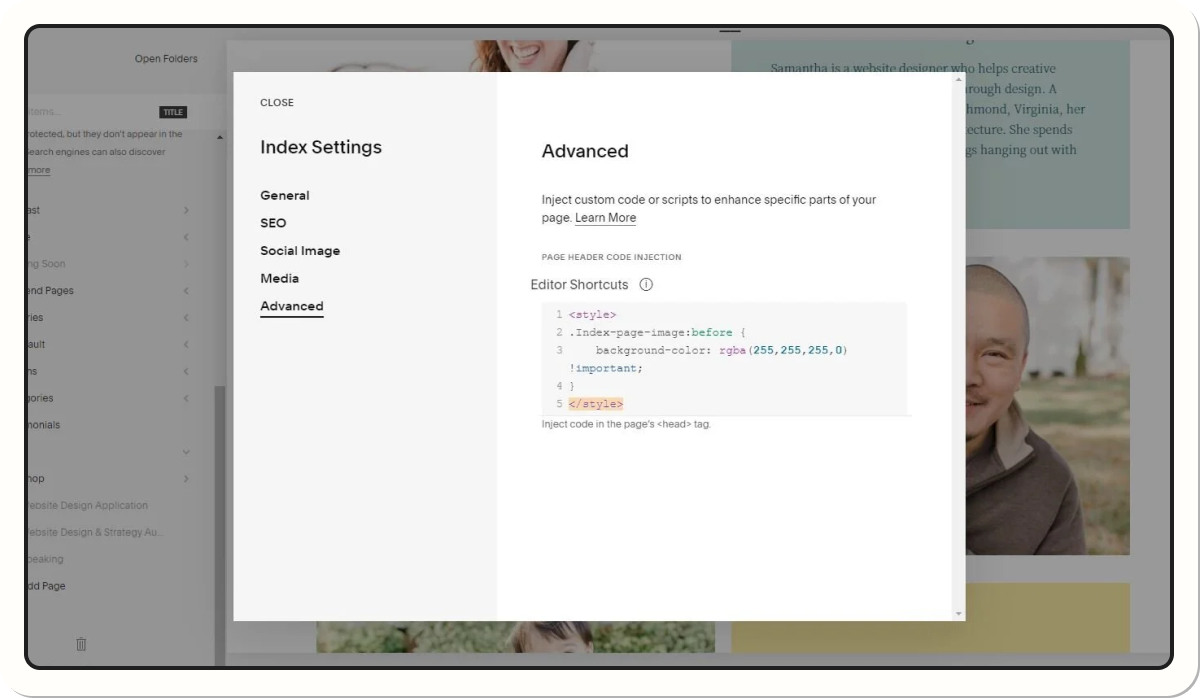
Webflow vs Squarespace: which is better for SEO?
Webflow clearly wins on SEO
Webflow offers:
- Advanced CMS management (slugs, markup, collections…)
- Better performance
- Clean HTML structure
- Schema.org management
- Fine-tuned image optimization
- Scalable landing page logic
{usecases}
Squarespace for basic SEO
- Enough for a standard website
- Less flexible for technical SEO
- Decent performance, but less optimized
Webflow vs Squarespace: which is more flexible?
Webflow: the most flexible no-code platform on the market
- Custom builds
- Complex interactions
- Advanced CMS structure
- Capabilities very close to a from-scratch development
Squarespace: easy, but rigid
- Easy to get started with
- But very rigid: hard to go beyond the template
Webflow vs Squarespace — What you need to know
Sources
- Webflow documentation
- Squarespace documentation
- Internal Webflow performance study
- Lighthouse benchmarks (2023–2024)
- Independent comparisons (Webflow University, Tooltester, WebsiteBuilderExpert)
Good to know
Heading
Lorem ipsum dolor sit amet, consectetur adipiscing elit. Suspendisse varius enim in eros elementum tristique. Duis cursus, mi quis viverra ornare, eros dolor interdum nulla, ut commodo diam libero vitae erat. Aenean faucibus nibh et justo cursus id rutrum lorem imperdiet. Nunc ut sem vitae risus tristique posuere.







.avif)





Lorem ipsum
Lorem ipsum dolor sit amet, consectetur adipiscing elit, sed do eiusmod tempor incididunt ut labore et dolore magna aliqua. Ut enim ad minim veniam, quis nostrud exercitation ullamco laboris nisi ut aliquip ex ea commodo consequat. Duis aute irure dolor in reprehenderit in voluptate velit esse cillum dolore eu fugiat nulla pariatur.